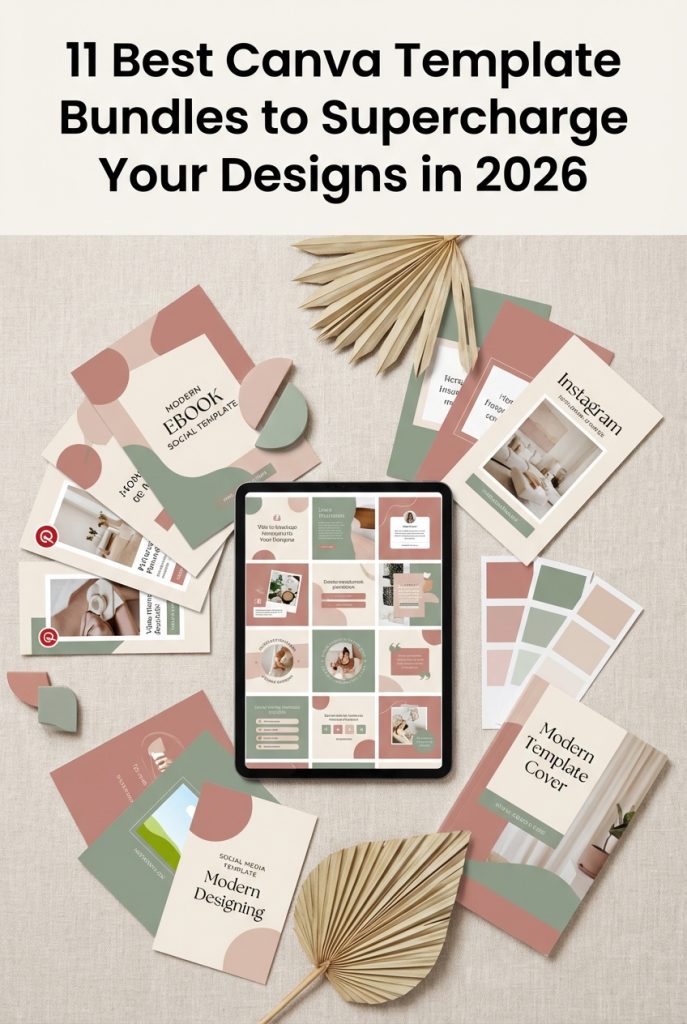
Designing professional-grade visuals from scratch takes hours you don’t have. These 11 Canva template bundles cut that to minutes — all editable in the free version of Canva, commercially licensed, and ready to publish on Etsy, KDP, or your own store today.
⚡ Jump to what you need:
Top 11 Canva Template Bundles (2026 Edition)
Commercial license included · Free Canva compatible · Etsy & KDP ready
⚡ Quick Comparison: Top 5 Bundles at a Glance
| Bundle | Templates | Free Canva? | Best Use Case | Sell on Etsy/KDP? |
|---|---|---|---|---|
| Instagram Post Bundle (SnapyBiz) | 930+ | ✅ Yes | Social media managers, coaches | ✅ Yes |
| Medical Social Media Bundle (SnapyBiz) | 863 | ✅ Yes | Healthcare professionals | ✅ Yes |
| Social Media Posts Bundle (amleyy) | 180+ | ✅ Yes | Multi-platform brand content | ✅ Yes |
| Editable eBooks Bundle (Makii) | 20 eBooks | ✅ Yes | Digital product shops, lead magnets | ✅ Resell rights included |
| Coaches & Trainers Bundle (Dreamwings) | 20+ types | ✅ Yes | Client resources, lead magnets | ✅ Yes |
📱 Social Media Templates
1. Social Media Posts Templates Bundle — 180+ Templates for Instagram, Facebook & Pinterest, Free Canva Compatible ⭐ Editor’s Pick: Best Multi-Platform Bundle (by Templates by amleyy)
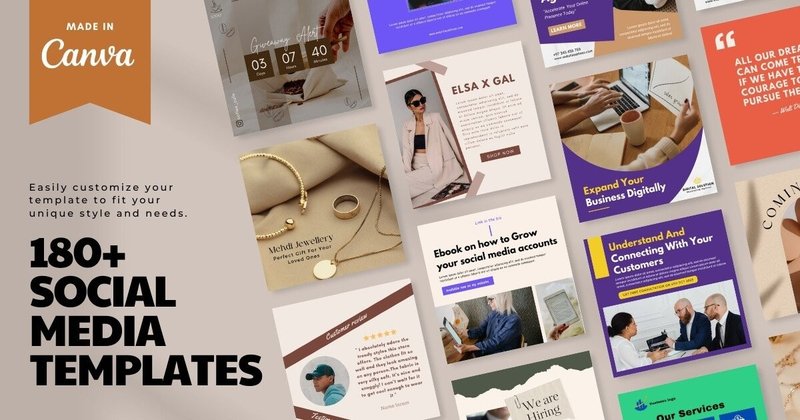
180+ templates covering Instagram, Facebook, and Pinterest — including sales promotions, motivational quotes, and lifestyle posts. The key differentiator here: everything works in the free version of Canva with no Pro subscription required. Categories span enough variety that a single purchase covers several months of posting across multiple platforms.
Features:
- 180+ templates across Instagram, Facebook, and Pinterest formats.
- Categories include sales and promotions, motivational quotes, and lifestyle content.
- 100% compatible with the free version of Canva — no Pro account needed.
- High-resolution layouts that maintain quality whether posted or printed.
Best for:
- Small business owners who need consistent social media visuals without a design budget.
- Freelance social media managers who handle multiple client accounts simultaneously.
- Bloggers and content creators who post across more than one platform and need format consistency.
- Solopreneurs who want to batch-create a month of content in a single session.
2. Instagram Post Template Bundle — 930+ Templates Including Niche Packs for Mental Health, Estheticians & Business Coaches (by SnapyBiz) ⭐ Editor’s Pick: Best for Volume
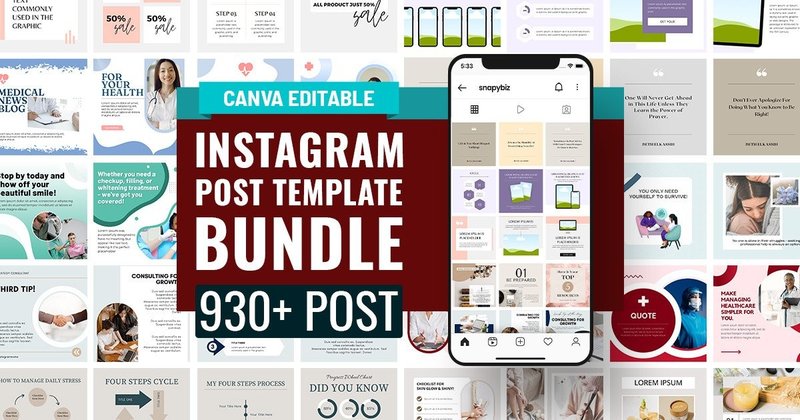
930+ templates in a single purchase, organized into niche-specific packs — Mental Health, Esthetician, Business Coaching, Wellness, and more. The niche packs are the key differentiator: instead of adapting generic templates to your industry, you get layouts already designed for your audience’s expectations and language. Includes seamless carousel templates, which are among the highest-engagement format on Instagram.
Features:
- 930+ Instagram templates across multiple niche-specific packs.
- Niches include Mental Health, Esthetician, Business Coaching, Wellness, and more.
- Seamless carousel templates for high-engagement multi-slide posts.
- Fully editable in Canva — swap colors, fonts, and images to match your brand.
Best for:
- Service-based entrepreneurs in specific industries who need industry-appropriate templates, not generic ones.
- Social media managers handling multiple clients with different niches from one bundle.
- Coaches and consultants who want carousel posts that educate and retain followers.
- Anyone building a new Instagram presence who needs enough variety to post daily for months.
3. Social Media Scene Generators Bundle — 27 Animated Story and Event Promotion Templates for Canva (by LUMIVO)
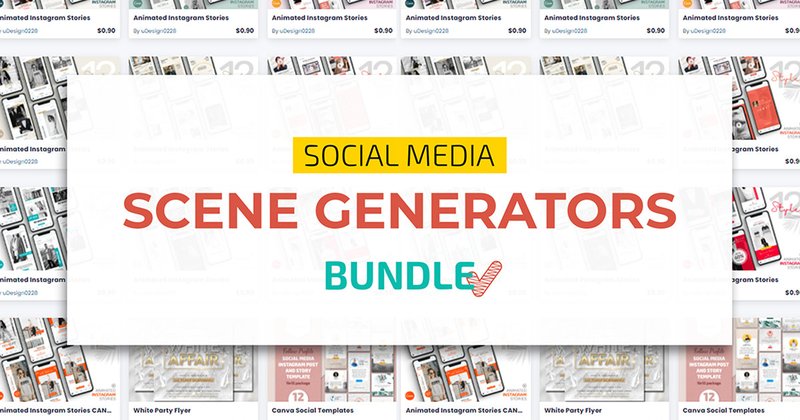
27 scene generator templates designed for Instagram Stories, event promotions, and product mockups — all animated. Unlike standard flat post templates, these let you drop your own product or brand imagery into pre-styled environments, creating a “styled shoot” look without the cost of an actual shoot. Useful for e-commerce brands and lifestyle creators who need context around their products.
Features:
- 27 animated scene generator and story templates.
- Includes event promotion, product mockup, and mood board layouts.
- Animated Stories templates for higher reach on Instagram.
- Drop-in design: place your imagery into pre-built styled scenes.
Best for:
- E-commerce brands who need product-in-context visuals without a professional photoshoot.
- Event planners creating animated promotional content for Instagram and Facebook Stories.
- Lifestyle influencers building a consistent visual aesthetic through styled scenes.
- Brand designers creating mood boards and visual identity presentations for clients.
💰 Digital Products to Sell: eBooks, Planners & Printables
4. Editable eBooks Mega Bundle — 20 Complete eBooks with Resell Rights, Topics from Finance to Fitness ⭐ Editor’s Pick: Best for Passive Income (by Makii)
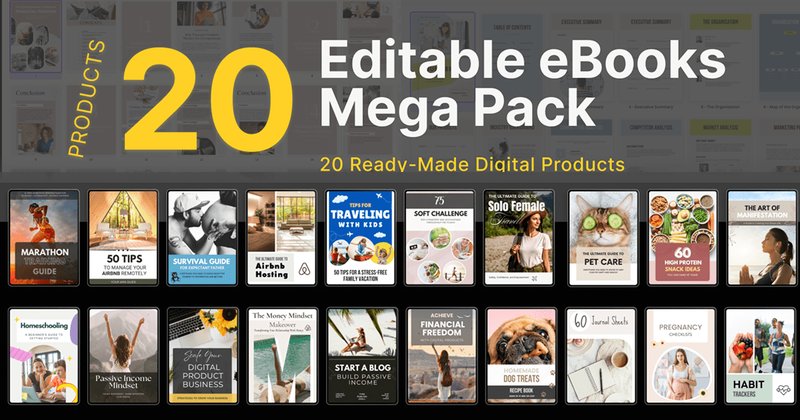
20 complete, pre-designed eBooks covering topics across financial freedom, pet care, fitness, travel, and more — all editable in Canva and sold with resell rights. The resell rights are the critical detail: you can rebrand these, sell them on Etsy or Gumroad, and keep 100% of the revenue. Each eBook is fully laid out — you edit the content and cover, not the structure.
Features:
- 20 complete, professionally designed eBooks ready to rebrand and sell.
- Topics span finance, fitness, pet care, travel, and more — broad market coverage.
- Fully editable in Canva: change colors, fonts, text, and cover images.
- Includes commercial resell rights — sell finished products and keep the profit.
Best for:
- Entrepreneurs launching a digital product shop on Etsy or Shopify who need inventory fast.
- Coaches and online educators who want lead magnets without spending weeks writing and designing.
- Bloggers and influencers monetizing their audience with a low-effort entry-level product.
- Anyone building a passive income stream with done-for-you content they can sell immediately.
5. Editable Canva Templates Bundle — Mental Health & Mindset Planners, Workbooks & Journals, KDP-Ready (by Celine Art)
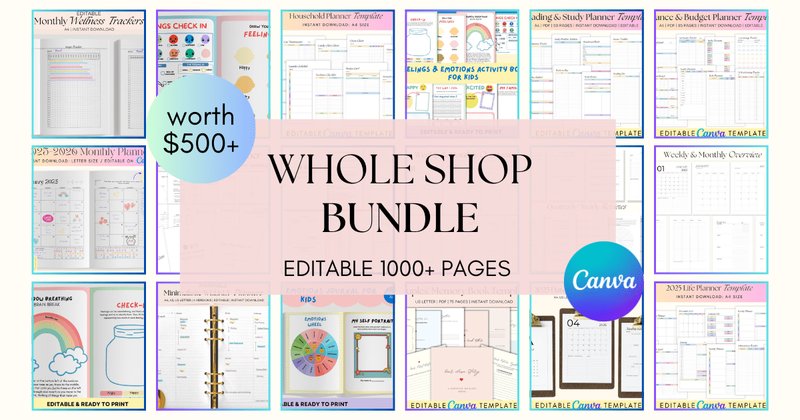
A collection of planners, workbooks, and journals built around mental health, mindset, and personal growth — a niche with consistent demand on both KDP and Etsy. The designs are print-ready and formatted for digital product publishing. The specialized topic focus means less competition than generic planners while serving a highly motivated buyer audience.
Features:
- Print and digital assets: planners, workbooks, and journals.
- Niche focus: mental health, mindset, and personal growth topics.
- Commercial-ready designs for KDP, Etsy, and other digital product platforms.
- Fully customizable in Canva — add branding, change colors and fonts.
Best for:
- Coaches and therapists who want professional, branded client resources without designing from scratch.
- KDP publishers targeting the mental wellness niche with low-competition, high-demand products.
- Etsy sellers building a digital product library in the self-development space.
- Educators creating guided workbooks and reflection journals for courses or workshops.
6. Printables Template Bundle for Coaches and Trainers — 20+ Printable Types Including Affirmation Cards, Journals & Trackers ⭐ Editor’s Pick: Best for Coaches (by Dreamwings Creations)
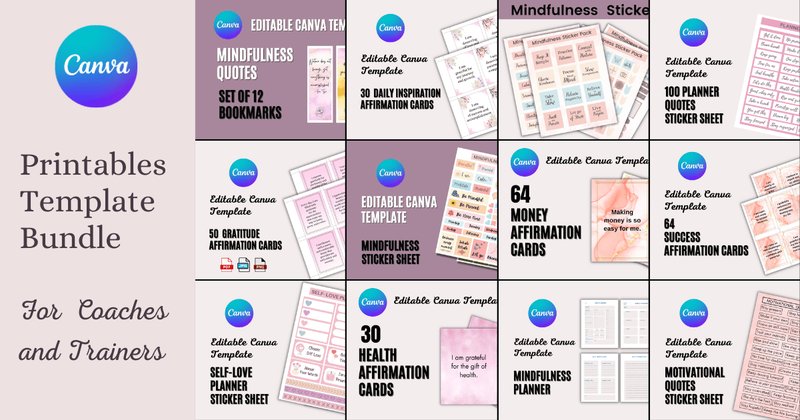
20+ distinct printable types in a single bundle: journals, planners, habit trackers, sticker sheets, and affirmation card decks covering money mindset, success, post-partum, and gratitude themes. The affirmation card library is the standout — most coaching bundles don’t include this level of specialization. Everything is editable in Canva so you can white-label with your own branding before sharing or selling.
Features:
- 20+ printable types: journals, planners, trackers, sticker sheets, affirmation cards.
- Affirmation card sets covering money, success, post-partum, and gratitude — niche-specific.
- Soft, cohesive floral and wellness aesthetic consistent across all templates.
- Fully editable in Canva — add your logo, brand colors, and fonts.
Best for:
- Life coaches and wellness mentors who need tangible client resources and session homework.
- Course creators who want supplemental workbooks and planners to increase perceived course value.
- Entrepreneurs building a lead magnet library — gratitude journals and habit trackers convert well.
- Postpartum and family wellness coaches who need niche-specific affirmation content already written.
💍 Events & Weddings: Animated Invitations & Stationery
7. Wedding Invitations — Watercolor Pink Roses Bundle with Animated eVite as MP4 for WhatsApp & Social Sharing ⭐ Editor’s Pick: Best for Romantic Weddings (by Studio21)
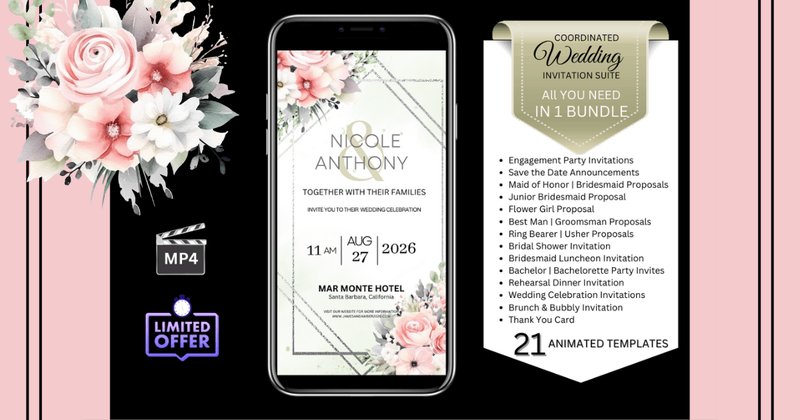
Animated wedding invitation templates that export as MP4 files for sharing via WhatsApp, text, and email — a format that consistently gets more engagement than static PDF invitations. The watercolor pink roses aesthetic suits garden parties, classic floral, and romantic wedding themes. No software installation required — edit directly in Canva’s free version and share immediately.
Features:
- Fully animated eVite templates — downloadable as MP4 files.
- Instant access for editing in free Canva — no software or font installation needed.
- Customizable text, fonts, colors, and animation styles.
- Optimized for sharing via WhatsApp, text, Messenger, and social media.
Best for:
- Couples planning a garden party, classic floral, or romantic-themed wedding.
- DIY brides who want a polished digital invitation without hiring a designer.
- Eco-conscious couples replacing printed stationery with animated digital alternatives.
- Wedding planners who need a fast, professional template to deliver to clients quickly.
8. Beach Boho Wedding Invitations Bundle — Animated MP4 eVites for Coastal and Bohemian Weddings (by Studio21) ⭐ Editor’s Pick: Best for Boho Weddings
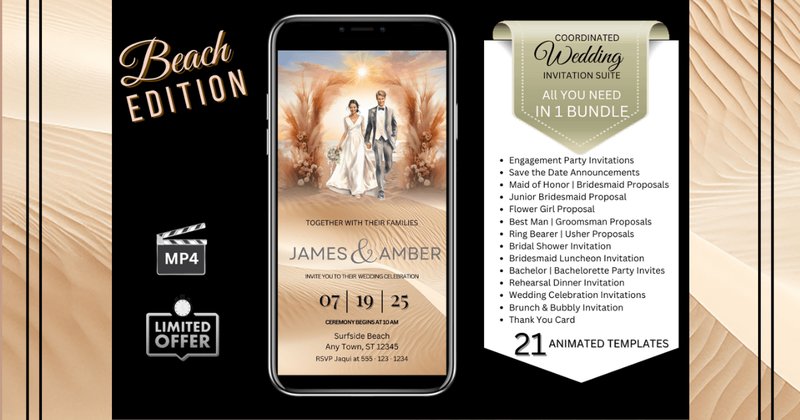
The bohemian counterpart to the watercolor roses bundle above — same animated MP4 format, different aesthetic. Sun-drenched floral illustrations and flowing typography suited for beach, coastal, destination, and rustic outdoor ceremonies. If watercolor roses feel too formal for your event style, this is the alternative from the same studio with the same technical quality.
Features:
- Animated digital invitations — downloadable as MP4 for dynamic sharing.
- Free Canva compatible — instant access with complete customization.
- Full control over text, fonts, colors, and animation styles.
- Optimized for text, WhatsApp, Messenger, and email delivery.
Best for:
- Couples with a beach, coastal, bohemian, or outdoor ceremony aesthetic.
- Destination wedding planners who need a shareable digital invitation format.
- DIY wedding organizers who want a professional result without design software skills.
- Rustic, nature-inspired, or festival-style events beyond weddings — engagement parties and bridal showers.
9. USA Gift Ticket Canva Template Bundle — 20 Destination Boarding Pass Designs for Surprise Trip Announcements (by SnapyBiz)
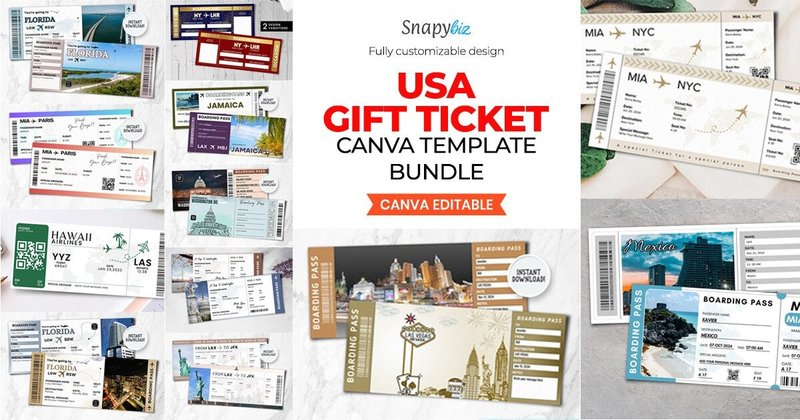
20 boarding pass–style gift ticket templates, one per US destination — New York, Florida, Las Vegas, Jamaica, and more. The boarding pass format is the product differentiator: it makes a trip announcement feel like a real travel document, which is a well-performing concept for gift reveals on social media. Custom name, date, and message fields are built in.
Features:
- 20 destination-specific boarding pass templates — major US cities and vacation spots.
- Custom fields for name, date, and personalized message — built into every template.
- Drag-and-drop Canva editing — no advanced skills needed.
- Optimized for both high-quality printing and digital sharing.
Best for:
- Families and partners planning surprise trip reveals for birthdays, anniversaries, or holidays.
- Travel businesses creating premium, on-theme gift vouchers for clients.
- Event organizers sending destination wedding or corporate retreat invitations with a travel aesthetic.
- Content creators who post gift reveals — the boarding pass format photographs and shares well.
🏥 Niche & Professional Templates
10. Canva Medical Social Media & Printables Bundle — 863 Templates for Healthcare Professionals, Free Canva Compatible ⭐ Editor’s Pick: Best Niche Bundle (by SnapyBiz)
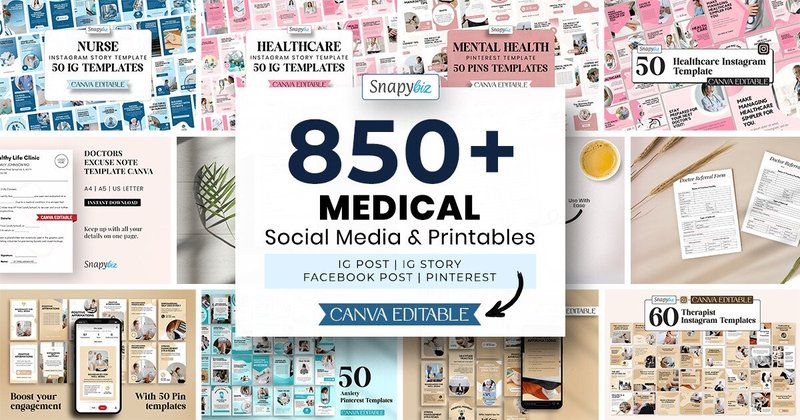
863 templates specifically designed for medical and healthcare professionals — covering Instagram posts, Stories, Facebook, Pinterest, and printable client handouts (mood trackers, health logs). Generic social media bundles don’t serve this audience well because they lack the professional credibility and topic specificity that medical content requires. This bundle fills that gap directly.
Features:
- 863 fully customizable Canva templates for healthcare contexts.
- Platform coverage: Instagram posts and Stories, Facebook, and Pinterest.
- Printable client resources included: mood trackers, health logs, and more.
- Clean, calming aesthetic designed to build patient trust, not just look pretty.
Best for:
- Therapists, counselors, and mental health advocates creating educational social media content.
- Medical practices and clinics who need a consistent, professional brand presence online.
- Nurses and healthcare educators who want to share health information accessibly on Instagram.
- Dietitians and wellness coaches who provide clients with structured, printable tracking tools.
11. Drag & Drop Mockups Canva Frame Template Bundle — 29 Collage Frame Templates with PDF Guide and Video Tutorial (by LostDeLucky) ⭐ Editor’s Pick: Best for Mockups
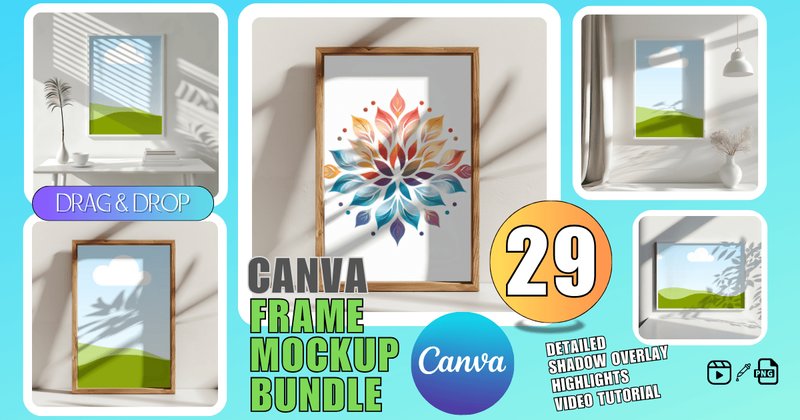
29 pre-arranged Canva frame templates built for drag-and-drop mockup creation — drop your image into the frame and the layout is done. The editorial collage style produces a high-end portfolio or mood board aesthetic without needing Photoshop or a mockup subscription service. The included PDF guide and video tutorial make this accessible even for beginners, and it works on free Canva accounts.
Features:
- 29 unique Canva frame templates with drag-and-drop image placement.
- Produces editorial collage-style mockups — portfolio and mood board quality.
- Free Canva compatible — no Pro account or Photoshop needed.
- Includes PDF guide and video tutorial for a smooth learning curve.
Best for:
- Brand designers and photographers creating client portfolio presentations and visual identity decks.
- Product-based businesses showcasing multiple items in a styled, editorial format.
- Social media managers building visual content calendars and campaign mood boards.
- Fashion and lifestyle creators producing lookbook content without professional styling equipment.
🎨 How to Make Any Template Look Like Your Own Brand
A template is a starting structure, not a finished product. Three adjustments make the biggest difference between “obviously a template” and “custom brand design”:
- Use the Brand Kit first: Before touching any template, upload your logo, brand colors, and fonts to Canva’s Brand Kit. Inside any template, go to the Design tab → your Brand Kit under Styles. Canva applies your colors and fonts across the entire design in one click.
- Rethink the typography hierarchy: Change font weights rather than typefaces — switching a thin heading to bold creates a more distinctive look without breaking visual consistency. Adjust letter and line spacing slightly to make the text feel custom-composed.
- Replace stock photos with your own: This single change separates generic from branded. If you don’t have brand photography, choose stock images that share a consistent color palette and mood — not just any high-quality photo.
💡 Higher-Value Uses for a Canva Template Bundle
Template bundles work far beyond social media posts — the same assets can build multiple revenue streams:
- Lead magnets and opt-ins: Use planner or workbook templates to build a multi-page PDF freebie. A consistent, professional design makes your lead magnet feel high-value and increases email opt-in rates.
- Course and webinar materials: A single bundle can supply presentation slides, student workbooks, promotional graphics, and certificates of completion — creating a consistent student experience throughout.
- Physical product crossover: A square Instagram template can become a product label, a thank-you card for shipments, or a hang-tag for apparel. Brand consistency from digital ad to physical unboxing builds recognition.
🛠️ Technical Tip: Deconstruct Templates to Unlock Full Customization
Most people only change text and colors. To go deeper, learn to read the template’s structure:
Right-click any complex design element. If you see “Ungroup,” click it — most professional-looking visuals are multiple simple shapes layered together. Each layer can then be recolored or resized independently.
Open the Layers panel via Position → Layers tab in the top-right menu. This shows every element on the page. From here you can select items hidden behind others, lock elements you don’t want to accidentally move, and reorder layers. It’s the most powerful customization tool in Canva, and most users never open it.
❓ FAQ: Canva Template Bundles
Do I need a Canva Pro subscription to use these templates?
No — every bundle in this list is explicitly compatible with the free version of Canva. You can edit, customize, and export all templates without a paid Canva account. Some advanced Canva features like background remover or brand kit syncing across multiple accounts are Pro-only, but the core editing and export workflow works on a free account.
Can I sell products made from these templates on Etsy or KDP?
Yes, with a commercial license — which all bundles listed here include. You can sell finished products (planners, eBooks, printables, social media graphics for clients) made from these templates. Always verify the specific license terms on the product page, as some may have limits on print runs or reselling the raw templates themselves.
What’s the difference between a template bundle and a done-for-you product (like the eBook bundle)?
A template gives you the visual structure — layouts, color schemes, font pairings — but you fill in the content yourself. A done-for-you product like the Makii eBook bundle gives you complete, pre-written content with layout, which you can rebrand and sell as-is. Done-for-you products launch faster; templates give you more creative control and originality.
Can I use these templates for client work?
Most commercial licenses cover creating deliverables for paying clients. However, you typically cannot resell the raw template files themselves — only the finished designs you create from them. Check the individual product license on Creative Fabrica before delivering template files directly to clients.
How do I keep my designs from looking like everyone else who bought the same bundle?
Three changes make the biggest impact: apply your own brand colors using Canva’s Brand Kit, replace all stock photos with your own imagery (or a consistent, curated stock collection), and adjust at least one typography element — font weight, letter spacing, or size ratio. These three steps alone make a templated design unrecognizable from its original.
Are animated templates like the wedding invitation bundles hard to create or share?
No — the Studio21 animated bundles are fully set up in Canva. You edit the text, adjust colors if needed, then export as MP4. The entire process takes under 15 minutes. The resulting MP4 file sends via WhatsApp, text message, email, or direct social media share without any additional conversion or software.
What Canva template category has the least competition for Etsy sellers?
Niche-specific printables tend to have less competition than generic planners. Mental health journals, niche affirmation card decks (post-partum, money mindset, grief), and industry-specific social media packs (medical, real estate, esthetician) consistently face lower saturation on Etsy than generic “beautiful planner” products. The Celine Art and Dreamwings bundles in this list are built for exactly those niches.
👀 Didn’t find what you were looking for?
There are hundreds more Canva template bundles in the full collection — every niche, style, and platform covered.
All bundles include commercial licenses and work with the free version of Canva.
Conclusion
The right Canva template bundle eliminates the blank-canvas problem entirely. Whether you need 930+ Instagram posts for a client roster, 20 rebrandable eBooks to launch a passive income product, animated wedding invitations to share via WhatsApp, or 863 healthcare-specific templates for a medical practice — every use case in this list is covered. All bundles work with the free version of Canva and include commercial licenses for Etsy, KDP, and client work. Pick your category and start creating today.