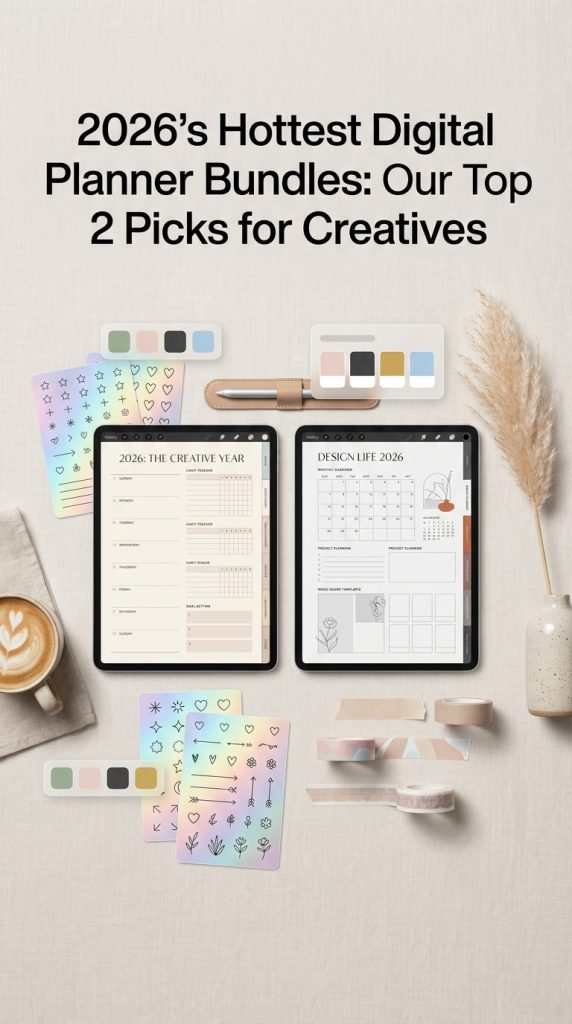
In the fast-paced creative world of 2026, staying organized is no longer just about productivity—it’s about creating space for inspiration. Digital planners have evolved from simple calendars into powerful, customizable hubs for project management, goal tracking, and creative brainstorming. For designers and DIY crafters, the right planner bundle is a game-changer, blending functionality with aesthetic appeal. We’ve sifted through the noise to bring you the two most popular and highly-rated digital planner bundles that are dominating the scene right now. These picks are perfect for streamlining your workflow and sparking your next big idea.
Top Collection Picks (2026 Edition)
1. Rainbow Unicorns Cute Digital Stickers Bundle (by julimur)
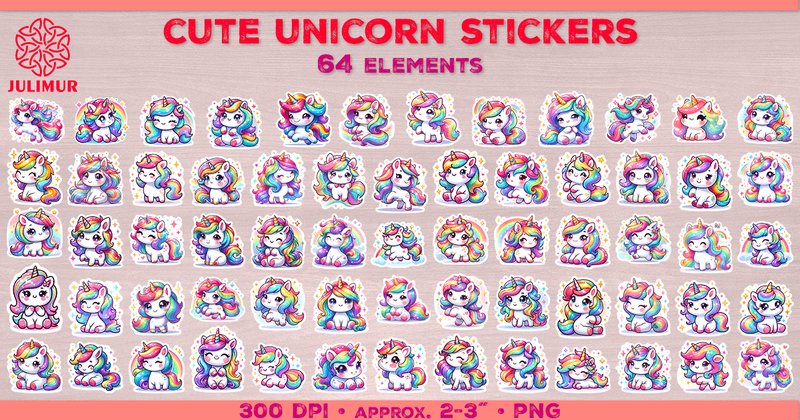
Rainbow Unicorns Cute Digital Stickers Bundle (by julimur) taps into a timeless cartoon aesthetic, blending a sense of playful nostalgia with a crisp, modern finish. This bundle radiates pure joy and innocence, making it a standout choice for creatives who want to infuse their digital planners with a dose of pure, unadulterated whimsy. Each of the 64 stickers feels like a frame from a beloved animated short, featuring unicorns with sparkling, rainbow-colored manes in a variety of delightful poses. The artwork, created with meticulous attention to detail, is designed to bring a smile to your face and a pop of vibrant color to any project, proving that a magical, lighthearted vibe is always in style.
Features:
- A vibrant, candy-colored palette with sparkling details that pop on any digital page.
- 64 high-resolution individual PNG files, each with a transparent background for easy layering.
- A diverse collection of charming unicorn poses and expressions, perfect for conveying different moods.
- A clean, whimsical cartoon illustration style suitable for both digital and print applications.
Best for:
- Digital planners and journalers who want to add a dose of fun and personality to their daily layouts.
- Content creators designing cheerful social media graphics, blog post headers, or newsletter assets.
- Designers working on children’s merchandise, party invitations, or educational printables.
- Anyone looking to brighten up their digital workspace in note-taking apps like GoodNotes, Notability, or OneNote.
2. Editable Canva Planners Template Bundle (by DIGITAL PRINT BOX)
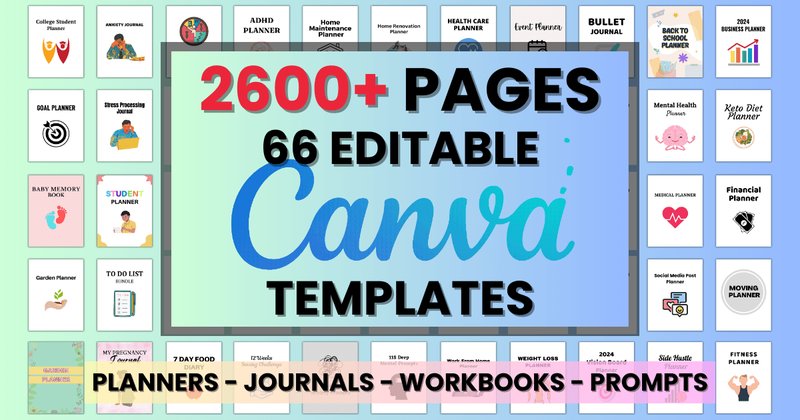
Editable Canva Planners Template Bundle (by DIGITAL PRINT BOX) feels less like a set of digital files and more like a personal stationer’s cabinet, where every template has the intimate, considered quality of fine calligraphy. This sprawling collection offers a distinct layout for every conceivable need—from tracking complex business goals to navigating deep personal reflections—each designed with a clean, approachable aesthetic that invites you to organize your life with intention. The sheer breadth of the bundle transforms Canva from a design tool into a comprehensive personal organization system, giving you a perfectly tailored page for every thought, plan, and feeling.
Features:
- An expansive library of templates covering personal wellness, business, finance, and lifestyle organization.
- Every element is 100% editable in Canva, allowing full control over fonts, color palettes, and layout structures.
- Delivered with high-resolution, print-ready PDF, JPG, and PNG files for ultimate versatility in digital or physical formats.
- Includes specialized, thoughtful content such as deep anxiety prompts, challenge trackers, and therapy journals.
Best for:
- Digital product creators looking to build an extensive shop of planner printables and lead magnets.
- Coaches, therapists, and wellness professionals who need specialized, customizable resources for their clients.
- Small business owners seeking a unified system for business, financial, and social media planning.
🛠 Choosing Your Canvas: The Right App for Your Planner
A digital planner is usually a hyperlinked PDF, which means you need a separate app to write on it and use its features. The app you choose can significantly impact your experience. Here’s a quick breakdown of the most popular choices for creatives:
| App | Best For | Key Feature for Creatives |
|---|---|---|
| GoodNotes | Visual organization and customization | Excellent shape-drawing tools, robust folder organization, and the ability to create “Elements” to easily save and reuse your favorite stickers. |
| Notability | Note-taking and audio recording | Syncs your handwritten notes with audio recordings—perfect for client meetings or brainstorming sessions where you want to capture every detail. |
| Samsung Notes | Samsung device users (S-Pen) | Deep integration with the Samsung ecosystem and a fantastic, pressure-sensitive writing experience with the S-Pen, making it feel very close to pen and paper. |
Pro Tip: Before committing, check if the app supports importing custom fonts, as this can be a dealbreaker for designers who want to maintain brand consistency.
💡 Beyond To-Do Lists: Build a Creative Project Hub
Your digital planner bundle is more than a calendar; it’s a blank canvas for managing complex creative projects from start to finish. Dedicate a new section in your planner for a specific project (e.g., “Client Branding: Apex Corp” or “Etsy Shop Launch”) and use the included templates to build a comprehensive hub:
- Mood Board Pages: Use blank or grid pages to import inspiration images, color palettes (with hex codes), and font pairings.
- Project Timelines: Map out key milestones and deadlines using trackers or blank pages to draw a custom Gantt chart.
- Asset & Feedback Tracker: Create a simple table to track deliverables, client feedback rounds, and approval status. Hyperlink directly to your asset files in cloud storage like Dropbox or Google Drive.
- Brainstorming Zone: Use dot-grid pages for mind mapping, sketching initial concepts, and jotting down unfiltered ideas.
🎨 The Art of Digital Sticker Curation
A great planner bundle comes with hundreds, if not thousands, of digital stickers. Without a system, this can lead to digital clutter and slow you down. Instead of scrolling endlessly, curate your collection for maximum efficiency:
Create a dedicated “Sticker Book” inside your note-taking app. This is a separate notebook where you organize your favorite and most-used stickers. Here’s how:
- Categorize by Function: Create pages for categories like “Icons,” “Banners,” “Trackers,” “Priorities (High, Med, Low),” and “Quotes.”
- Organize by Color: If you use a specific color palette for your planning, create pages dedicated to stickers that match your primary colors.
- Use the Lasso Tool: Simply lasso the sticker you want from your Sticker Book, copy it, and paste it into your planner page. This is much faster than searching through original sticker files.
⚙️ Pro Tip: Create a Cohesive Look with Custom Color Palettes
For a truly professional and aesthetically pleasing planner, go beyond the default pen colors. Define a custom color palette that reflects your personal brand or the mood of your current projects. Most PDF annotation apps allow you to add custom colors using HEX codes (a six-character code representing a specific color, like #333333 for dark gray).
Find color palettes on sites like Coolors or Adobe Color. Once you have your 5-6 core HEX codes, add them to your pen tool’s favorites. Use this limited palette consistently for your writing, highlights, and even for coloring in simple habit trackers. This small step creates a polished, intentional look that transforms your planner from a simple tool into a curated creative workspace.
👀 Didn’t find what you were looking for?
There are hundreds more cool options in the full collection for your project.
Conclusion
Choosing the right digital planner bundle is a powerful step towards a more organized and creative 2026. Whether you need an all-in-one life organizer or a dedicated project hub, these top-tier bundles provide the structure and style to help you achieve your goals and elevate your craft.