You’re spending 3 hours designing posts that get 12 likes and disappear. The problem isn’t your content — it’s your starting point. These 12 bundles give you a complete visual system: matching posts, stories, carousels, and covers, all built around the same style. Swap your photos, update the text, post. A full week of content in under an hour.
⚡ Jump to what you need:
Top 12 Instagram Template Bundles — 2026 Edition
Every bundle verified: commercial license included, ready for Canva, Photoshop, or PowerPoint
🏆 Top 5 At a Glance — Quick Comparison
Not sure which bundle matches your situation? This table settles it in 30 seconds:
| Bundle | Templates | Software | Top Use Case | Best For |
|---|---|---|---|---|
| Puzzle Feed Bundle | 20 puzzles × 18 posts | Canva (free) | Cohesive grid / brand launch | Influencers, e-commerce |
| Post Bundle (SnapyBiz) | 930+ | Canva (free) | Multi-client social media work | Agencies, SMMs |
| Carousels Bundle | 5 carousels / 35 posts | Photoshop | Swipe-through storytelling | Educators, marketers |
| Lightroom + Templates | Presets + templates | Lightroom + Canva | Photo + post consistency | Photographers, travel creators |
| Streetwear Bundle | Posts + Stories | Photoshop | Raw, urban brand identity | Fashion brands, musicians |
🛠️ Which Format Do You Actually Need? Canva vs. Photoshop vs. PowerPoint
Check this before you buy. Wrong format = tools you can’t open:
| Format | Software Required | Best For | Skill Level |
|---|---|---|---|
| Canva link | Free Canva account | Fast editing, teams, beginners | Beginner–Intermediate |
| Photoshop (.PSD) | Adobe Photoshop CC | Full creative control, pixel-perfect output | Intermediate–Advanced |
| PowerPoint (.PPTX) | Microsoft PowerPoint | Office users, non-designers, quick edits | Beginner |
| Illustrator (.AI) | Adobe Illustrator CC | Vector editing, agency deliverables | Advanced |
🧩 Puzzle & Cohesive Feed Layouts
1. Instagram Puzzle Templates Bundle — 20 Puzzle Designs × 18 Connected Posts Each, All in Canva
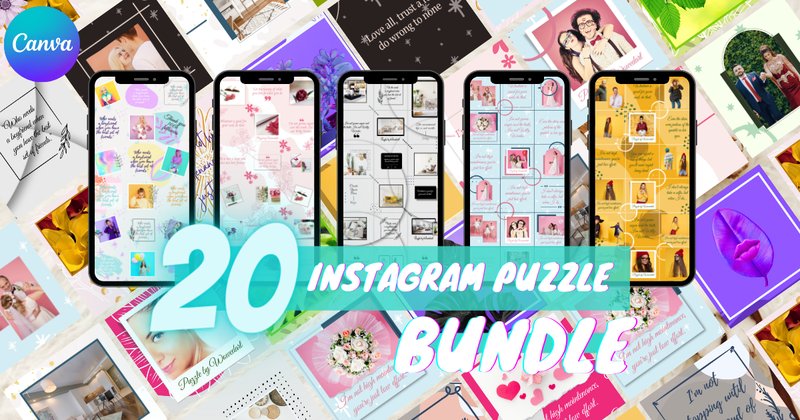
The problem with standard feed templates: every post looks fine individually, but the grid looks like a random collage. Puzzle feed templates solve this at the structural level — adjacent posts connect into one continuous image, so your entire profile reads as a single curated artwork. That first impression is what turns profile visitors into followers.
This bundle delivers 20 distinct puzzle layouts, each generating 18 linked posts — up to 360 grid-ready pieces from a single purchase. Everything edits in free Canva.
What’s Inside:
- 20 unique puzzle feed designs, each producing 18 connected Instagram posts (360 total)
- Fully editable in free Canva — drag in photos, update text, done
- High-resolution source at 3240px × 6480px — each exported post is sharp at 1080px
- Commercial license included for client work and branded accounts
Best For:
- E-commerce brands launching a product line who need their profile to look intentional from day one — not like they’re figuring it out as they go
- Photographers and illustrators who want the grid itself to function as a single cohesive portfolio piece, not a collection of disconnected shots
- Social media managers onboarding a new client with a blank or messy feed who need to establish a visual identity fast — puzzle templates are the most efficient reset available
- Lifestyle influencers planning a rebrand who want the new aesthetic locked in before they start posting, not after
📦 High-Volume Libraries: 729–930 Templates
2. Instagram Story Canva Template Bundle — 839+ Templates Across 20+ Niches: Wellness, Travel, Pets, Bakery & More
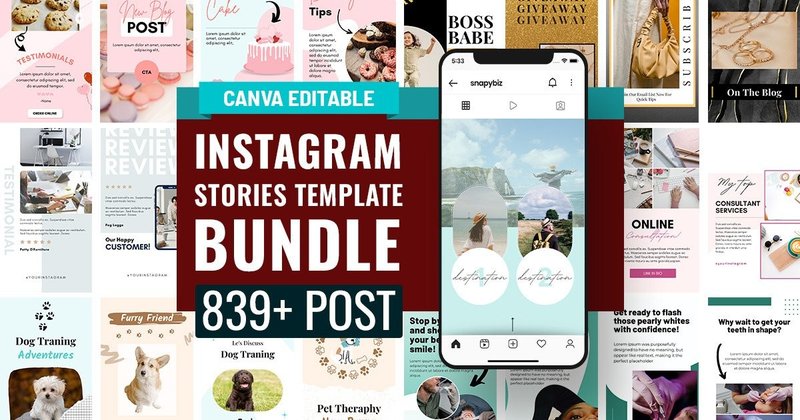
Most story bundles give you 30–50 designs in one visual style. That works until you have a client in a different niche — or your own content needs to cover more than one format. This bundle addresses that with 839+ templates spanning a genuinely wide range of niches and content types: engagement polls, product announcements, testimonial slides, before/after formats, charts, graphs, and niche-specific layouts for bakeries, travel agents, fitness coaches, and wellness brands.
The practical edge is variety without inconsistency — each niche set has its own visual language, but every template uses the same Canva editing workflow.
What’s Inside:
- 839+ story templates across 20+ niche categories in one bundle
- Content types: engagement boosters, promotions, charts, graphs, testimonials, behind-the-scenes
- Niche sets: bakery, travel, wellness, pets, fitness, professional services, and more
- All editable in free Canva — consistent drag-and-drop workflow across every template
Best For:
- Social media managers running 5+ client accounts who need niche-appropriate story templates without building new designs for every brand from scratch
- Solopreneurs who post daily Stories and need enough variety to avoid visual repetition across a 30-day calendar — 839 templates means no repeating for months
- Travel, wellness, and pet content creators who want templates built specifically for their audience rather than adapted from a generic lifestyle set
- Marketing coordinators at small businesses who handle all social content in-house and need a library deep enough to cover every campaign type without a designer on staff
3. Instagram Post Template Bundle — 930+ Canva Posts for Coaches, Estheticians, Carousels & Engagement
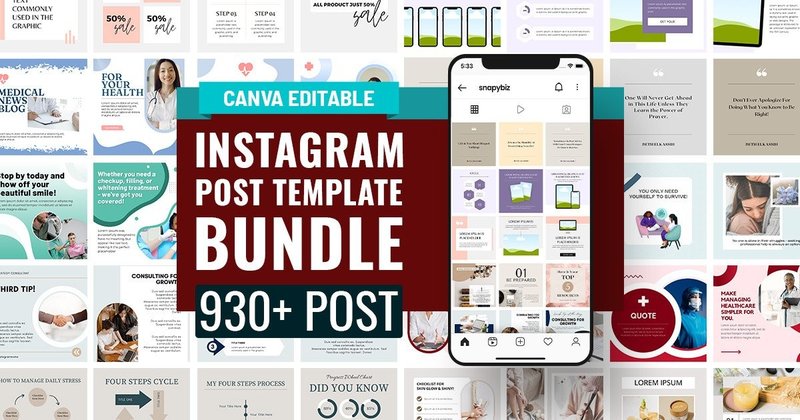
At 930+ templates, this is the largest post library in this roundup — and the one that makes most sense as a single-purchase foundation for any content operation. Coverage is broad: business development layouts, mental health graphics, seamless carousels, engagement boosters, and niche sets for coaches, estheticians, and service professionals.
What separates it from a random collection: templates within each niche set share fonts, spacing, and visual hierarchy. You can mix them within one brand’s feed and the result looks cohesive rather than assembled from different sources.
What’s Inside:
- 930+ fully customizable Canva post templates in one download
- Niche sets: business coaching, esthetics, mental health, fitness, and more
- Content formats: seamless carousels, engagement boosters, promotional posts, lead magnet graphics
- Visual hierarchy consistent within each niche set — mix templates without feed-level clashing
Best For:
- Social media agencies needing a client-ready library that covers enough niches to serve most new accounts without supplementary purchases
- Service professionals — coaches, consultants, estheticians — who need polished branded content but don’t have a design budget or a dedicated designer
- Content creators building a Canva template shop on Etsy who want a comprehensive reference library to study structure and formatting before building their own products
- Brand strategists who batch-produce 30-day content calendars and need formats covering every content pillar: educate, engage, promote — all in one place
4. Instagram Template Bundle for Bloggers — 729 Templates for Real Estate, Food, Fitness, Podcasts & 10+ More Niches
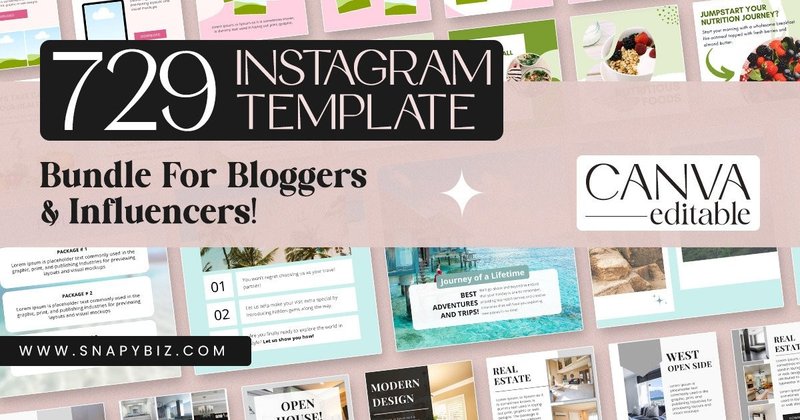
The difference between this and the 930+ post library above: this one is built around content types that bloggers and service professionals actually use most — carousels for breaking down topics, quote cards, lead magnets, podcast graphics, and promotional announcement formats. The layouts prioritize reading hierarchy, which matters when your content is text-heavy and information-dense.
If your Instagram functions as an authority-building channel rather than a product showcase, this library matches that intent better than a general-purpose template set.
What’s Inside:
- 729 Canva templates organized by niche: real estate, food, fitness, beauty, interior design, podcasts
- Content formats built for blog-style use: carousels, quote cards, lead magnet graphics, promotional posts
- Layouts designed for text-heavy content with clear visual hierarchy — body text stays readable
- Thematic consistency within each niche set for cohesive brand presentation
Best For:
- Bloggers and knowledge creators who use Instagram to distribute long-form content in digestible formats — tips series, how-to carousels, expert breakdowns
- Real estate agents and interior designers who need professional, client-facing graphics that communicate expertise and taste, not personality and lifestyle
- Podcast hosts who need visually consistent episode announcement posts, audiogram-style graphics, and quote cards that match their show’s brand identity
- Coaches running lead magnet funnels who need visually consistent opt-in promotion posts across multiple content pieces without designing each one separately
5. Mega Instagram Story Template Vol. 01 — Adobe Illustrator AI Files at 300 DPI for Agencies & Professional Deliverables
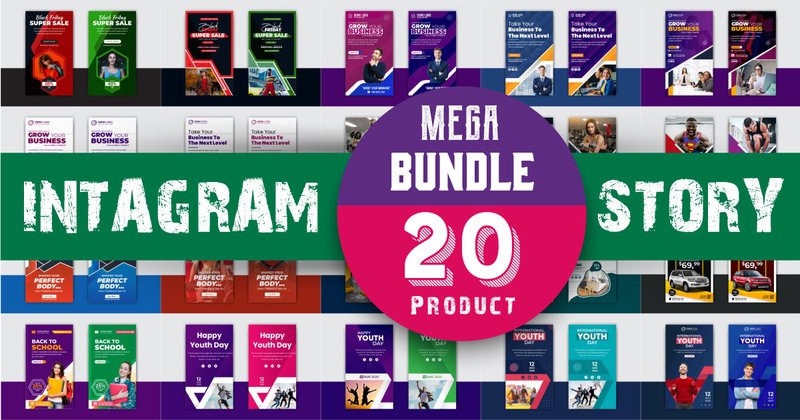
The only Adobe Illustrator–based story template in this roundup, which makes it the right choice for one specific situation: when a client brief or studio workflow requires editable vector source files rather than Canva links. The AI format gives complete creative control — resize, recolor, swap typefaces, adjust every element down to individual anchor points. The 300 DPI output also covers print-adjacent applications like story ads repurposed as display banners.
Not the fastest workflow for volume content, but the most professional for high-end client deliverables.
What’s Inside:
- Fully editable Adobe Illustrator (.AI) files — vector-based, infinitely scalable without quality loss
- 300 DPI resolution — works for screen output and print-adjacent applications
- RGB color system with logical palette structure for fast on-brand color swaps
- Clean editorial typography hierarchy — minimal, high-fashion aesthetic throughout
Best For:
- Digital marketing agencies that deliver branded social templates to clients as editable source files — a Canva link is not always an acceptable deliverable at the agency level
- Fashion and editorial brands that need story templates at magazine-layout quality, not drag-and-drop template quality
- Designers building a complete brand system who want social templates in the same file format and editing environment as their logo and identity assets
- Advertisers producing Instagram Story ads for paid campaigns where precise control over typography, spacing, and brand compliance is a production requirement
🎯 Niche-Specific: Fashion, Food, Streetwear, Islamic
6. Streetwear Instagram Template Bundle — Gritty Distressed Layouts for Posts (1:1) and Stories (9:16) in Photoshop
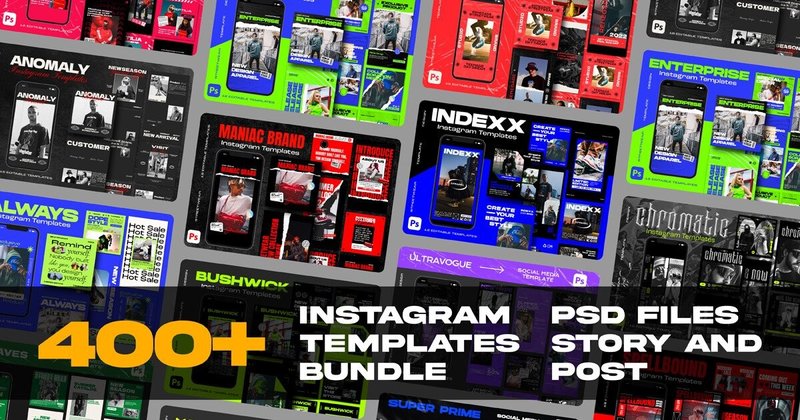
Clean, minimal templates dominate this market — which is exactly why streetwear brands look out of place using them. This bundle is built for the opposite: distressed textures, raw overlays, zine-inspired typography, and bold layouts that communicate authenticity rather than polish. Posts and stories are included in correct Instagram aspect ratios, and everything is Photoshop-based for full control over the layered, rough aesthetic.
The practical difference: a streetwear brand on a generic minimal template looks like a lifestyle blog. On this, it looks like a brand.
What’s Inside:
- Post and story templates in correct aspect ratios: 1:1 (feed posts) and 9:16 (stories)
- Fully editable in Photoshop — distressed textures, type layers, and graphic elements all adjustable independently
- Organized layer folders for efficient editing without getting lost in complex file structures
- Drag-and-drop smart object placeholders — swap product shots in seconds
Best For:
- Independent streetwear and alternative fashion labels that need an Instagram presence which feels authentic to their subculture — not borrowed from a luxury brand’s Canva template
- Musicians, DJs, and underground event promoters who need flyer-style promotional posts that match the visual language of the music, not a corporate content calendar
- Urban photographers whose work is editorial and gritty — templates that complement the subject matter rather than sanitizing it into something approachable
- Skate shops, tattoo studios, and culture-first brands where the design of the feed itself signals to the target audience who the brand is for
7. Instagram Feed Bundle Muslim Edition — 6 Cohesive 1080px Templates with Islamic Motifs in PowerPoint
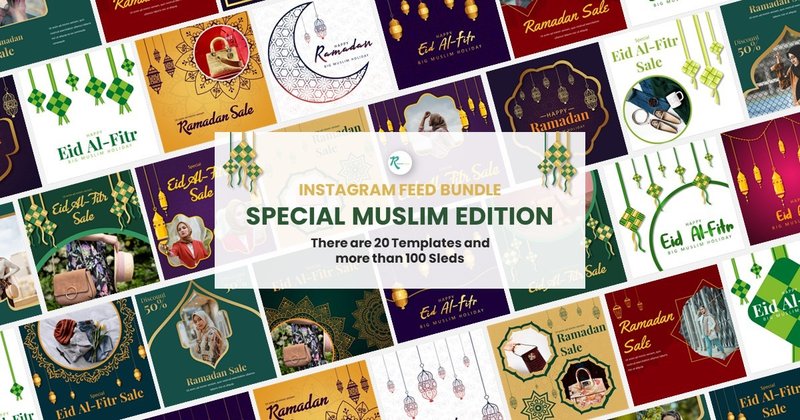
Generic template bundles don’t include designs for Ramadan, Eid al-Fitr, or Eid al-Adha — which means brands serving Muslim audiences either adapt unrelated templates or build from scratch every year. This bundle addresses that gap directly: 6 templates built with Islamic geometric patterns, lantern illustrations, and mosque silhouettes in a deep blue and gold palette that communicates cultural care, not decoration.
PowerPoint format means no specialist software is needed — swap images and text, export, post.
What’s Inside:
- 6 cohesive 1080×1080px templates with Islamic geometric motifs and cultural imagery throughout
- Fully editable in PowerPoint (.PPTX) — no design software required
- Deep blue, gold, and white palette — reads premium on mobile screens
- Documentation file with links to recommended free web fonts included
Best For:
- Brands running seasonal campaigns for Ramadan, Eid al-Fitr, and Eid al-Adha who need templates that feel culturally considered rather than adapted from a Christmas layout with different colors
- Muslim fashion brands and modest clothing retailers who post year-round and want a base visual system that reflects their audience’s identity rather than a generic lifestyle aesthetic
- Mosques, Islamic education centers, and community organizations producing event announcements and spiritual content who need professional graphics without a design budget
- Social media managers serving clients in Muslim-majority markets who need a culturally appropriate starting point for new client accounts
8. Instagram Feed Bundle Fashion Theme — Minimal Editorial Grid with Master Slide System in PowerPoint
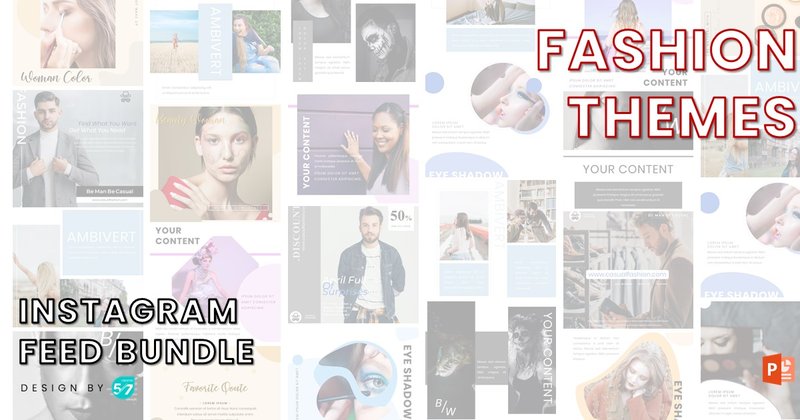
Fashion brands have a visual requirement that generic templates consistently fail to deliver: negative space. Editorial fashion aesthetics depend on generous whitespace, restrained typography, and photography that dominates the frame. This bundle is designed around that principle — layouts where the photo does the work and the type stays out of the way.
Built in PowerPoint with a Master Slide system, which means one global color change updates every template in the set simultaneously.
What’s Inside:
- Fashion-editorial feed templates in PowerPoint (.PPTX) with Master Slide global editing
- Drag-and-drop image placeholders — swap product or lookbook photos in seconds
- Minimal typographic layouts designed for photo-first content with generous negative space
- Fully resizable vector graphics — scales from Instagram post to print without quality loss
Best For:
- Boutique fashion brands and online clothing stores whose product photography is strong and needs a template that showcases it — not one that competes with it
- Style bloggers and fashion influencers who shoot lookbooks and outfit posts and want a feed that reads like a magazine rather than a personal photo album
- Premium and luxury lifestyle brands that need grid consistency at scale without hiring a designer per post — the Master Slide system makes it a one-person operation
- Brand consultants building social templates for fashion clients who need a PowerPoint deliverable that clients can update themselves without Canva or Photoshop access
9. Instagram Feed Bundle Food Themes — Clean Culinary Layouts in PowerPoint for Restaurants & Food Bloggers
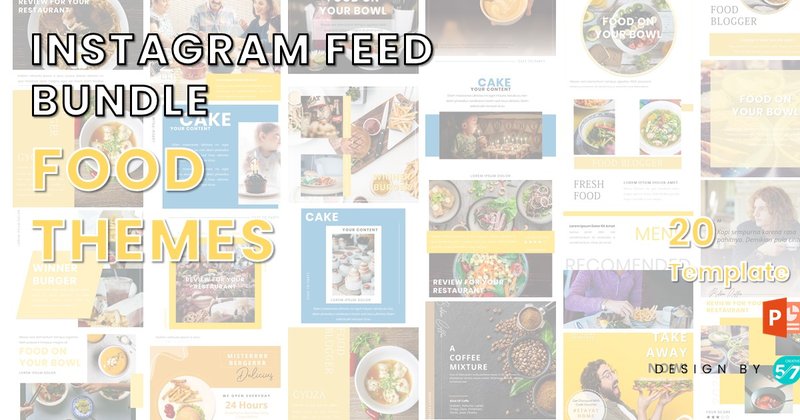
Food photography has specific grid requirements that generic templates consistently miss: warm tones, generous whitespace, and typography that doesn’t pull attention away from the dish. This bundle is designed around food content — layouts that frame culinary photography correctly and use type that complements rather than competes with the visual.
Same Master Slide system as the Fashion Theme above — one global change updates palette across all templates simultaneously.
What’s Inside:
- Food-specific grid templates in PowerPoint (.PPTX) — designed around culinary photography proportions
- Master Slide system for simultaneous palette updates across all templates
- Drag-and-drop placeholders with correct crop ratios for food and product photography
- Free recommended web fonts included — no additional font purchase required
Best For:
- Independent restaurants and cafes managing their own Instagram who need a consistent visual system they can maintain without a designer on staff or a Canva subscription
- Food bloggers who post recipe content regularly and want layouts that make their photography look intentional rather than casually uploaded from a phone
- Meal prep services, catering companies, and artisan food producers who post daily and need fast, repeatable templates that produce professional results with minimal effort
- Culinary schools and cooking instructors who produce regular recipe and teaching content and want their Instagram to reflect the quality of what they teach
10. 20++ Instagram Feed Template Bundle — PowerPoint-Based Minimal Grid for Non-Designers Who Need Consistent Results Fast
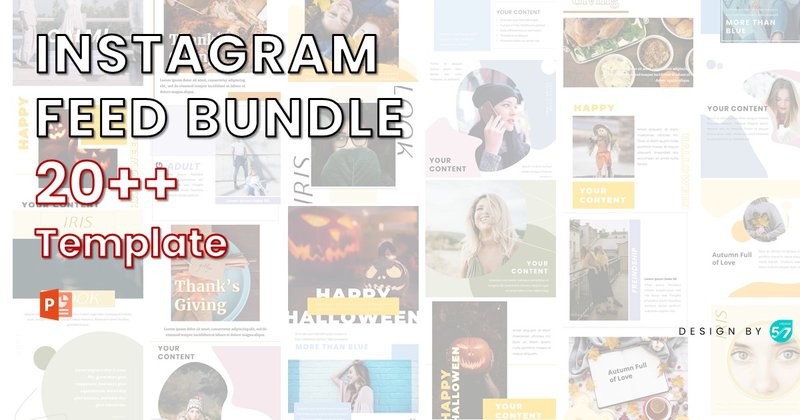
The practical case for this bundle is the format: PowerPoint. No Canva account, no Adobe subscription, no learning curve. If you or your client already works in Microsoft Office, this is the fastest path from blank page to published post. Clean geometric structures, crisp typography, and generous negative space make it work across industries without committing to any single niche aesthetic.
The Master Slide system means a solo operator can update the entire content set to a new brand color in under two minutes.
What’s Inside:
- 20+ feed templates in PowerPoint (.PPTX) — no additional software required beyond Microsoft Office
- Modular design built on Master Slides for fast global updates across all templates at once
- Clean geometric structures with generous negative space — niche-neutral aesthetic
- Fully resizable vector graphics — export at any resolution without quality loss
Best For:
- Corporate teams and B2B brands running on Microsoft Office who need Instagram templates that fit into their existing tools without new software subscriptions or training
- Solopreneurs who want a professional-looking feed but have no design background and no time to learn new software — this works in the tools they already have
- Event coordinators and venue managers who post regularly but have no dedicated social media team — the low skill floor means any staff member can produce on-brand content
- Small business owners who need to batch-produce posts quickly and want a template system that produces consistent results without requiring design decisions every time
🔄 Carousels & Seamless Swipe Formats
11. Instagram Carousels Bundle — 5 Seamless Carousel Templates Producing 35 Export-Ready Posts for Photoshop
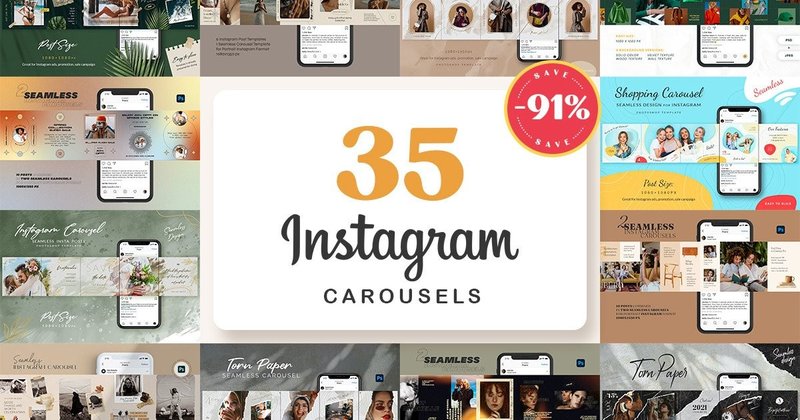
Carousels consistently outperform single-image posts for reach and saves — but only when the design carries the swipe. Generic multi-post layouts don’t achieve this; seamless carousels do. In this bundle, each slide connects to the next as part of one continuous image, so the visual incentive to keep swiping is built into the design itself — not added through copywriting tricks.
5 templates, 35 total post layouts, all pre-sliced and export-ready. No manual cropping required.
What’s Inside:
- 5 seamless carousel templates producing 35 total pre-sliced, export-ready post files
- Smart object layers in Photoshop — drag photos into placeholders, export, done
- Pre-sliced files — no manual cropping, no sizing calculations
- Clean minimalist design — content and photography drive the visual, not decoration
Best For:
- Educators and course creators who break down complex topics into swipe-through listicles and step-by-step guides — the seamless connection between slides keeps readers progressing rather than stopping
- Marketing agencies running awareness campaigns that need a format generating saves and shares, not just likes — seamless carousels have measurably higher save rates than static posts
- Brands doing product launches, rebrands, or collection drops where a sequential reveal format builds anticipation and drives through-swipe behavior organically
- Photographers presenting themed series where the connected panoramic format shows compositional intent across the set, not just individual isolated images
📸 Lightroom Presets + Templates Combined
12. Lightroom Presets & Instagram Templates — One Bundle That Solves Both Your Photo Editing and Post Design Problem
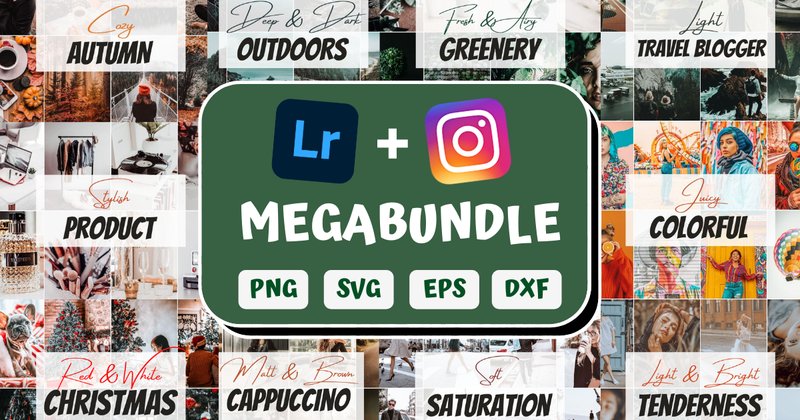
The most common reason Instagram feeds look inconsistent despite using templates: the photos don’t match. Different shoots, different lighting, different color temperatures — templates can’t fix that on their own. This is the only bundle in this roundup that addresses both sides of the problem: Lightroom presets to unify photo color grading, and matching templates to frame them.
The result is a complete end-to-end visual system. Edit photos with the presets, drop them into matching templates, post. Every piece looks like it came from the same shoot.
What’s Inside:
- Professionally developed Lightroom presets for both mobile (free Lightroom app) and desktop
- Matching Instagram templates for posts, stories, and carousels — same color language as the presets
- Designed as a unified system — photo edits and graphic templates share the same visual palette
- Mobile presets work with the free Lightroom app — no paid Creative Cloud subscription required
Best For:
- Lifestyle and travel content creators who shoot their own photos and need editing tools and graphic templates that work in the same visual language — buying them separately always produces a mismatch
- Photographers who want a consistent Instagram presence between client shoots without redesigning their personal feed aesthetic each time their own photography style evolves
- Small business owners in e-commerce, hospitality, or beauty who photograph their own products and need a complete visual system that makes in-house photography look professionally branded
- Boutique agency social media managers who shoot content for clients on location and need presets and templates that produce a consistent look regardless of shooting environment or lighting conditions
📐 One Grid Strategy That Makes Any Template Bundle Work Harder
Templates provide visual consistency. This system provides content consistency. Plan your grid in rows of three using a repeating content pillar structure:
- Post 1 — Educate or Inspire: A value post — tip, quote, insight, or mini-tutorial. Use a text-forward template from your bundle.
- Post 2 — Connect or Engage: Behind-the-scenes, team content, UGC, or a question. Use a photo-centric template.
- Post 3 — Promote or Convert: Product, service, testimonial, or offer. Use the CTA-forward template from your set.
This three-post cycle gives your grid a clear rhythm: value, connection, conversion. Profile visitors see immediately that you post more than promotions — and they follow. Batch-produce one full row of three posts at a time and schedule them ahead. Nine posts covers three weeks of content when you combine feed posts with daily Stories.
♻️ Get More From Every Template: Cross-Platform Repurposing
Every template you buy works harder when you think beyond Instagram. Four ways to extend the same assets across other channels without additional design work:
- Instagram carousel → LinkedIn document post. Export your carousel slides as a PDF and upload to LinkedIn as a document carousel. Same design, different platform, different audience.
- Instagram Story (9:16) → Pinterest Idea Pin. The vertical format is identical. Export and upload — no resizing needed.
- Square post template → Email newsletter header. A 1:1 graphic with your latest content or offer drops cleanly into most email builders as a header image.
- Feed template → YouTube thumbnail. Resize to 1280×720px and adjust the typography. The same visual system that makes your feed cohesive also makes your video thumbnails recognizable across the platform.
❓ Frequently Asked Questions
Can I use these templates for client work and products I sell?
Yes. Every bundle in this list includes a commercial license, which covers creating content for client accounts, branded social media deliverables, and your own business channels. The standard commercial license does not cover reselling the original template files as a product. If you’re building a template shop on Etsy or Creative Market and want to sell modified versions, check the specific bundle’s license documentation — terms vary by creator and some include resale rights while others don’t.
Do I need Canva Pro, or does the free version work?
All Canva-based bundles in this list are designed to work with a free Canva account. Templates open via a shared link, you make a copy to your account, and edit from there. Canva Pro adds useful features — brand kit, background remover, resize tool — but they’re not required to use these templates. If a specific bundle requires Pro-only features, it will state that clearly in the product description on Creative Fabrica.
What are the correct export settings for posting to Instagram?
Feed posts: 1080×1080px (square) or 1080×1350px (portrait 4:5 — takes up more screen space in the feed). Stories and Reels: 1080×1920px at 9:16 ratio. Carousel slides: export each individually at 1080×1080px. In Canva, use Download → PNG at the default resolution. In Photoshop, Export As → PNG and confirm pixel dimensions before exporting. For stories especially, verify the 9:16 ratio before uploading — incorrect ratios get cropped by Instagram automatically.
The fonts in my Canva template look different from the preview. What happened?
This is a font substitution issue. When you open a Canva template, Canva checks whether the original fonts are available in your account. If a font used in the template is a Canva Pro exclusive and you’re on a free plan, Canva automatically replaces it with a similar free font — which sometimes shifts the layout. The fix: manually replace the substituted font with your own choice, or upgrade to Canva Pro to access the original. Check the bundle’s product page for the specific fonts used — if they’re all listed as free Canva fonts, this issue won’t occur.
How do I make a template look like my brand rather than the original design?
Three changes make the biggest difference. First, replace the entire color palette with your brand’s exact hex codes — this one step makes any template unrecognizable as the original. Second, swap placeholder fonts for your brand’s typefaces. Third, replace all stock imagery with your own photos or product shots. Templates use placeholder content specifically because the layout system is designed to be neutral — your brand content is what activates it. These three changes take 20 minutes and produce a result that looks custom-built.
What’s the difference between a puzzle feed and a regular feed template?
A regular feed template designs each post as a standalone image that matches others in style and color. A puzzle feed template designs each post as one section of a larger image — viewed together on the grid, they connect seamlessly into one continuous artwork. The visual impact on a profile page is significantly stronger, but it requires planning: posts must be uploaded in a specific sequence and content is determined by grid position. Puzzle feeds work best for brands that plan ahead and post consistently — they break down visually if you skip posts or publish out of order.
Can these templates be used for Instagram Reels covers and Highlight covers?
Yes, with minor adjustments. Most feed templates are 1080×1080px square. Instagram Highlights covers display as small circles, so any square template cropped to center works — just ensure the key visual element is centered before export. For Reels cover images, Instagram accepts the same 1:1 square format used for standard feed posts. Export from your template as a square PNG and upload it as the Reel’s cover frame directly in the Instagram app when publishing.
👀 Need a different niche or style?
Hundreds more Instagram template bundles in the full collection — real estate, fitness, beauty, luxury, minimal, and more. All include commercial licenses and work in Canva, Photoshop, or PowerPoint.
Conclusion
Twelve bundles, six distinct use cases. The comparison table at the top matches you to the right one in under a minute. If you post daily, start with the 800–930 template libraries. If you’re building a visual identity from scratch, the puzzle feed makes the strongest first impression. If your niche is specific — streetwear, food, fashion, Islamic content — go straight to that section. Every bundle here removes the design work from your weekly routine so you can focus on what actually builds an audience: showing up with something worth seeing, consistently.