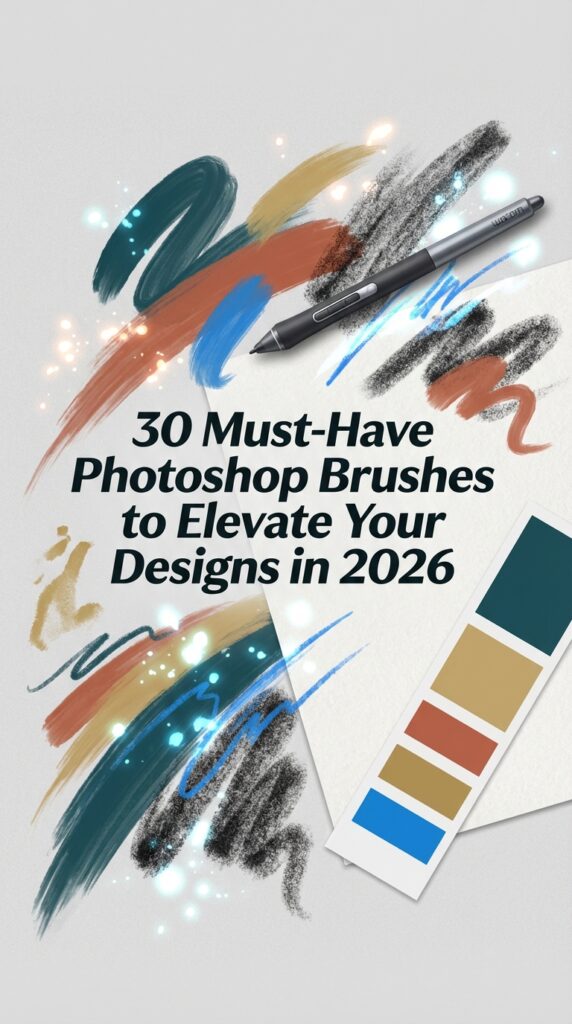
In the ever-evolving design landscape of 2026, the demand for authentic, textured, and handcrafted aesthetics is at an all-time high. Photoshop brushes are no longer just simple tools; they are the digital artist’s secret weapon for adding depth, personality, and a tactile feel to any project. From emulating natural media like gouache and charcoal to creating intricate light effects and grunge textures, the right brush can instantly transform your work. We’ve handpicked 30 of the most popular and versatile Photoshop brush sets that are defining this year’s trends, essential for any designer or DIY crafter.
Top Collection Picks (2026 Edition)
1. Foliage+Grass+Moss Photoshop Brushes (by Ldarro)
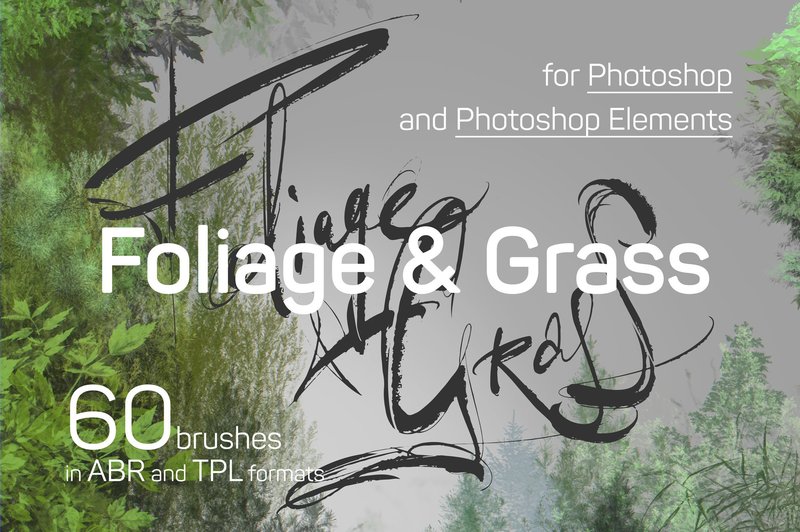
Foliage+Grass+Moss Photoshop Brushes (by Ldarro) If you are looking for a way to breathe organic, lifelike texture into your digital canvases, this collection from Ldarro is an absolute game-changer. These aren’t just simple stamps; they are meticulously crafted tools designed to paint sprawling, realistic landscapes with incredible depth and nuance. From the delicate veins of a single leaf to the rich, clustered texture of moss on a forest floor, this set provides the building blocks for creating immersive, natural worlds that feel both timeless and artistically fresh.
Features:
- A comprehensive set of 60 unique brushes, providing a wide array of foliage, grass, and moss textures.
- Dual-format delivery (ABR and TPL files) ensures seamless integration into both the Brushes and Tool Presets panels for a flexible workflow.
- Broad compatibility with Adobe Photoshop, Photoshop Elements, and Adobe Fresco, making it accessible for various creative setups.
- Includes a detailed PDF manual with tips and FAQs, helping artists of all levels achieve professional, realistic results quickly.
Best for:
- Concept artists and digital painters building immersive fantasy or sci-fi environments.
- Illustrators looking to add authentic, natural textures to backgrounds and character scenes.
- Matte painters and photo manipulators who need to seamlessly blend organic elements into their compositions.
- Graphic designers creating nature-themed branding, posters, or packaging with an artistic, hand-painted feel.
2. 8 100px Icon Photoshop Brushes Set 1 (by IndigoCreations)
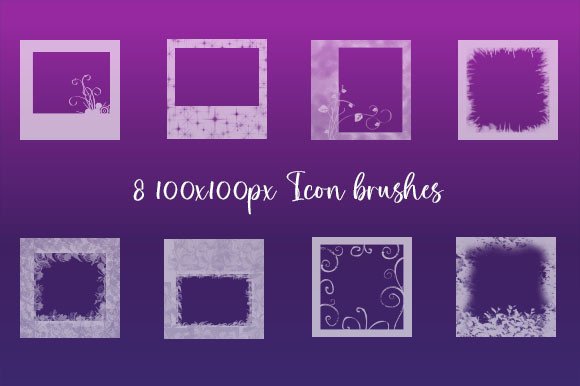
8 100px Icon Photoshop Brushes Set 1 (by IndigoCreations) channels a distinct lo-fi, tech-inspired aesthetic perfect for contemporary design projects. This set moves beyond simple stamps, offering a collection of slightly distressed, graphic icons that feel both digital and tactile. Each brush adds an element of calculated imperfection, ideal for artists looking to infuse their work with a raw, almost glitch-art vibe without sacrificing clarity. They are the perfect tool for adding a layer of visual intrigue to otherwise clean layouts, serving as a subtle nod to early internet culture and modern grunge trends.
Features:
- 8 high-resolution icon brushes at 100px for crisp details.
- Includes a versatile transparent PNG pack for non-brush workflows.
- Multi-platform support with files for both Photoshop (.abr) and Paint Shop Pro (.psp).
- Delivers a unique, slightly distressed graphical style.
Best for:
- Designing unique graphics for t-shirts, apparel, and stickers.
- Adding textured iconography to digital paintings and collages.
- Creating edgy social media posts, web banners, and zine layouts.
- Enhancing posters and album art with a modern, tech-grunge feel.
3. Light Painting Photoshop Brushes (by Sko4)
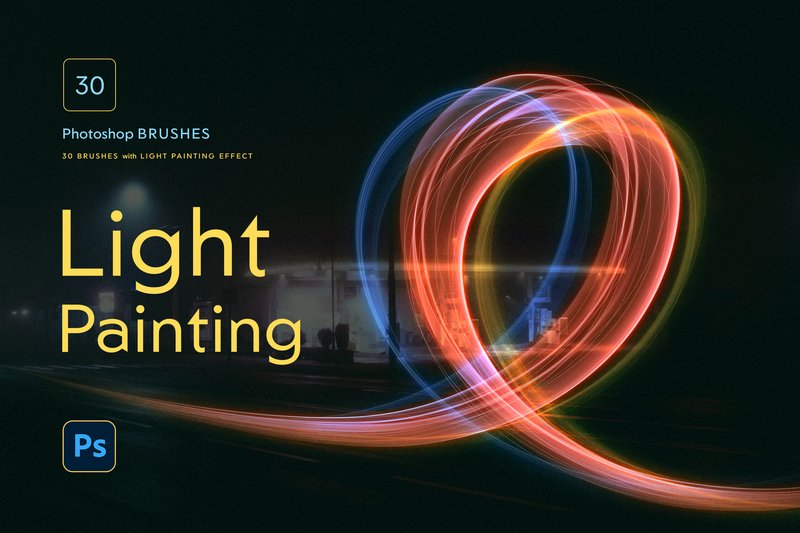
Light Painting Photoshop Brushes (by Sko4) With their fluid, vibrant strokes that dance across the canvas like real-world light trails, this brush set from Sko4 is a masterclass in digital luminescence. It masterfully translates the dynamic, high-energy vibe of neon art into a stunningly simple tool for Photoshop. Gone are the days of tedious manual glow effects; the included layer styles instantly ignite your lines with a radiant, electric glow, allowing you to create complex, luminous compositions with a single, intuitive gesture. This is the secret weapon for adding a fresh, energetic pulse to any creative project.
Features:
- 30 pressure-sensitive brushes designed for organic, flowing light trails.
- One-click glowing layer styles that automatically apply vibrant, professional-grade effects.
- Versatile application, compatible with pen tablets, a mouse, or the Stroke Path function for precise control.
- High-resolution design ensures crisp, professional results for both print and digital work.
Best for:
- Creating eye-catching typography and futuristic lettering with a neon glow.
- Adding dynamic energy and focus to photographs with abstract light overlays.
- Designing vibrant posters, album covers, and event flyers that pop with electric color.
- Enhancing digital illustrations and concept art with magical or sci-fi lighting effects.
4. 30 Gofe Ink Photoshop Brushes (by Graphicfresh)
30 Gofe Ink Photoshop Brushes (by Graphicfresh)
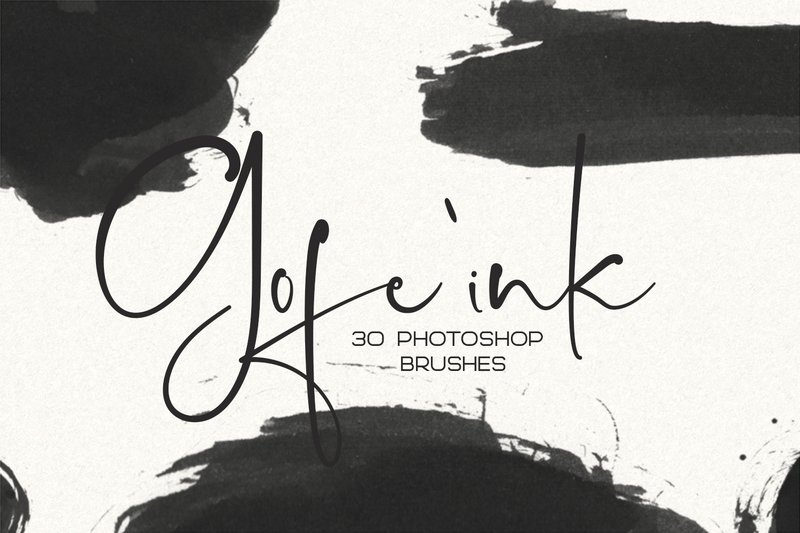
Authentic and expressive, this collection of 30 handcrafted ink brushes brings a raw, tactile quality to digital canvases. Each stamp and stroke feels incredibly real, offering the subtle imperfections and rich textures of genuine ink work. Perfect for when you need to break away from clean digital lines, these brushes provide an organic touch that adds depth and personality to any project, whether you’re aiming for a delicate wash or a bold, dramatic splash.
Features:
- 30 high-resolution, handcrafted ink brushes with realistic textures.
- Fully scalable to look sharp in both large-format prints and detailed digital work.
- Simple ABR file for easy, one-click installation in Photoshop.
- Versatile design works beautifully in any color you choose.
Best for:
- Creating unique branding suites, logos, and custom stationery.
- Adding artistic overlays and textures to photography and lettering projects.
- Designing striking social media posts, greeting cards, and web banners.
- Embellishing modern wedding invitations with a personal, handmade feel.
5. Storybook Ch. 3 Photoshop Brushes (by timhankinsdesign)
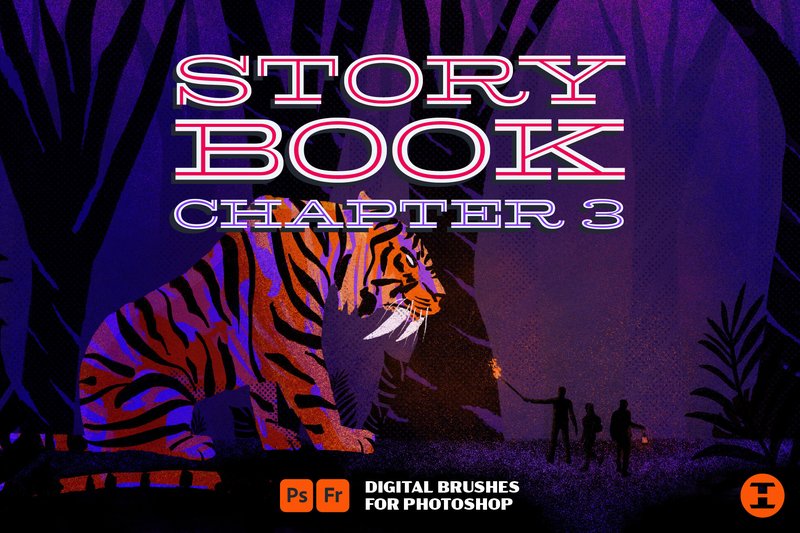
Storybook Ch. 3 Photoshop Brushes (by timhankinsdesign) Editorial illustrators and comic artists seeking to add a raw, tactile quality to their digital work will find their new go-to toolkit here. Concluding the popular Storybook trilogy, this chapter delivers a masterclass in texture and grunge. The collection moves beyond simple overlays, providing an arsenal of expressive tools—from beautifully imperfect mono liners and rich grit markers to chunky chalk brushes that feel genuinely tangible. This set is designed for artists who want to bridge the gap between digital convenience and the soulful imperfection of traditional media, making every stroke feel authentic and full of character.
Features:
- A diverse set of over 30 brushes, including signature grit markers, sharp mono liners, and expressive chalks.
- Includes a bonus pack of high-resolution paper textures to create an instant analog canvas for your work.
- A selection of grungy halftone brushes designed for adding retro shading and depth.
Best for:
- Creating expressive, hand-drawn editorial illustrations with a strong narrative voice.
- Designing gritty comic book art, character concepts, and custom lettering.
- Developing tactile brand identities, posters, and apparel graphics with a handmade feel.
- Adding authentic texture and soul to digital storyboards and zine layouts.
6. Fog Photoshop Brushes (by MixPixBox)
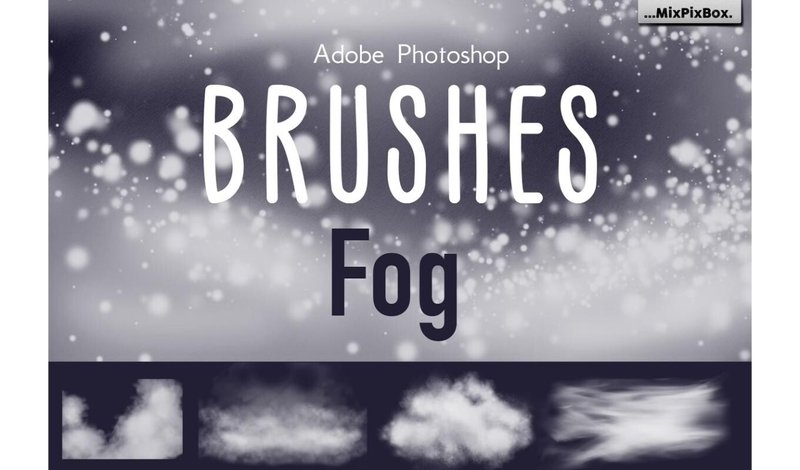
Fog Photoshop Brushes (by MixPixBox) is a masterfully crafted collection designed to infuse digital compositions with a palpable sense of atmosphere and depth. It moves beyond simple overlays, offering artists a sophisticated toolkit for building intricate layers of mist, haze, and ethereal vapor. The high-resolution detail in each brush allows for stunningly realistic effects, transforming ordinary photos into moody landscapes and adding a touch of cinematic mystery to any creative project.
Features:
- A premium set of 25 meticulously designed fog and mist brushes.
- Impressive high-resolution quality, with brushes ranging from 2500 to 5000 pixels.
- Provided in the universal .abr format for seamless integration with most versions of Photoshop.
- Intuitive and user-friendly, allowing for easy layering and effect building.
Best for:
- Enhancing landscape and portrait photography with natural-looking atmospheric haze.
- Adding depth and mood to concept art, digital paintings, and fantasy illustrations.
- Creating mysterious or dreamy backgrounds for posters, album art, and social media graphics.
- Applying subtle textural layers to give digital work a more organic and cinematic feel.
7. 45 Lens Flares Stars Photoshop Brushes (by ArtistMef)
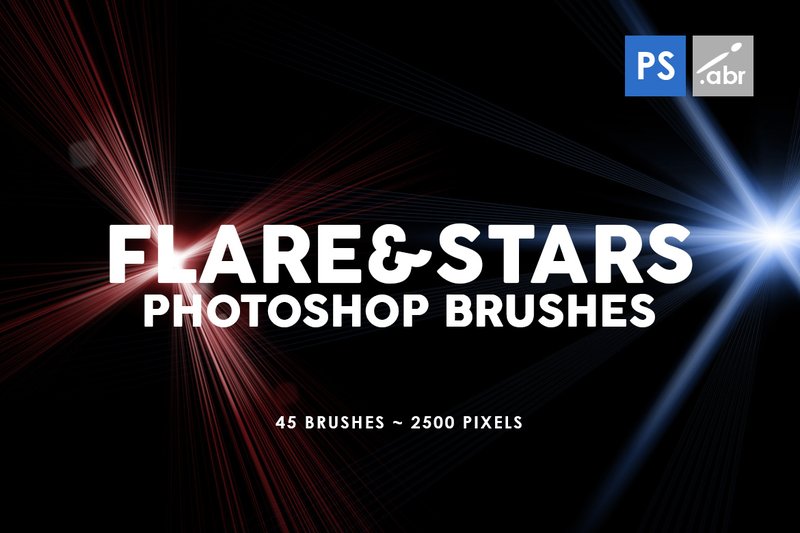
45 Lens Flares Stars Photoshop Brushes (by ArtistMef) much like a calligrapher adding a final, elegant flourish with a flick of the wrist, this brush set allows you to stamp your work with a definitive stroke of light. ArtistMef delivers a collection that moves beyond generic light leaks, offering distinct, celestially-inspired glints and dramatic starbursts. Each brush feels deliberate, providing the perfect tool to inject a sense of magic, high-tech gloss, or ethereal wonder into your compositions with a single click.
Features:
- A diverse library of 45 distinct lens flares and starbursts.
- Ultra-sharp, high-resolution textures at over 2500 pixels.
- Crisp, detailed light effects suitable for professional print and screen work.
Best for:
- Creating cinematic photo overlays for portraits and landscapes.
- Designing dynamic visual effects for sci-fi video games or fantasy artwork.
- Adding a touch of sparkle and energy to branding, posters, and web graphics.
- Enhancing cosmic scenes, night photography, and futuristic illustrations.
8. 30 Vintage Paper Photoshop Brushes 1 (by ArtistMef)
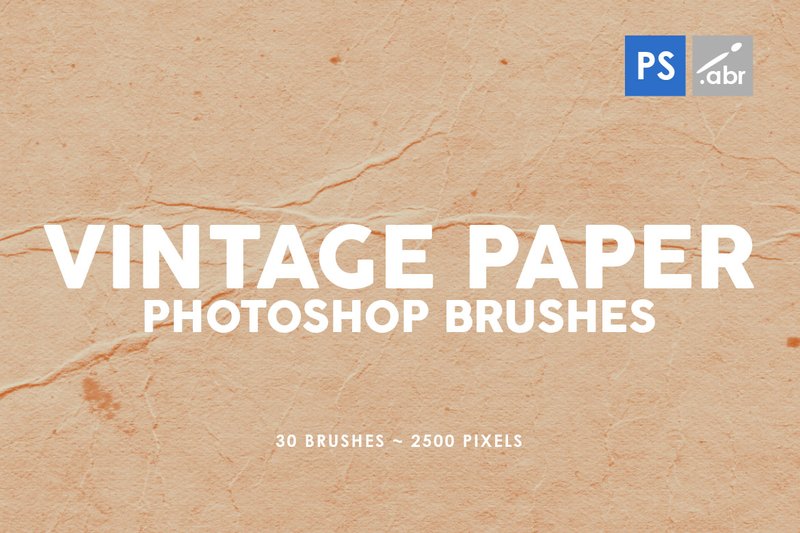
30 Vintage Paper Photoshop Brushes 1 (by ArtistMef) Gone are the days of sterile, flat digital canvases that lack soul. This meticulously crafted collection from ArtistMef injects a much-needed dose of analog warmth and history into your work. Each brush acts as a portal to the past, layering your designs with the subtle imperfections of aged paper—from delicate creases and faint water stains to rich, fibrous textures. It’s the perfect tool for designers looking to ground their modern creations with a timeless, tactile quality that feels both authentic and deeply resonant.
Features:
- 30 unique high-resolution paper textures, including folds, stains, and grain.
- Generous 2500-pixel brush size suitable for both detailed work and large-scale backgrounds.
- Broad compatibility, designed to work seamlessly with any version of Photoshop.
- Effortless one-click application to instantly add depth and character.
Best for:
- Creating authentic vintage photo effects and artistic overlays.
- Adding a tangible, weathered foundation to digital illustrations and collages.
- Designing textured backgrounds for branding, posters, and social media graphics.
- Enhancing game assets and concept art with realistic surface imperfections.
9. 8 Soft Blending Photoshop Brushes (by IndigoCreations)
8 Soft Blending Photoshop Brushes (by IndigoCreations) immediately imparts a sense of dreamy, atmospheric softness to any digital canvas. These brushes are the digital equivalent of an airbrush meeting a cloud, allowing for seamless transitions and ethereal glows that feel both organic and professionally polished. They are designed not just to blend colors, but to fuse them together, creating gradients so smooth they look like they were rendered from light itself. This set is a go-to for artists looking to add subtle depth, a gentle haze, or a touch of otherworldly magic to their work without leaving harsh edges behind.
Features:
- Eight distinct brushes crafted for ultra-smooth blending and soft gradients.
- Includes files for both Photoshop (.abr) and Paint Shop Pro (.psp), offering cross-platform flexibility.
- A bonus pack of transparent PNGs allows for easy drag-and-drop texturing in any design software.
- Delivers a delicate, hazy effect perfect for creating depth and atmosphere.
Best for:
- Digital illustrators and painters looking to achieve soft shadows, glowing highlights, and seamless color mixing.
- Photographers and photo retouchers who need to blend composites or add atmospheric haze and light effects.
- Graphic designers creating backgrounds with subtle, professional gradients for web and print.
- Decorating t-shirt graphics and stickers with a soft-focus, modern texture.
10. Smoke Photoshop Brushes (by mristudio)
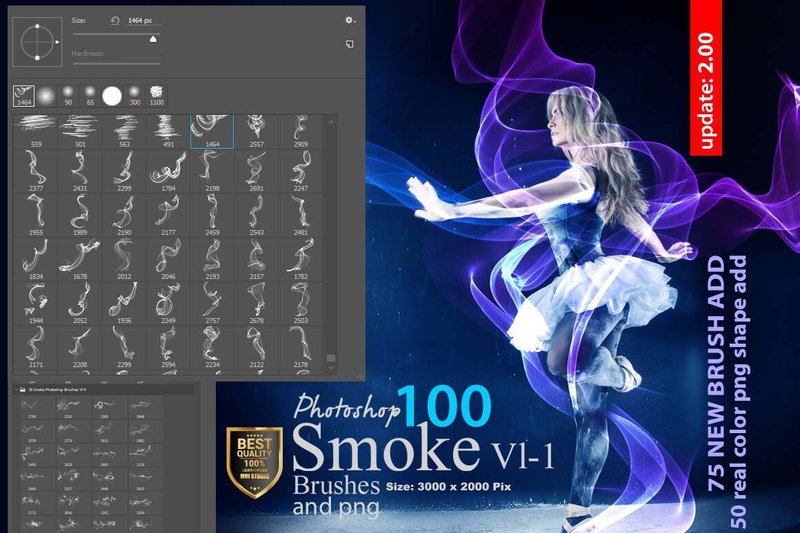
Smoke Photoshop Brushes (by mristudio) is like the first blush of a new romance—ethereal, captivating, and wonderfully unpredictable. This comprehensive collection from mristudio doesn’t just offer tools; it delivers a library of atmospheric moments, capturing everything from delicate, rising tendrils to dense, billowing clouds. Each of the 100+ brushes is rendered in stunning, high-definition clarity, ensuring every curl and plume is crisp and ready to add a layer of dynamic, moody elegance to any creative project. It’s the perfect way to infuse your work with a sense of mystery and organic movement that feels both powerful and profoundly natural.
Features:
- A massive library of over 100 unique, hand-crafted smoke brushes in ABR format.
- Exceptional high-resolution quality, with brushes sized over 3000 pixels for crisp, detailed effects without blur or noise.
- Includes 30 transparent PNG smoke shapes and 50 bonus dispersion brushes for expanded creative flexibility.
- Naturally shaped and meticulously detailed to mimic the behavior of real smoke for authentic results.
Best for:
- Creating moody, atmospheric backgrounds for posters, album covers, and social media graphics.
- Adding realistic steam, fog, or magical effects to photo manipulations and digital paintings.
- Designing dynamic text effects where letters appear to dissolve or form from smoke.
- Enhancing product photography with subtle wisps to add a sense of luxury or mystique.
11. 30 Minimal Frames Photoshop Brushes (by ArtistMef)
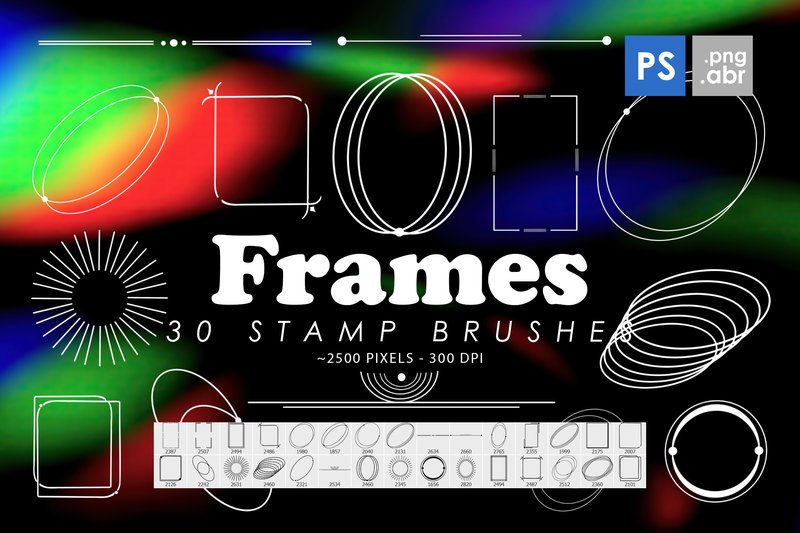
30 Minimal Frames Photoshop Brushes (by ArtistMef) is a testament to the creator’s keen eye for modern, understated design. ArtistMef delivers a collection that feels both organic and intentional, offering a curated set of frames that add instant artistic focus to any composition. These brushes move beyond simple borders, providing a range of geometric, distressed, and hand-drawn shapes that serve as compelling compositional elements. The high-resolution detail ensures each stamp feels authentic and crisp, allowing designers to frame their work with a touch of effortless sophistication that feels both current and timeless.
Features:
- 30 high-resolution Photoshop stamp brushes at approximately 2500px.
- Includes 30 corresponding isolated PNG files for flexible use across various software.
- A diverse collection of minimal, geometric, and distressed frame styles.
- One-click application for a fast and efficient design workflow.
Best for:
- Enhancing photography for portfolios, blogs, and social media feeds.
- Designing contemporary posters, flyers, and custom greeting cards.
- Creating compelling visual templates for Instagram stories and Pinterest graphics.
- Adding a subtle, artistic layer to website banners and digital lookbooks.
12. Animal Photoshop Brushes Collection (by HG Designs)
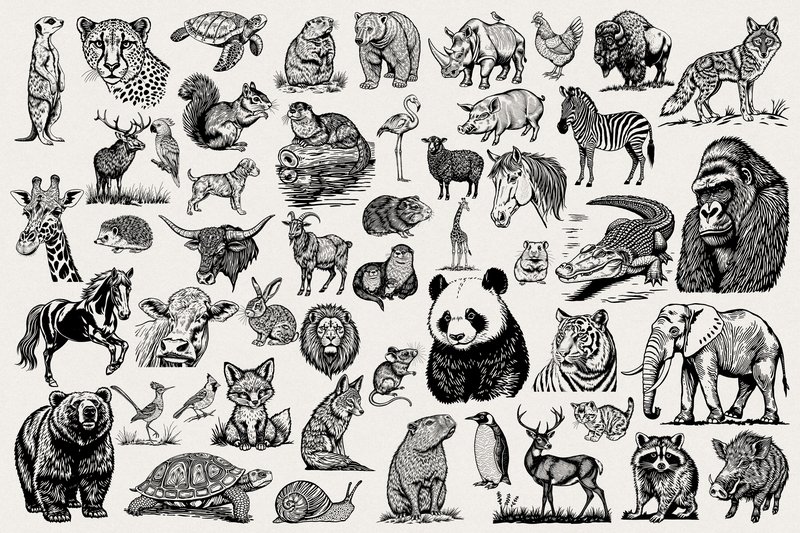
Animal Photoshop Brushes Collection (by HG Designs) exudes a vibrant, untamed spirit, bridging the gap between digital innovation and natural artistry. This collection delivers 50 stunningly detailed animal graphics, each born from a sophisticated process of AI generation and meticulous Photoshop refinement. The result is a set of assets that feels both technically pristine and creatively soulful. Provided as high-resolution transparent PNGs (5000px, 300dpi) and a versatile Photoshop brush set, these graphics offer unparalleled clarity and seamless integration, making it effortless to stamp, layer, and compose designs with an authentic, organic feel.
Features:
- 50 unique animal graphics in high-resolution (300dpi, 5000px on the longest side)
- Dual format for maximum flexibility: transparent PNG files and a Photoshop ABR brush set
- A cutting-edge hybrid design combining AI-generated concepts with professional artistic refinement
- Exceptional detail and clarity suitable for both large-scale print and digital work
Best for:
- Creating striking wall art, posters, and sublimation prints with a focus on nature
- Adding rich, textured elements to digital collages, scrapbooks, and sticker designs
- Designing unique patterns and focal points for decoupage, junk journaling, and other mixed-media crafts
- Quickly populating scenes and compositions with high-quality, stylized fauna
13. 6 Pine Tree Photoshop Brushes (by Miss Chatz)
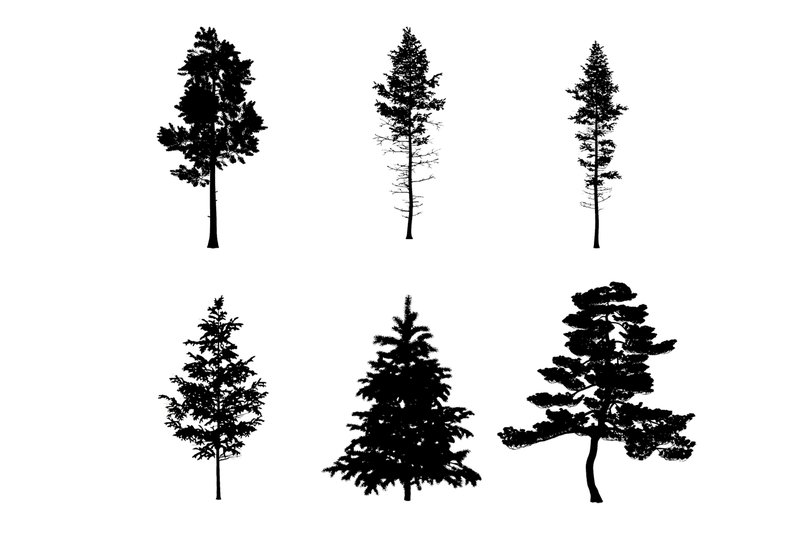
6 Pine Tree Photoshop Brushes (by Miss Chatz) If you are looking for a quick and authentic way to ground your digital landscapes, this set of six pine tree silhouettes by Miss Chatz is an essential tool. Each brush delivers a crisp, realistic tree form, perfect for adding depth and a touch of wilderness to your backgrounds. Forget painstakingly drawing individual trees; these brushes allow you to build an entire forest scene with just a few clicks, instantly creating a moody, atmospheric backdrop for your creative projects.
Features:
- Includes 6 distinct and highly detailed pine tree silhouettes.
- High-resolution design ensures crisp, realistic shapes at any scale.
- Fully customizable for size and opacity, allowing for easy layering and depth creation.
- Delivered as a single, easy-to-install .abr file for Adobe Photoshop.
Best for:
- Creating atmospheric backgrounds for digital paintings and concept art.
- Adding natural elements to posters, flyers, and branding with an outdoorsy theme.
- Quickly mocking up landscape scenes for architectural visualizations or matte paintings.
- Enhancing photography with subtle, layered forestry elements for a dramatic effect.
14. Glass Photoshop Brushes (by UnicDesign)
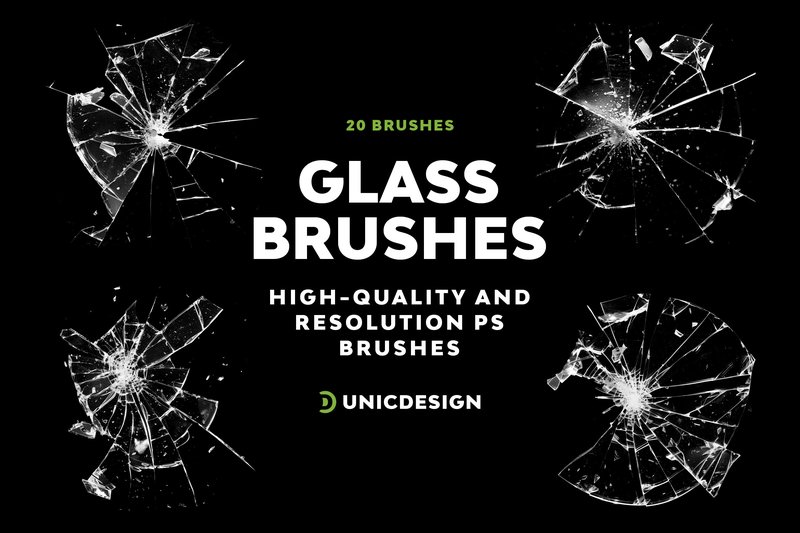
Glass Photoshop Brushes (by UnicDesign) perfectly aligns with the sleek, modern aesthetic dominating current design trends. These brushes offer a sophisticated way to introduce light, transparency, and a sense of ethereal depth into your work. Instead of static overlays, this pack provides a dynamic toolset for creating everything from subtle, frosted accents to dramatic, fractured glass effects, giving your compositions a polished, high-fidelity finish that feels effortlessly fresh.
Features:
- 20 unique, high-resolution brushes (approx. 2000px) delivering crisp, detailed textures.
- A versatile range of realistic glass effects, from subtle refractions to shattered patterns.
- User-friendly design supported by a comprehensive instruction file and 24/7 assistance.
- Broad compatibility with Photoshop versions from CS6 to the latest Creative Cloud release.
Best for:
- Creating trendy ‘glassmorphism’ effects for user interfaces and web graphics.
- Adding sophisticated textural overlays to posters, album covers, and social media posts.
- Designing abstract backgrounds and digital art with a sense of depth and luminosity.
- Enhancing product mockups with realistic screen reflections or glass packaging details.
15. Paint Photoshop Brushes (by UnicDesign)
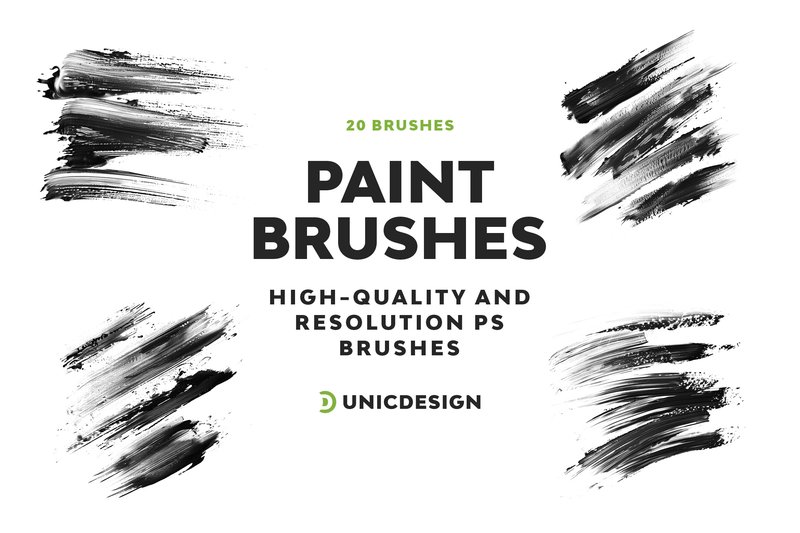
Paint Photoshop Brushes (by UnicDesign) With their rich, textural strokes that feel like real paint on canvas, this exquisite set from UnicDesign brings an authentic, painterly quality to any digital project. The high-resolution brushes are incredibly intuitive, allowing designers to layer expressive textures and build depth without a steep learning curve. Whether you’re crafting a digital masterpiece from scratch or adding an organic touch to a photograph, these brushes offer the perfect blend of artistic freedom and professional polish, making sophisticated effects effortlessly accessible.
Features:
- High-resolution strokes at ~2000 px for crisp, professional detail.
- A versatile collection of 20 unique and expressive paint brush styles.
- Broad compatibility with Photoshop versions from CS6 to the latest CC releases.
- Includes a helpful ‘Readme’ file and dedicated 24/7 user support.
Best for:
- Creating authentic digital paintings and character illustrations.
- Adding organic, painterly textures to photographs and composite art.
- Designing expressive backgrounds for posters, websites, and social media.
- Crafting artistic masks and overlays with a hand-painted feel.
16. Lens Flare Photoshop Brushes (by UnicDesign)
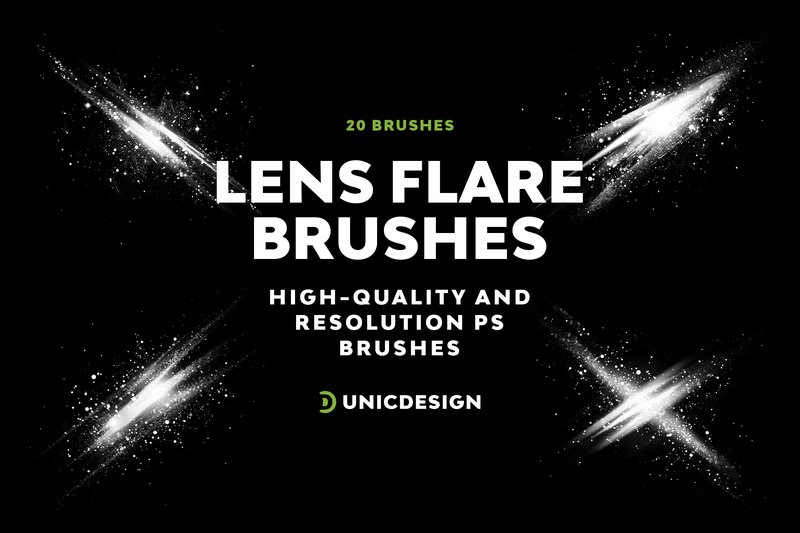
Lens Flare Photoshop Brushes (by UnicDesign) Cinematic and brilliantly executed, this brush set from UnicDesign injects a dose of dramatic, high-energy light into any composition. It moves beyond generic starbursts, offering a curated collection of 20 distinct flares that feel both organic and futuristic. The high-resolution nature of each brush (around 2000px) ensures that the light doesn’t just sit on top of your image; it interacts with it, creating authentic-looking glows, refractions, and atmospheric haze that can instantly elevate a static photo into a dynamic scene. It’s an indispensable toolkit for artists aiming to add that professional, polished touch of light with just a single click.
Features:
- A diverse set of 20 unique lens flare variations.
- High-resolution brushes (approx. 2000px) for sharp, professional-quality effects.
- Includes a comprehensive “Readme” file for straightforward installation and use.
- Supported by 24/7 unlimited assistance for any user questions.
Best for:
- Adding cinematic drama to movie posters and promotional graphics.
- Enhancing sci-fi concept art and futuristic digital paintings.
- Creating atmospheric light leaks and sun-kissed effects in photography.
- Designing eye-catching web banners and social media visuals.
17. Bubbles Photoshop Brushes (by UnicDesign)
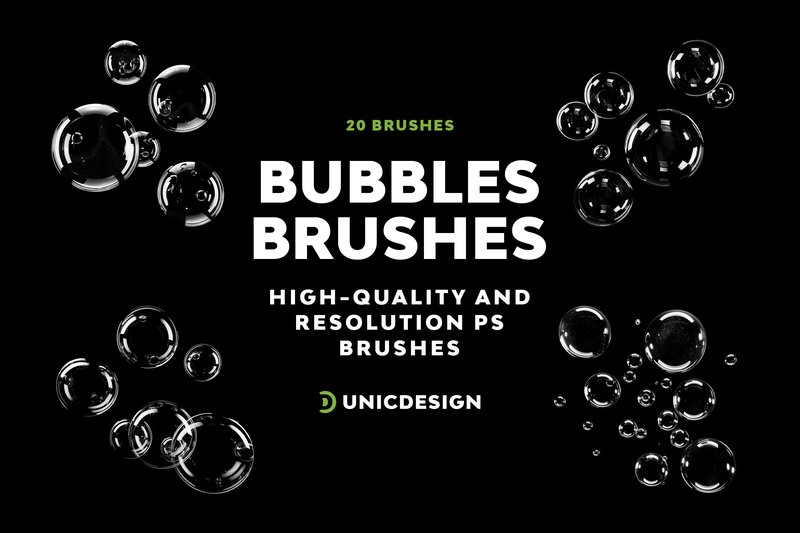
Bubbles Photoshop Brushes (by UnicDesign) is an immediate go-to for designers crafting visuals for beverage campaigns, skincare promotions, or aquatic-themed event posters. This collection delivers a polished and realistic effervescence that elevates a project from static to dynamic. Rather than generic circles, these brushes provide a nuanced variety of bubbles—from tight, fizzy clusters to large, iridescent orbs—that interact beautifully with light and add a clean, refreshing, and energetic vibe to any composition.
Features:
- Includes a versatile set of 20 distinct, high-resolution bubble brushes (up to 2000px).
- Designed for flawless performance across a wide range of Photoshop versions, from CS6 to the latest CC releases.
- Each brush is crafted with precision to create realistic depth, reflection, and transparency effects.
- Comes with unlimited 24/7 customer support for any technical questions or assistance.
Best for:
- Adding a fresh, clean look to product mockups for soaps, drinks, and cosmetics.
- Creating magical or whimsical atmospheres in children’s illustrations and fantasy art.
- Enhancing underwater photo manipulations with realistic air bubble effects.
- Designing dynamic backgrounds and abstract textures for web and print media.
18. Flaming Photoshop Brushes (by UnicDesign)
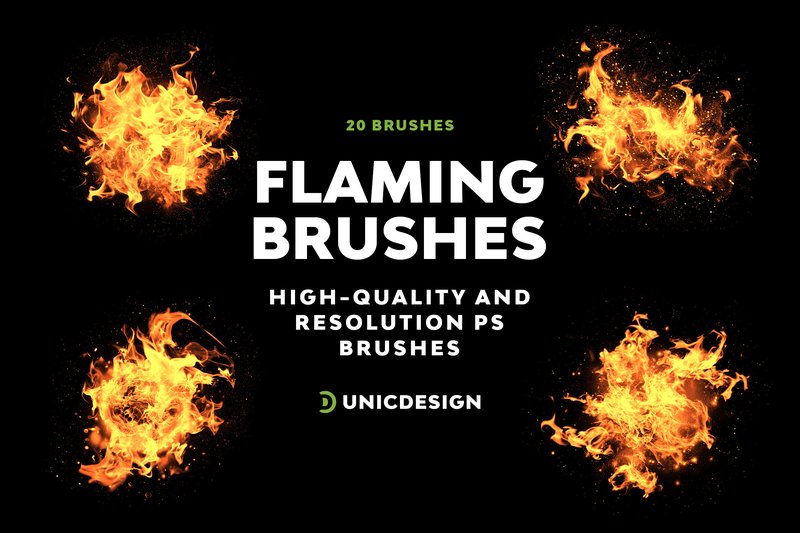
Flaming Photoshop Brushes (by UnicDesign) is a searing collection of high-resolution brushes designed to inject raw, kinetic energy into your digital artwork. Handcrafted with meticulous detail, each of the 20 brushes offers an intuitive way to paint with fire, allowing both seasoned professionals and aspiring designers to create stunningly realistic flames and dramatic lighting effects with effortless control. The impressive resolution ensures that every spark and ember renders with crisp, cinematic quality, making it an essential tool for projects that demand a powerful, high-impact aesthetic.
Features:
- A dynamic set of 20 handcrafted fire brushes, each exceeding 2000px for flawless detail.
- Broad compatibility with Adobe Photoshop, supporting versions from CS6 through all modern CC releases.
- Intuitive design suitable for all skill levels, supplemented with a detailed ‘Readme’ file and dedicated user support.
Best for:
- Creating intense, fiery text effects and typography for movie posters or album art.
- Adding dramatic lighting and elemental effects to photo manipulations and fantasy compositions.
- Enhancing digital paintings and concept art with realistic flames, explosions, and magical energy.
- Designing high-energy promotional materials, game assets, and dynamic social media graphics.
19. Magic Circles Photoshop Brushes (by OA Design)
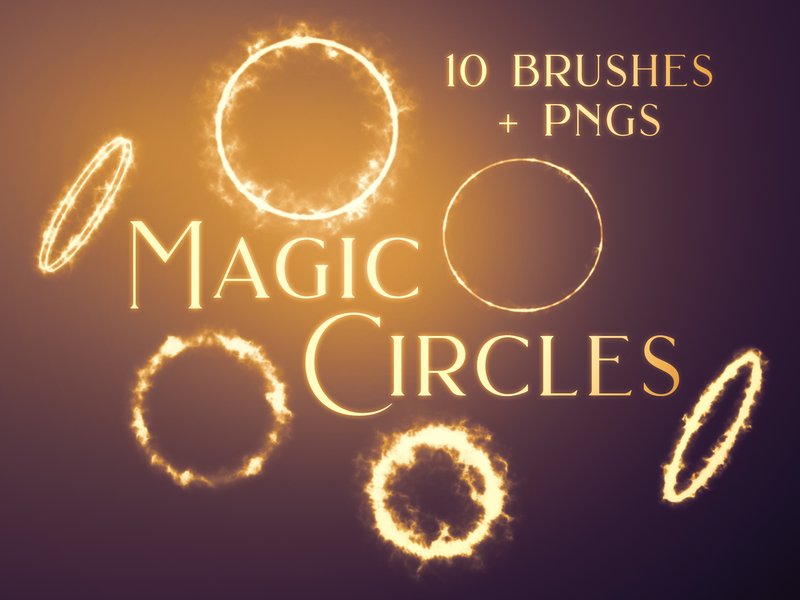
Magic Circles Photoshop Brushes (by OA Design) just as a calligrapher’s practiced flourish adds an inimitable, human touch to a page, these brushes bring an organic and ethereal elegance to digital canvases. Each stamp unveils a delicate, translucent swirl, imbued with a subtle texture that feels both otherworldly and grounded. This isn’t about harsh, computer-generated light rings; it’s about creating luminous, flowing forms that add a whisper of cosmic energy or a soft ripple in a mystical pond, making them a timeless choice for designers seeking a sophisticated, magical accent.
Features:
- A curated set of 10 high-resolution brushes and 10 matching PNG files.
- Features translucent, swirling shapes with a delicate light texture for added depth.
- Large-scale brushes (up to 2500px) maintain crisp quality for both web and print.
- Transparent PNGs are included for quick, drag-and-drop use in any design application.
Best for:
- Adding ethereal accents to fantasy book covers, sci-fi interfaces, or game art.
- Creating sophisticated backgrounds for wellness, astrology, or spiritual-themed branding.
- Enhancing social media posts and hero images with a touch of luminous magic.
- Layering subtle light effects and energy fields over photography and digital illustrations.
20. Scratch Photoshop Brushes (by OA Design)
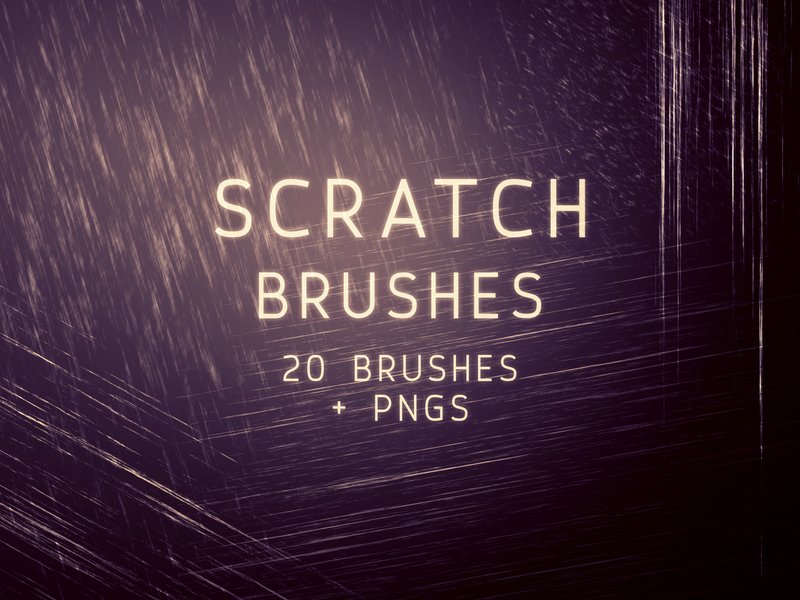
Scratch Photoshop Brushes (by OA Design) Gone are the days of sterile, overly polished digital surfaces. This essential collection from OA Design masterfully injects a raw, tactile energy into any project, replacing digital perfection with authentic grit. Each of the 20 brushes delivers a unique, high-impact texture, perfect for adding a layer of believable age, distress, and grunge. Whether you’re aiming for a subtle vintage fade or a bold, post-apocalyptic feel, these tools provide the control and quality needed to weather your designs to timeless perfection.
Features:
- A versatile collection of 20 unique scratch and distress textures.
- High-resolution brushes (up to 2500px) ensure crisp, scalable details on any canvas.
- Includes 20 transparent PNG files for quick drag-and-drop use in any design software.
Best for:
- Adding authentic wear-and-tear to posters, album art, and book covers.
- Creating gritty, textured backgrounds for websites and social media graphics.
- Distressing typography and logos for an industrial or vintage brand identity.
- Enhancing digital illustrations and photos with a tangible, weathered effect.
21. Fireball Photoshop Brushes (by UnicDesign)
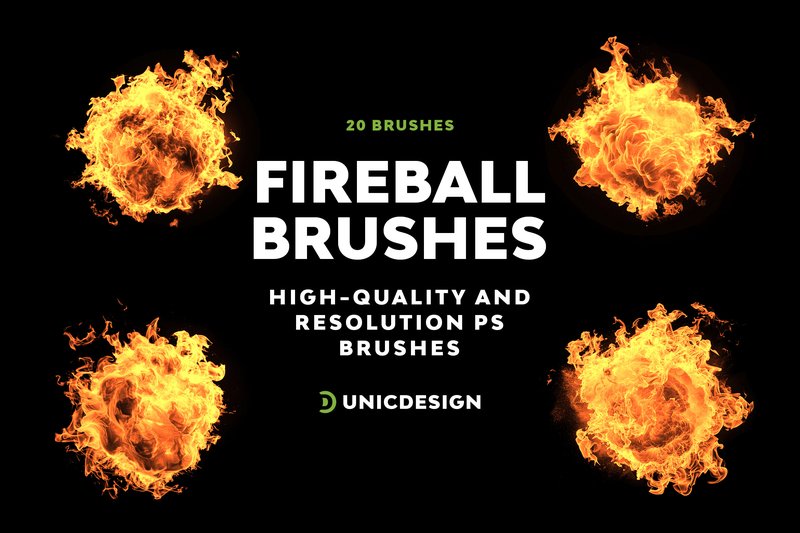
Fireball Photoshop Brushes (by UnicDesign) unleashes a torrent of raw, explosive energy onto your canvas, crackling with the untamed power of a celestial event. This collection isn’t just about adding fire; it’s about commanding motion and intensity. Each brush stroke feels like a controlled cataclysm, perfect for imbuing your work with a sense of urgent, cinematic power. The meticulously crafted textures and dynamic light patterns allow you to create effects that feel both otherworldly and viscerally real, transforming static images into scenes of epic action and magical force.
Features:
- A dynamic set of 20 unique, high-quality fireball brushes.
- Impressive resolution at approximately 2000 pixels for crisp, professional results.
- Broad compatibility with Photoshop CS6, CC, and all modern CC versions (2015.5+).
- Includes a helpful Readme file and access to a dedicated support team.
Best for:
- Designing intense movie posters, video game concept art, and promotional graphics.
- Creating powerful spell effects, sci-fi explosions, and fantasy illustrations.
- Adding a dynamic, fiery aesthetic to text effects and abstract art.
- Enhancing photo manipulations with dramatic lighting and energy trails.
22. 60 Stone Wall Photoshop Brushes (by ArtistMef)
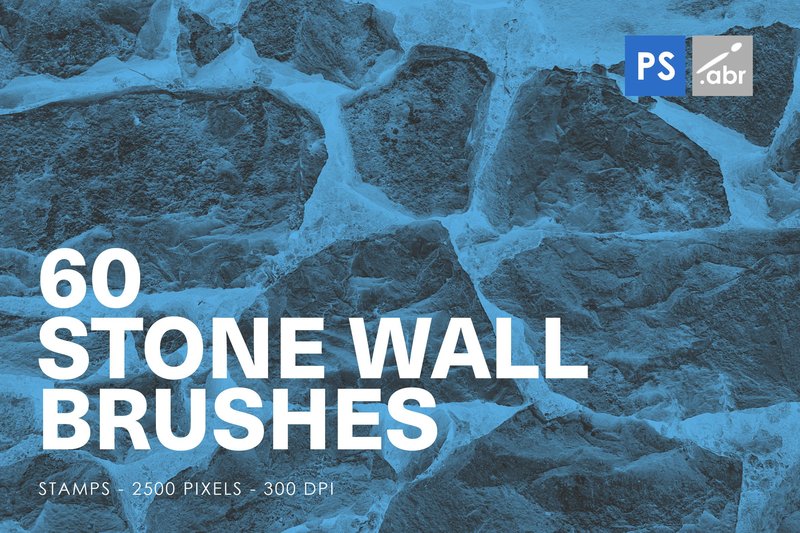
60 Stone Wall Photoshop Brushes (by ArtistMef) is like that instant creative spark you feel when a project finally comes together. It’s more than just a tool; it’s a collaborator that provides the solid, grounding foundation your artwork needs to tell a deeper story. Each brush stamp feels like unearthing a piece of history, allowing you to build worlds with a single click, infusing your digital canvas with the timeless, rugged romance of ancient architecture and weathered landscapes.
Features:
- A diverse library of 60 unique stone wall stamp brushes.
- High-resolution 2500px format ensures crisp, professional-quality detail.
- Effortless stamp application for precise placement and control.
- Broad compatibility with Photoshop versions CS2 through Creative Cloud.
Best for:
- Creating atmospheric backdrops for fantasy art and game environments.
- Adding authentic, gritty textures to photographs and mixed-media designs.
- Building realistic architectural mockups and concept art.
- Enhancing typography and branding with a strong, organic feel.
23. 20 Smoke Photoshop Brushes (by freezerondigital)
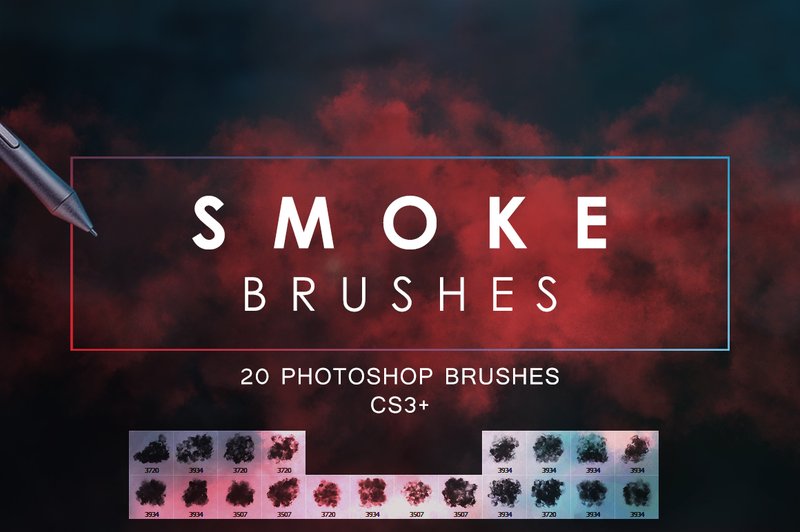
20 Smoke Photoshop Brushes (by freezerondigital) is a testament to the studio’s skill in crafting atmospheric and dynamic design tools. This collection moves beyond simple overlays, offering a set of ethereal, high-resolution brushes that allow you to paint with mist and shadow. Each brush feels organic and fluid, perfect for adding a layer of mystery, drama, or subtle texture to any composition. Whether you’re aiming for a ghostly wisp or a thick, rolling plume, these tools provide an intuitive and powerful way to manipulate mood and create a truly immersive visual narrative.
Features:
- A versatile set of 20 high-resolution smoke brushes, each with a unique flow and density.
- Fully customizable brush settings allow for complete control over size, opacity, and angle.
- Includes a separate version compatible with Photoshop CS5 and lower, ensuring broad accessibility.
- Delivers crisp, detailed textures that look authentic in both digital and print formats.
Best for:
- Adding atmospheric depth and intrigue to photo manipulations and digital art.
- Creating moody, textured backgrounds for websites, flyers, and social media covers.
- Enhancing concert posters, album art, and promotional materials with a dramatic effect.
- Building up subtle, layered effects in abstract designs and conceptual projects.
24. Furry + Hairy Photoshop Brushes (by timhankinsdesign)
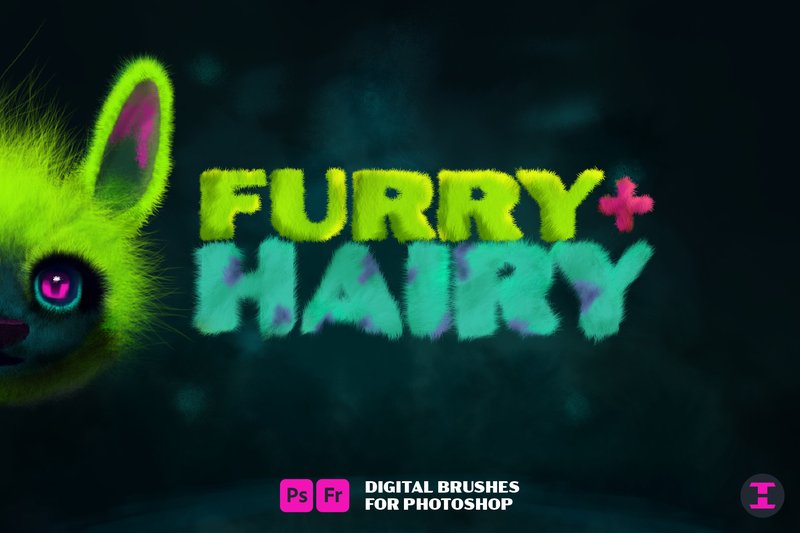
Furry + Hairy Photoshop Brushes (by timhankinsdesign) delivers an exceptional level of textural control, transforming the often-tedious task of rendering hair and fur into a fluid, creative process. This comprehensive toolkit moves beyond simple patterns, offering a dynamic range of brushes that feel both organic and precise. Whether you’re meticulously placing a single stray hair in a high-end retouch or painting the lush coat of a fantasy creature, the brushes provide an intuitive experience that yields incredibly realistic and stylized results, making them an essential asset for any modern digital artist’s library.
Features:
- A dynamic collection of brushes for creating everything from dense fur to fine, single strands.
- High-resolution textures suitable for both detailed illustrations and professional photo retouching.
- Intuitive brush settings that allow for precise control over hair direction, clumping, and flow.
- Versatility to build complex patterns or fill in patchy areas seamlessly.
Best for:
- Creating detailed character art, creature concepts, and fantasy illustrations.
- High-end photo retouching for hair, beards, eyebrows, and animal fur.
- Designing unique, textured backgrounds and branding elements with an organic feel.
- Adding a layer of tactile realism to digital paintings and mixed-media projects.
25. Spider Web Photoshop Brushes (by UnicDesign)
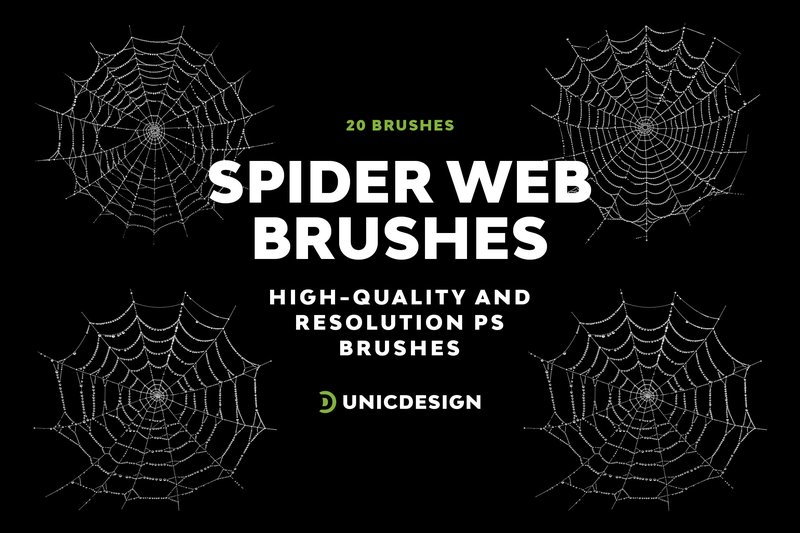
Spider Web Photoshop Brushes (by UnicDesign) If you are looking for a tool to instantly weave a sense of gothic elegance or eerie atmosphere into your compositions, this collection from UnicDesign is an essential download. This meticulously crafted set of 20 high-resolution brushes delivers beautifully unsettling spider web effects, perfect for adding a layer of intricate, organic texture to everything from seasonal promotions to dark fantasy art. The impressive 2000-pixel resolution ensures every delicate strand remains crisp and clear, making these brushes a powerful and efficient tool for any project needing a touch of the macabre.
Features:
- A diverse collection of 20 unique, high-quality spider web designs.
- Excellent high-resolution quality (approx. 2000px) for sharp, professional results in print and web.
- Broad compatibility with Photoshop versions CS6 through modern CC releases.
- Simple, drag-and-drop usability for a fast and efficient workflow.
Best for:
- Creating atmospheric backgrounds for Halloween posters, event flyers, and social media graphics.
- Adding intricate, decorative details to dark fantasy illustrations, book covers, or album art.
- Enhancing photo manipulations with a touch of grunge, decay, or gothic flair.
26. Highlighter Photoshop Brushes (by HG Designs)
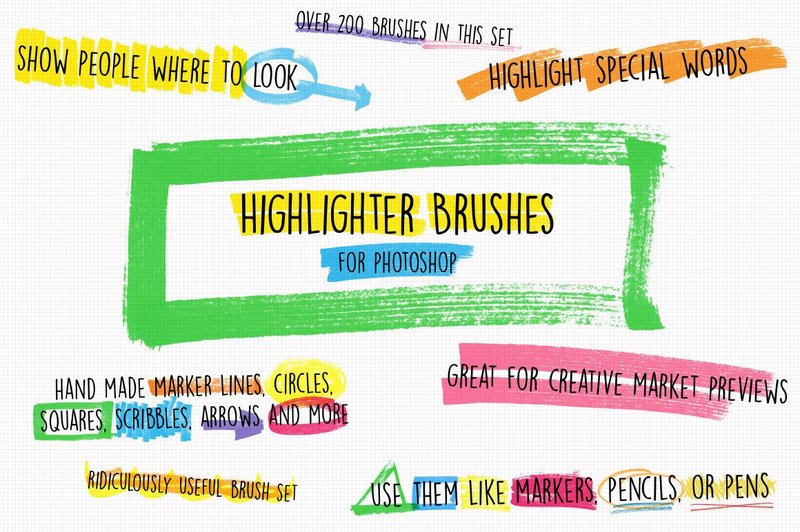
Highlighter Photoshop Brushes (by HG Designs) bring an authentic, hand-drawn vibe to the digital canvas, moving beyond simple annotation to become a powerful design tool in their own right. This comprehensive collection channels the tactile feel of a real marker, offering a fresh and modern way to guide the viewer’s eye. Each stroke feels intentional and organic, perfect for adding a human touch to polished layouts, creating dynamic textures, or simply making your key points pop with effortless style.
Features:
- An extensive library of over 200 unique, high-resolution brush strokes.
- Authentic textures that mimic the subtle drag, bleed, and pressure of a real felt-tip marker.
- Versatile application for both precise annotations and creating abstract, layered backgrounds.
- Includes a bonus pack of six premade JPG backgrounds to jumpstart your creativity.
Best for:
- Drawing attention to key information in presentations, infographics, and UI mockups.
- Creating eye-catching social media posts, story highlights, and digital lookbooks.
- Adding a handcrafted, textured layer to branding projects and editorial designs.
- Enhancing design previews and case studies to clearly communicate ideas to clients.
27. 16 Distress Grunge Photoshop Brushes (by IndigoCreations)
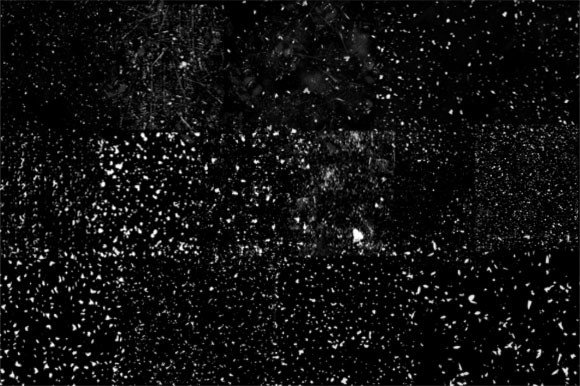
16 Distress Grunge Photoshop Brushes (by IndigoCreations) With their gritty, scattered textures and authentic weathered feel, these brushes deliver that sought-after analog decay directly into your digital workflow. This pack from IndigoCreations is a masterclass in controlled chaos, providing a range of subtle scuffs, heavy scrapes, and faded ink effects that feel both timeless and perfectly suited for modern design trends. It’s the ideal tool for designers looking to inject a raw, tactile energy into their work without resorting to generic, overused textures.
Features:
- 16 unique, high-resolution grunge brushes
- Convenient .abr file for instant Photoshop installation
- Includes a transparent PNG image pack for use in any design software
- Delivers a wide range of distress effects, from light scuffs to heavy grit
Best for:
- Creating authentic, worn-in textures for apparel and t-shirt designs
- Distressing typography and logos to achieve a vintage, hand-stamped aesthetic
- Adding gritty overlays and backgrounds to posters, album covers, and digital art
- Enhancing sticker designs and branding materials with a tactile, urban feel
28. 52 Photoshop Brushes Bundle (by creativerso)
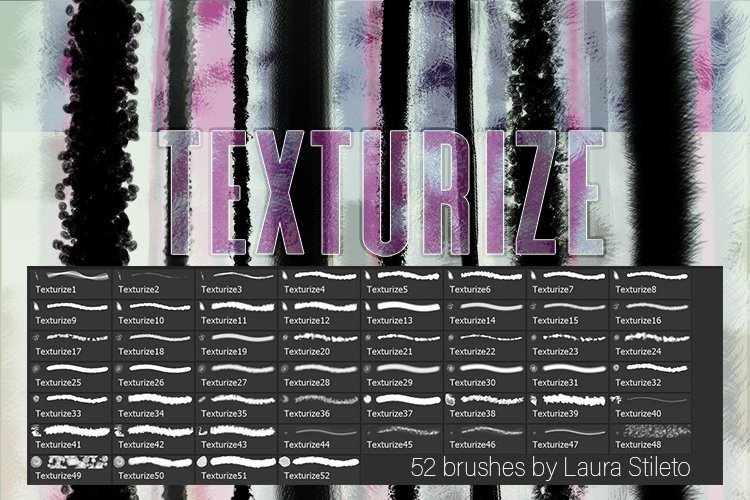
52 Photoshop Brushes Bundle (by creativerso) Expressive and wonderfully tactile, this collection from creativerso is an essential toolkit for any digital artist looking to infuse their work with authentic texture and dynamic effects. Moving beyond Photoshop’s default options, this bundle offers a versatile range of brushes that feel both organic and responsive, allowing for a seamless transition from a simple sketch to a richly detailed illustration. It’s designed not just to add effects, but to become a natural extension of your creative process, making every stroke feel intentional and full of life.
Features:
- A versatile collection of 52 high-resolution brushes
- Delivers realistic, tangible textures for digital paintings
- Designed to create stunning and unique special effects
- Compatible and easy to integrate with other brush packs
Best for:
- Digital illustrators and concept artists seeking to add depth
- Graphic designers texturizing backgrounds and typographic elements
- Photo artists creating painterly composites and artistic overlays
- Any creative looking to build a more robust and versatile digital toolkit
29. Six Abstract Adobe Photoshop Brushes Set (by Heidi Vargas-Smith)
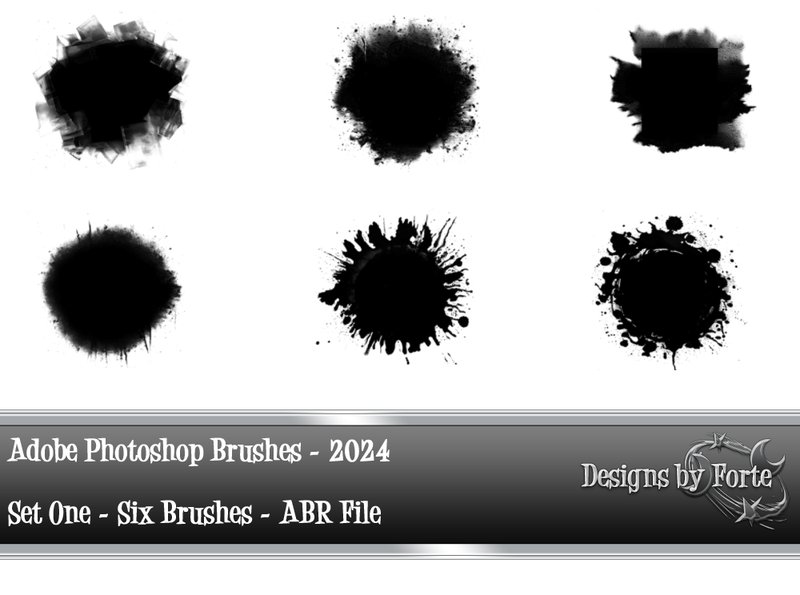
Six Abstract Adobe Photoshop Brushes Set (by Heidi Vargas-Smith) is an essential download for artists and designers crafting visuals for the music industry. This potent set of six brushes perfectly straddles the line between soft, atmospheric textures and raw, gritty details, making it incredibly versatile for album art, social media promos, and concert posters. Heidi Vargas-Smith provides the tools to either build a dreamy, ambient background or inject a project with a sharp, edgy energy, encouraging experimentation to define a band’s unique visual sound.
Features:
- A curated collection of six distinct, high-resolution abstract brushes.
- Dynamic textural range, capable of producing both soft, ethereal effects and harsh, gritty overlays.
- Fully compatible with Adobe Photoshop and Photoshop Elements.
- Highly responsive to pressure and flow settings for customized, unique strokes.
Best for:
- Creating atmospheric backgrounds for posters and digital art.
- Adding sophisticated texture overlays to photographs and collages.
- Designing modern, expressive album covers and social media content.
- Enhancing branding projects with a touch of organic, abstract energy.
30. Photoshop Brushes – Leaves Aesthetic 01 (by Nindy Po)
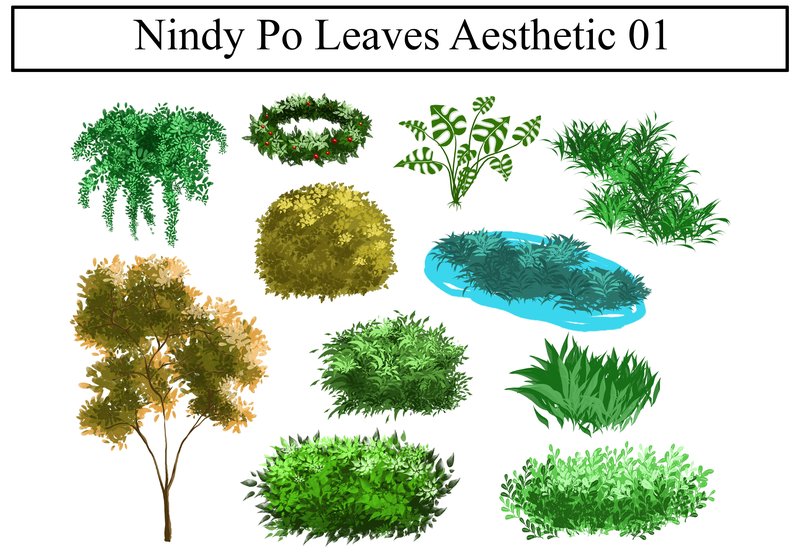
Photoshop Brushes – Leaves Aesthetic 01 (by Nindy Po) is a beautifully curated collection that brings a touch of delicate, organic artistry to your digital canvas. This set moves beyond simple foliage stamps, offering 10 thoughtfully designed brushes that feel both whimsical and grounded. Perfect for artists and designers who want to build lush, painterly environments or add a subtle, natural flourish to their work, these brushes make the process of creating convincing trees and decorative elements feel intuitive and creatively freeing.
Features:
- A versatile set of 10 unique, high-resolution leaf brushes.
- Delivered as a single .ABR file for instant installation in Photoshop.
- Includes transparent PNG files of each brush stamp for quick reference or use in other software.
- Each brush is crafted with a distinct, hand-drawn aesthetic for an authentic, artistic feel.
Best for:
- Creating enchanting digital illustrations and storybook backgrounds.
- Adding elegant, natural ornamentation to wedding invitations, stationery, and branding.
- Concept artists and designers who need to quickly populate scenes with detailed foliage.
- Enhancing social media graphics and quote posts with a soft, aesthetic botanical touch.
🛠️ Installing & Organizing Your New Brushes
A great brush collection is only useful if it’s easy to navigate. Once you download your new `.abr` files, don’t just let them pile up. Taking a few moments to organize them will save you hours in the long run. Here’s how to manage your brush library like a pro:
- Installation: In Photoshop, open the Brushes panel (Window > Brushes). Click the hamburger menu in the top-right corner and select “Import Brushes…”. Navigate to your downloaded `.abr` file to add it to your library.
- Create Groups: Don’t let your brushes float freely! Click the folder icon at the bottom of the Brushes panel to create a new group. Name it logically, such as “Watercolor Washes,” “Grunge Textures,” or by the creator’s name. Drag and drop your new brushes into the appropriate folder.
- Pro Tip: You can create “tool presets” from your favorite brushes. This allows you to save a specific brush tip along with its settings (like size, opacity, flow, and color) for one-click access to a frequently used effect.
💡 Beyond the Single Click: Layering for Richer Textures
The most common mistake designers make is using a brush with a single click or stroke. To achieve a truly authentic, deep, and custom texture, think like a painter and work in layers. This method prevents your design from looking like a generic template.
Start by building a base with a broad, subtle texture brush on a new layer. On another layer above it, add a more detailed brush (like charcoal, grit, or splatters) in a slightly different shade. Experiment with:
- Blend Modes: Set your texture layers to Overlay, Soft Light, or Multiply to see how they interact with the colors and layers below them.
- Opacity & Flow: Lower the opacity or flow of your brush to build up texture gradually. This gives you far more control than a single, 100% opaque stamp.
- Eraser Brushes: Use a textured eraser (or a layer mask with a texture brush) to gently “wear away” parts of your effect, creating a more natural, weathered look.
🚀 Unleash Your Brushes on Unexpected Projects
While these brushes are perfect for digital illustration and graphic design, their potential is much broader. The trend towards handcrafted aesthetics opens up new possibilities for unique projects. Consider using your new brush collection for:
- Custom Branding for Boutiques: Design artisanal packaging, tissue paper patterns, or thank-you cards that feel personal and high-end. Gouache and ink brushes are perfect for this.
- Photo Overlays: Add a moody, vintage, or dreamy feel to your photography by painting with light leak, dust, or film grain brushes on a layer above your image.
- Digital Product Design: Create unique, textured backgrounds and elements for digital planners, social media templates, or presentation slides that stand out from the clean, corporate norm.
- Surface Pattern Design: Use stamp-style brushes to create seamless patterns for print-on-demand products like fabric, phone cases, or wallpaper.
👀 Didn’t find what you were looking for?
There are hundreds more cool options in the full collection for your project.
Conclusion
With these 30 powerhouse brush sets in your toolkit, you’re equipped to tackle any creative challenge 2026 throws your way. Don’t be afraid to experiment with these textures, strokes, and effects to add that unique, professional touch to your next design or DIY craft project. Happy creating!