Vinyl decals continue to be a powerhouse for personalization in 2026, and the latest trends are all about bold expression and unique flair. From maximalist botanicals to nostalgic Y2K-inspired designs, designers and DIY crafters are using these versatile graphics to transform everything from home decor to custom apparel. Finding high-quality, on-trend designs can be a challenge, which is why we’ve done the work for you. In this roundup, we’re showcasing 13 of the most popular and eye-catching vinyl decal graphics that are currently dominating the creative scene. Get ready to elevate your next project!
Top Collection Picks (2026 Edition)
1. Vinyl Decal Instructions Printable Card with Illustrations (by vinyldecalschool)
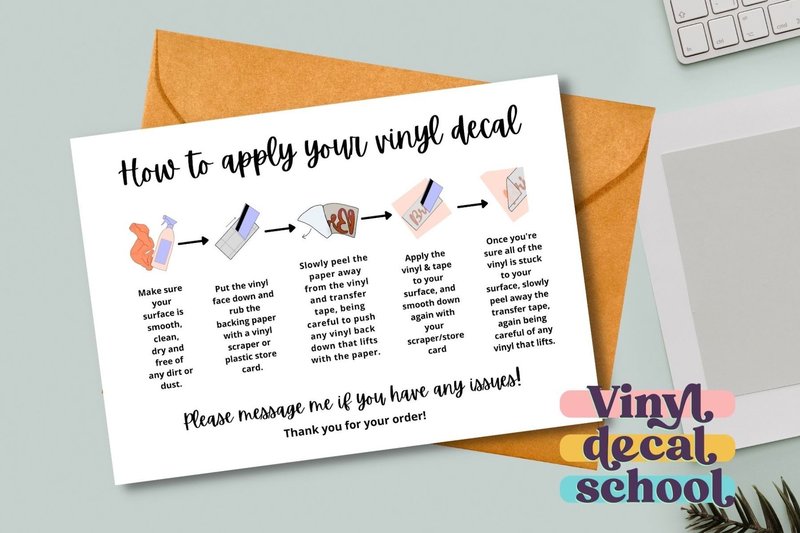
Vinyl Decal Instructions Printable Card with Illustrations (by vinyldecalschool) elevates the unboxing experience by turning a simple necessity into a charming brand touchpoint. The team at vinyldecalschool has designed a set of instructions that feel both personal and professional, combining a whimsical hand-lettered font with clear, colorful drawings. This thoughtful asset saves sellers valuable time while providing customers with an easy-to-follow, visually delightful guide, ensuring every decal application is a success and reinforcing the quality of your craft from start to finish.
Features:
- A friendly, hand-lettered font that adds a personal, handmade feel to your packaging.
- Simple, colorful illustrations that visually guide users through each step of the application process.
- A comprehensive set of print-ready files, including US Letter and A4 sizes with options for professional printing (crop marks and bleed).
- An efficient four-per-page layout to help minimize paper waste and printing costs.
Best for:
- Small business owners and Etsy sellers looking to add a professional and cohesive touch to their product packaging.
- Crafters who want to provide clear, foolproof instructions with their handmade vinyl gifts or market sales.
- Designers seeking a ready-made, stylish asset to include in client deliverable packages.
2. EDITABLE Vinyl Decal Care Instructions (by Haffa Studio)
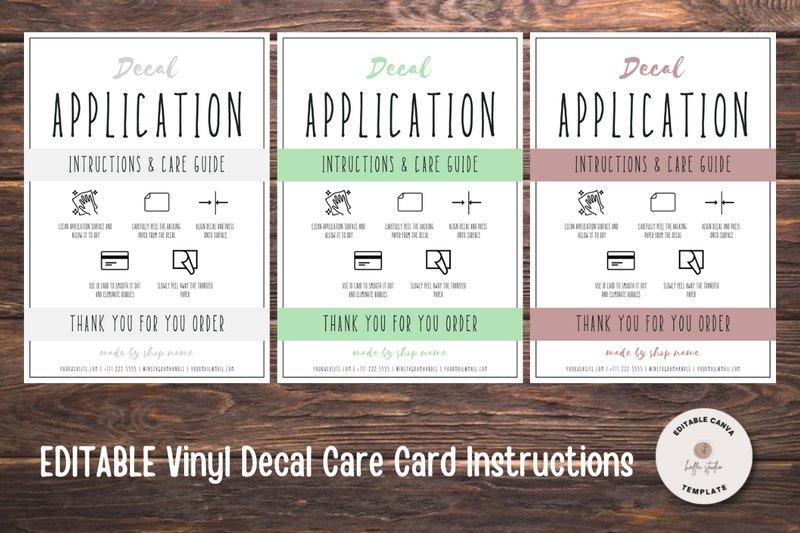
EDITABLE Vinyl Decal Care Instructions (by Haffa Studio) feels less like a template and more like a piece of finely crafted stationery. Much like elegant calligraphy that adds a personal, human touch to a formal invitation, this Canva template transforms standard after-care instructions into a polished, branded experience for your customers. It’s a simple, sophisticated tool that communicates professionalism and care, ensuring your meticulously crafted vinyl decals are treated with the respect they deserve long after the sale is complete. The clean layout and minimalist icons provide clarity, while the editable nature offers the freedom to infuse your own brand’s unique personality into every detail.
Features:
- Fully editable in Canva, requiring only a free account and basic knowledge.
- Flexible customization options, including text, fonts, colors, and the ability to import your own logo or graphics.
- Designed in a standard 3.5″x5″ card size, perfect for tucking into product packaging.
- No expiration dates or download limits, providing long-term value for your growing business.
Best for:
- Etsy shop owners and small business crafters who sell custom vinyl decals for cars, tumblers, laptops, or walls.
- Designers looking to create a cohesive and professional branding package for their decal-making clients.
- Makers who want to elevate their customer experience with clear, beautifully designed care instructions.
- Entrepreneurs needing a quick, easy-to-use solution for product inserts without investing in custom design work.
3. Car Sticker Stripe Abstract Vinyl Decal (by Muhammad Rizky Klinsman)

Car Sticker Stripe Abstract Vinyl Decal (by Muhammad Rizky Klinsman) Modern and aggressive, this abstract decal channels the high-octane energy of contemporary motorsport design. With its sharp, fragmented lines and forward-driving momentum, the graphic feels less like a simple sticker and more like a burst of pure velocity frozen in time. It’s an undeniably bold statement piece that adds a custom, high-performance vibe to any surface, communicating speed and precision without a single word.
Features:
- Dynamic and abstract geometric design
- Fully scalable vector files (AI, EPS, SVG) for easy resizing and color changes
- High-resolution raster formats included (PNG, JPG) for immediate use
- Clean, sharp lines ideal for vinyl cutting and professional printing
Best for:
- Custom vehicle wraps and racing livery graphics
- Branding elements for esports teams, tech startups, or automotive brands
- Decorating gear like helmets, toolboxes, and PC cases
- Creating energetic backgrounds for event posters and social media graphics
4. Vinyl Decal Application Card Template (by CreatifyBiz)
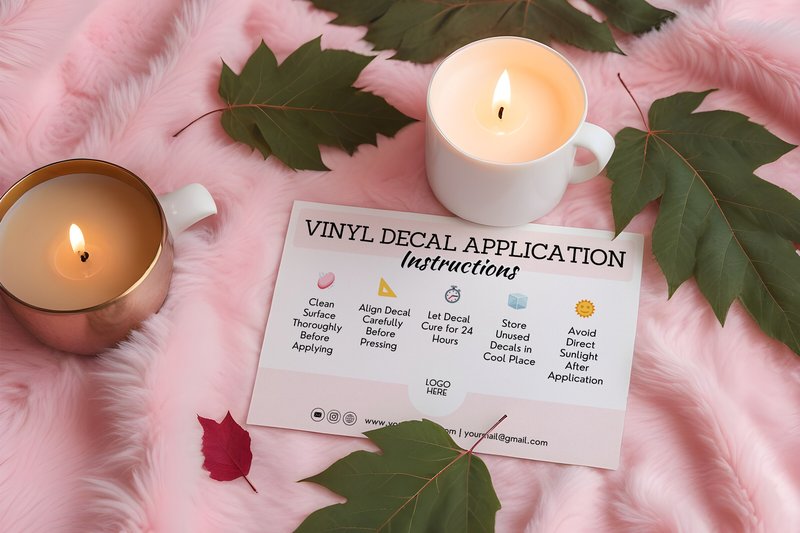
Vinyl Decal Application Card Template (by CreatifyBiz) delivers a masterclass in customer experience, transforming a simple after-sale instruction into a polished brand touchpoint. This template exudes professionalism with its clean lines, intuitive iconography, and thoughtfully structured layout, ensuring your customers feel confident and cared for from the moment they unbox their purchase. It’s the kind of essential detail that elevates a small craft business into a memorable, professional brand, promising not just a product, but a complete, high-quality experience.
Features:
- Fully customizable and print-ready files for immediate use.
- Clean, minimalist design that enhances any brand aesthetic.
- Clear, step-by-step instructions presented with simple iconography.
- Instant download for seamless integration into your workflow.
Best for:
- Etsy shop owners and crafters looking to elevate their product packaging.
- Small businesses aiming to reduce customer application errors and inquiries.
- Designers seeking a polished, ready-to-use asset for client branding projects.
5. Vinyl Decal Thank You Business Card (by Haffa Studio)
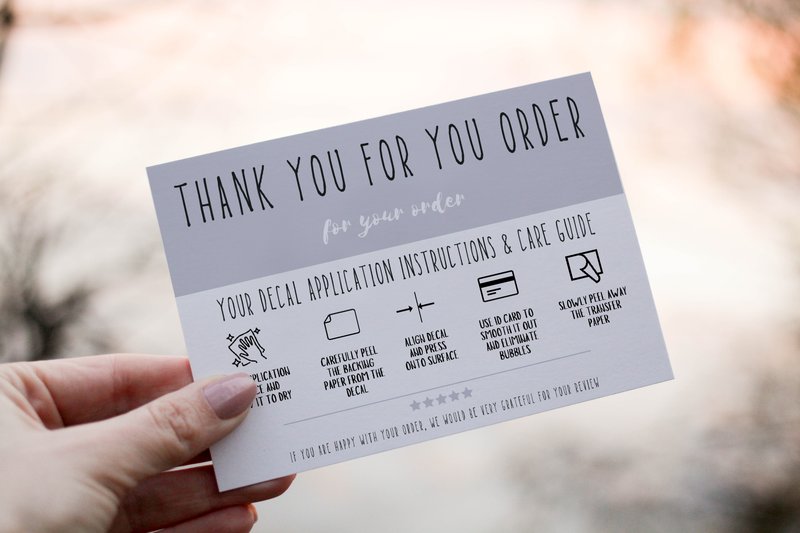
Vinyl Decal Thank You Business Card (by Haffa Studio) With its clean, crisp edges and bold, flat-graphic aesthetic, this template from Haffa Studio perfectly mimics the modern, tactile feel of a custom vinyl decal. It’s an incredibly fresh and friendly way for businesses to express gratitude, blending a professional polish with a touch of handmade charm. The design feels approachable and current, making it an ideal choice for brands that want to connect with their customers on a personal level while maintaining a sharp, cohesive look. The layout is simple yet effective, providing a stylish canvas for your brand’s message without any unnecessary clutter.
Features:
- Fully editable Canva template for easy online customization.
- Supports custom logo and image uploads (JPG, PNG, SVG).
- Standard 5″ x 3.5″ business card format, ready for professional or at-home printing.
- No expiration date or download limits for long-term use.
Best for:
- E-commerce sellers and Etsy shop owners looking for stylish packaging inserts.
- Creative professionals and crafters who want to add a personalized thank-you note to their orders.
- Boutiques and small businesses aiming to create a memorable and modern unboxing experience.
6. Vinyl Decal Application Guide (by Haffa Studio)
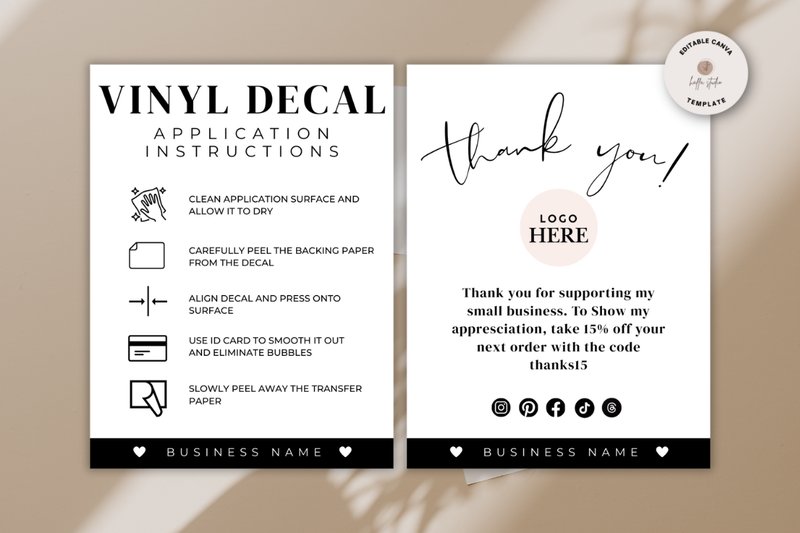
Vinyl Decal Application Guide (by Haffa Studio) is the creative equivalent of a perfectly written love letter, ensuring your customers fall head over heels for their new purchase from the very first moment. This Canva template transforms the often-overlooked instruction card into a polished piece of brand collateral, guiding users with clarity and style. It eliminates any potential frustration, replacing it with a seamless application experience that reflects the care and quality you put into your decals. With its clean lines and intuitive layout, this guide doesn’t just provide instructions; it nurtures customer confidence and builds lasting loyalty, one perfect application at a time.
Features:
- Effortless editing directly in Canva with a free account—no software required.
- Fully customizable text, colors, and the ability to import your own logo or graphics (JPG, PNG, SVG).
- Compact and professional 3″x4″ format, perfect for including with product shipments.
- Unlimited access with no expiration, allowing you to duplicate the page and create a consistent brand line.
Best for:
- Etsy shop owners and e-commerce brands selling custom vinyl decals.
- Crafters looking to professionalize their packaging for markets and fairs.
- Designers seeking a polished template for client aftercare instructions.
- Creating a cohesive and high-end unboxing experience for customers.
7. Printable Vinyl Decal Application Card (by Squeak Shops)
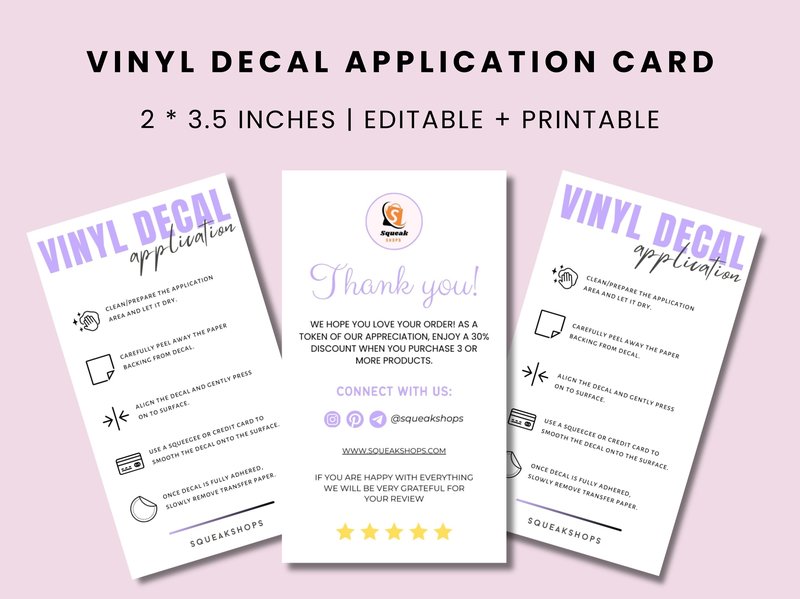
Printable Vinyl Decal Application Card (by Squeak Shops) Gone are the days of customers fumbling with your beautiful vinyl creations or relying on a generic, unbranded instruction slip. This Canva template from Squeak Shops replaces guesswork with professional guidance, transforming the final step of your customer’s journey into a seamless and satisfying experience. Its clean, minimalist design provides a polished framework for your brand’s unique instructions, ensuring every decal is applied flawlessly while reinforcing the quality and care you put into your work. This is the finishing touch that elevates a simple product into a premium, thoughtfully packaged item.
Features:
- Fully editable front and back templates designed for Canva.
- Intuitive, user-friendly layout for effortless customization.
- Includes print-ready sheets formatted for both US Letter and A4 paper.
- Professionally crafted aesthetic to enhance your brand’s packaging.
Best for:
- Etsy sellers and small businesses shipping custom vinyl decals.
- Crafters aiming to create a high-quality, cohesive unboxing experience.
- Designers building complete branding and packaging suites for clients.
- Makers who want to ensure customers apply products correctly and reduce support queries.
8. Vinyl Decal Application Instructions (by CreatifyBiz)
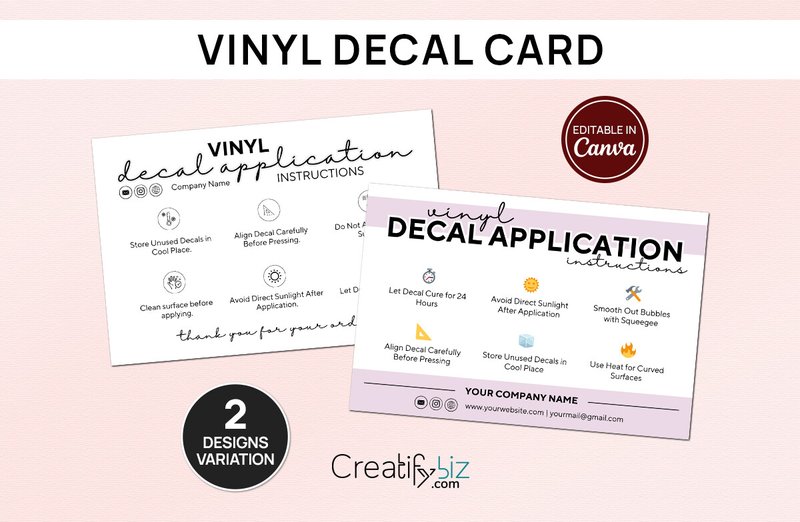
Vinyl Decal Application Instructions (by CreatifyBiz) If you are looking for a way to elevate your customer’s unboxing experience and ensure your vinyl creations are applied perfectly every time, this template is an absolute must-have. CreatifyBiz delivers a sleek, professional, and fully editable instruction card that bridges the gap between a great product and a flawless user experience. The clean, minimalist design not only provides crystal-clear guidance but also reinforces your brand’s commitment to quality, transforming a simple care card into a powerful touchpoint that builds customer trust and satisfaction.
Features:
- Fully editable template to seamlessly integrate your brand’s logo, colors, and unique voice.
- A clean, professional layout featuring intuitive icons and clear, step-by-step guidance.
- High-resolution, print-ready format designed for a polished and durable final product.
Best for:
- Etsy sellers and small business owners creating custom vinyl decals.
- Designers seeking to provide a complete, professional package to their clients.
- Crafters who want to enhance their customer experience and reduce application-error inquiries.
9. Iron-on Vinyl Decal Instructions (by vinyldecalschool)
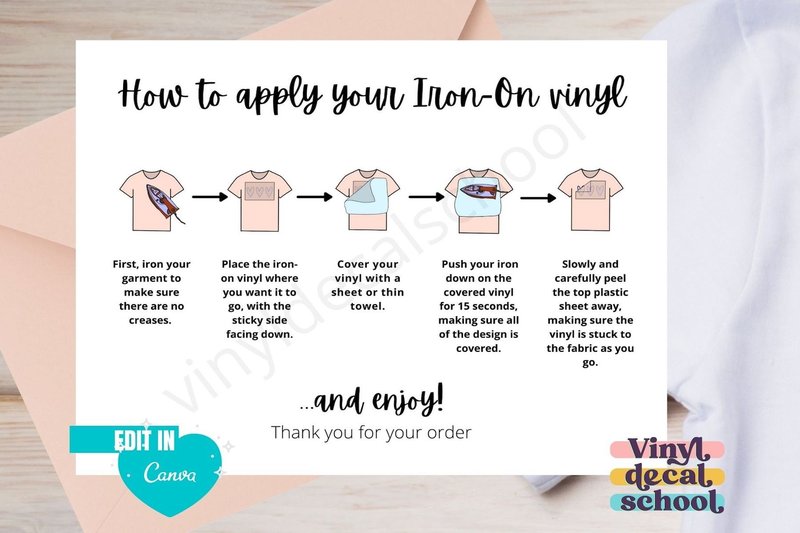
Iron-on Vinyl Decal Instructions (by vinyldecalschool) is an absolute game-changer for Etsy sellers and small business owners specializing in custom apparel. This printable instruction card immediately elevates the unboxing experience, swapping out bland, typed-out notes for a professionally designed guide that feels both personal and polished. The charming, handlettered font and clear, colourful illustrations provide a friendly, approachable vibe, ensuring your customers feel confident and cared for from the moment they open their package. It’s a small detail that makes a huge impact, saving you precious time while reinforcing your brand’s commitment to quality and customer success.
Features:
- Charming handlettered font and clear, colourful illustrations for a friendly aesthetic.
- Print-ready, non-editable PDFs in both US Letter and A4 sizes for global use.
- Includes files with professional crop marks and bleed for high-quality printing.
- Efficiently designed with four instructions per page, complete with cut guidelines.
Best for:
- Etsy shop owners looking to add a professional, branded touch to their packaging.
- Crafters and designers who sell HTV decals and want to save time writing instructions.
- Small business owners aiming to improve customer experience and reduce application errors.
- Market vendors needing a quick, high-quality handout to include with purchases.
10. Vinyl Decal Application Instruction Card (by Squeak Shops)
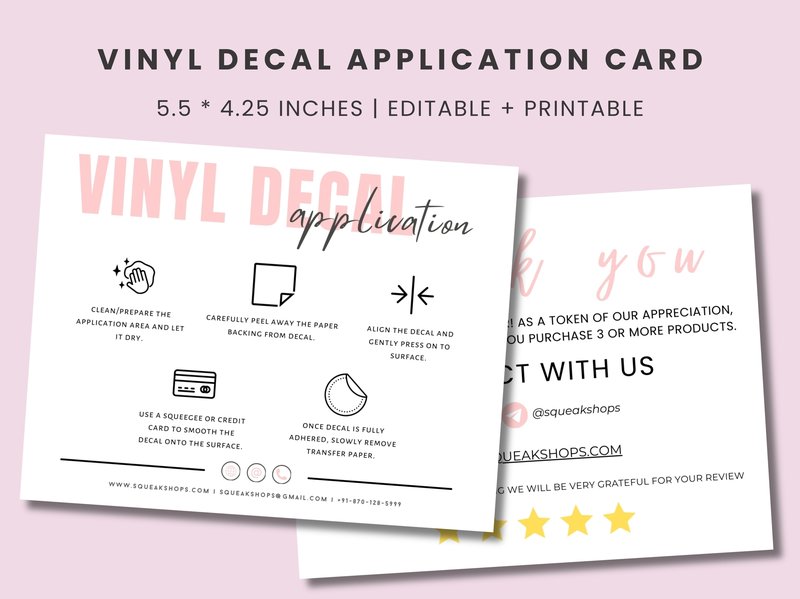
Vinyl Decal Application Instruction Card (by Squeak Shops) is the streamlined solution for turning a simple sale into a complete, professional customer experience. This Canva template understands that the journey doesn’t end at checkout; it provides a polished, user-friendly touchpoint that guides your customers and elevates your brand’s perceived value. The clean layout and intuitive design ensure that application instructions are not just an afterthought but a seamless extension of your product’s quality, building confidence and reducing post-purchase friction before it even begins.
Features:
- Effortless editing and personalization directly within Canva, no design software required.
- A comprehensive, double-sided card layout to include detailed steps, tips, and branding.
- Includes pre-formatted, print-ready templates for both US Letter and A4 paper sizes.
- Clean, minimalist aesthetic with clear iconography that is easy for any customer to understand.
Best for:
- Etsy sellers and small business owners offering vinyl decals, stickers, or heat-transfer products.
- Designers wanting to provide a value-added, branded asset for their physical product clients.
- Crafters aiming to elevate their packaging and create a more professional unboxing experience.
- Brands focused on reducing customer application errors and subsequent support inquiries.
11. Editable Vinyl Decal Instruction Card (by vinyldecalschool)
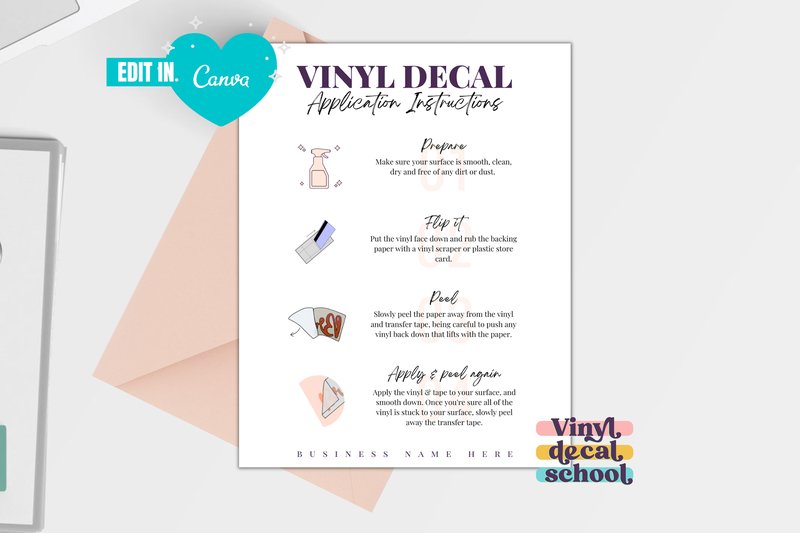
Editable Vinyl Decal Instruction Card (by vinyldecalschool) is a deceptively simple tool that delivers an immense impact on brand professionalism. This Canva template elevates the crucial final touchpoint with your customer, transforming a standard instruction sheet into a polished, cohesive part of your brand experience. The design is clean, intuitive, and modern, using clear illustrations that guide the user seamlessly through the application process. It’s the kind of thoughtful detail that communicates quality and care, ensuring your meticulously crafted decals are not only applied correctly but are also presented with the professional flair they deserve.
Features:
- Effortlessly editable in Canva, allowing full customization of wording, colors, illustrations, and fonts.
- Includes both US Letter and A4 size templates, accompanied by video instructions for easy editing.
- Features clean, minimalist illustrations that provide simple-to-follow visual guidance for customers.
- Designed for efficient printing, with included instructions on how to print four cards per page.
Best for:
- Small business owners and Etsy sellers specializing in custom vinyl decals.
- Crafters looking to create a professional and helpful unboxing experience.
- Designers needing a quick, brandable template to include with physical product orders.
- Any creative entrepreneur who wants to ensure customers can apply their products flawlessly.
12. Vinyl Decal Instructions Care Card (by Haffa Studio)
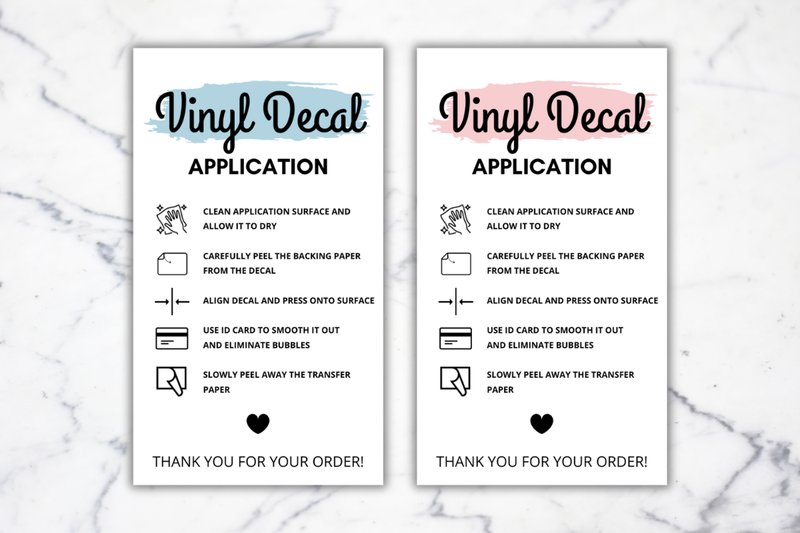
Vinyl Decal Instructions Care Card (by Haffa Studio) imparts an immediate sense of polished professionalism and thoughtful customer care. This Canva template moves beyond a simple instruction sheet, transforming a necessary post-purchase touchpoint into a powerful branding opportunity. Its clean, organized layout ensures that crucial application steps are clear and easy to follow, while the customizable design elements allow makers to infuse their unique brand identity into every package they send. It’s the kind of detail that elevates a handmade product, making customers feel valued and confident in their purchase.
Features:
- Fully editable template designed for the free version of Canva.
- Standard 2″ x 3.5″ business card format for easy and affordable printing.
- Complete control over text, fonts, colors, and logo integration.
- Instant digital download for immediate access and use.
Best for:
- Etsy sellers and crafters specializing in custom vinyl decals.
- Small business owners seeking to create a cohesive and professional unboxing experience.
- Designers who need a fast, reliable template for creating branded collateral for clients.
- Makers wanting to reduce customer questions with clear, beautifully designed instructions.
13. Vinyl Decal Care Cards (by Family Creations)
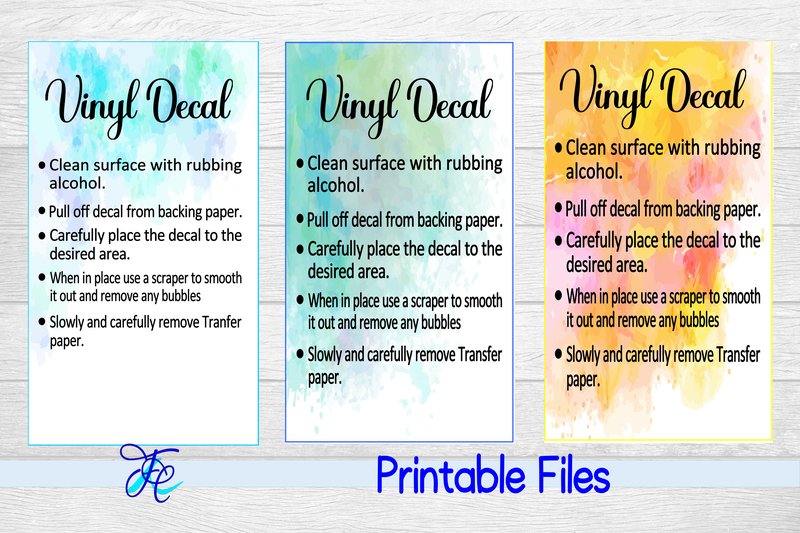
Vinyl Decal Care Cards (by Family Creations) deliver a masterclass in customer aftercare with these impeccably designed care cards. This isn’t just an instruction sheet; it’s a brand-enhancing tool that communicates professionalism and attention to detail. The design balances a clean, minimalist aesthetic with clear, concise instructions, ensuring your customers feel confident and valued from the moment they unbox their purchase. It’s the perfect finishing touch that transforms a simple sale into a memorable brand experience, making your handmade creations feel even more premium.
Features:
- High-resolution, print-ready JPEG and PDF formats
- Modern, minimalist layout with clear instructional icons
- Professionally written care instructions for vinyl decals
- Versatile design that complements a wide range of branding styles
Best for:
- Etsy sellers and small business owners who create custom decals
- Adding a polished, professional insert to customer packaging
- Enhancing the customer experience and reducing application errors
- Crafters who want to build a premium brand identity
SVG vs. PNG: Why File Type Matters for Cutting
When you’re working with a vinyl cutting machine (like a Cricut or Silhouette), the file format is crucial. While both SVG and PNG are common graphic files, only one is truly built for the job. Here’s why you should almost always choose an SVG for your decal projects:
- SVG (Scalable Vector Graphic): This is a vector file, meaning it’s built from mathematical paths, lines, and curves. Your cutting machine reads these paths directly as cut lines, resulting in perfectly crisp, clean edges no matter how large or small you scale the design.
- PNG (Portable Network Graphic): This is a raster file, meaning it’s made of tiny squares called pixels. A cutting machine can’t read pixels, so the software must first *trace* the image to create cut paths. This process can be inaccurate, often resulting in jagged edges and a loss of fine detail.
Pro Tip: For vinyl decal graphics, always look for the SVG file in your download. It will save you time and frustration, guaranteeing a professional-quality cut every time.
Pro Tips for a Flawless Application
Getting your beautifully cut decal onto your project surface without bubbles or wrinkles is an art. Follow these best practices for a result you can be proud of:
- Start with a Clean Slate: The single most important step is surface preparation. Clean your target surface (glass, plastic, metal, etc.) with rubbing alcohol to remove any oils or dust. A clean, dry surface ensures the best possible adhesion.
- Master the “Weed”: “Weeding” is the process of removing the excess vinyl from around your cut design. Use a sharp weeding tool (a hook or craft pick works well) and work in good lighting. For intricate designs, take your time and pull the excess vinyl away at a sharp angle.
- Use Transfer Tape Correctly: Transfer tape is the key to moving your design from its backing paper to the final surface as one piece. Place the tape over your weeded design and use a scraper or credit card to “burnish” it, pressing firmly to adhere the vinyl to the tape.
- The Hinge Method: For larger decals, avoid placing the whole thing down at once. Tape one edge of the decal (with transfer tape attached) to the surface, creating a “hinge.” Then, peel the backing paper away from under the hinged side and slowly press the decal onto the surface from the hinged edge outwards, smoothing as you go to prevent bubbles.
Choosing Your Vinyl: A Quick Guide
Not all vinyl is created equal! Using the right type for your project is key to its success and longevity. Here are the three main categories you’ll encounter:
| Removable Adhesive Vinyl | Ideal for temporary applications or delicate surfaces. Think wall decals, laptop stickers, and temporary event signage. It has a gentler adhesive that can be removed without leaving sticky residue. Also great for making stencils! |
| Permanent Adhesive Vinyl | This is your go-to for projects that need to withstand wear and tear. Use it for car decals, mugs and tumblers (hand-wash only), outdoor signs, and anything that will be handled frequently. It creates a strong, durable bond. |
| Heat Transfer Vinyl (HTV) | Designed specifically for fabric and soft goods. This vinyl has a heat-activated adhesive on its backing. You cut it in reverse (mirrored) and apply it to t-shirts, tote bags, hats, and canvas using a heat press or household iron. |
👀 Didn’t find what you were looking for?
There are hundreds more cool options in the full collection for your project.
Conclusion
And there you have it—13 incredible vinyl decal graphics to spark your creativity in 2026. Whether you’re a professional designer or a weekend crafter, these assets provide the perfect starting point for projects that truly stand out. Now, go make something amazing!