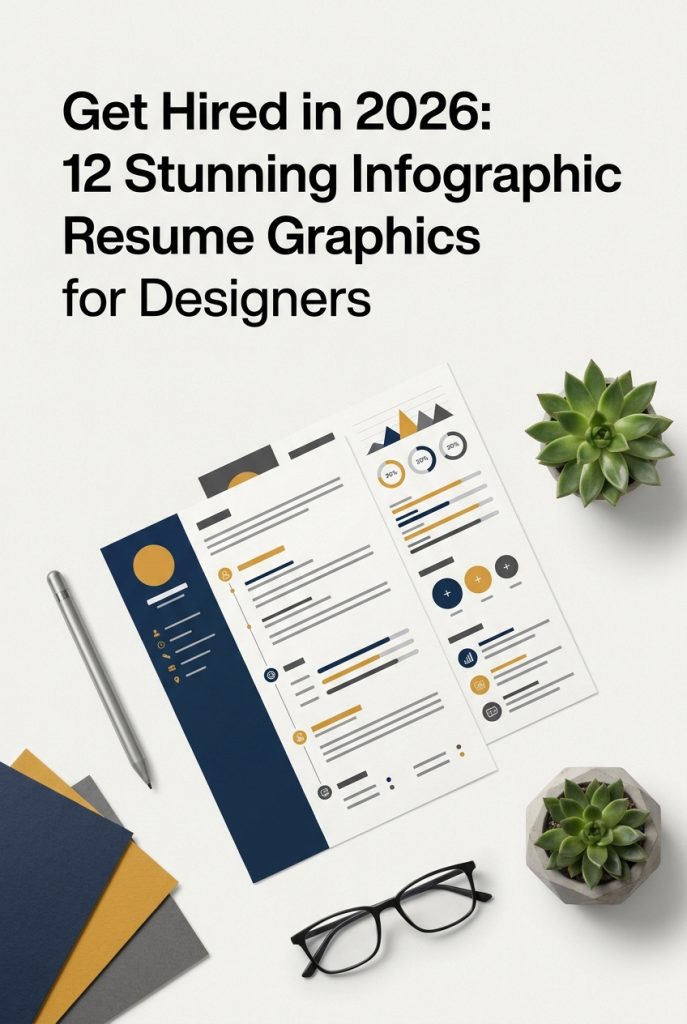
In the hyper-competitive creative job market of 2026, a standard resume simply gets lost in the pile. Infographic resumes have become the new standard for designers and DIY crafters who need to make an immediate visual impact. They powerfully combine data visualization with personal branding, allowing you to showcase your skills, experience, and personality in a way a text document never could. To help you stand out, we’ve curated a selection of the 12 most popular and professionally designed infographic resume graphics that are trending right now, ensuring you catch a recruiter’s eye.
Top Collection Picks (2026 Edition)
1. Professional Resume Template (by Dzyneestudio)
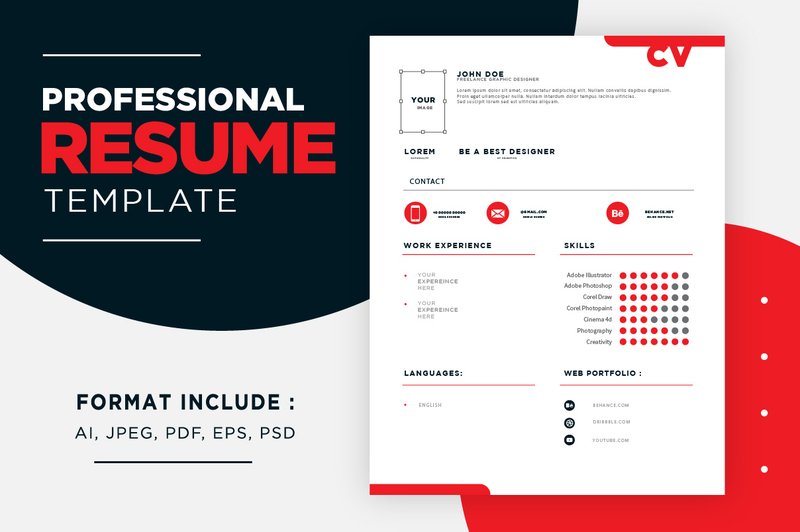
Professional Resume Template (by Dzyneestudio) modernizes the job application with a clean, infographic-driven aesthetic that speaks to both corporate and creative sensibilities. This template masterfully blends a minimalist layout with striking teal and green accents, transforming a standard curriculum vitae into a compelling visual narrative. Its structured design uses icons and progress bars to present skills and experience with clarity and impact, ensuring your qualifications are not just read, but seen. It’s a sophisticated and elegant solution for the professional who values data-driven presentation without sacrificing style.
Features:
- Clean, infographic-style layout to visualize skills and achievements
- Professionally structured two-column design with a matching cover letter
- A chic and modern color palette featuring teal, green, and black accents
- Fully editable and print-ready files for major design software (AI, EPS, PSD, PDF, JPEG)
Best for:
- Graphic, UI/UX, and web designers wanting a visually organized resume
- Marketing professionals, data analysts, and project managers in creative industries
- Job applicants in tech and corporate sectors who need to make a memorable first impression
- Anyone looking to upgrade a traditional CV to a fresh, contemporary format
2. Infographic Resume Template (by Paulresume)
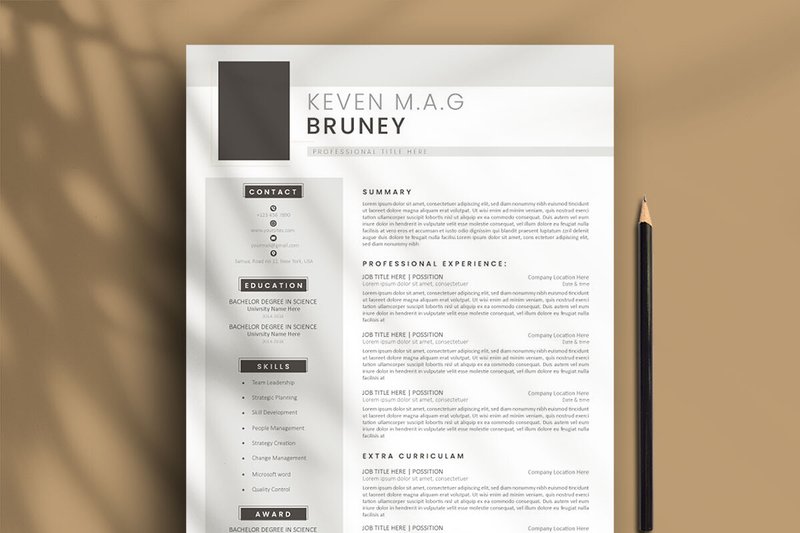
Infographic Resume Template (by Paulresume) Just as fine handwriting conveys personality beyond mere words, this template translates your skills and experience into a compelling visual narrative that feels uniquely your own. It trades dense, text-heavy blocks for clean lines, intuitive charts, and sharp icons, creating a modern, data-driven layout that is both professional and approachable. The structure is meticulously organized, guiding the recruiter’s eye through your achievements with the effortless flow of a well-penned letter, ensuring your key strengths are not just read, but seen and remembered.
Features:
- Effortless editing and customization directly within Microsoft Word.
- A complete package with free-to-use fonts and Font Awesome icons included.
- Fully editable elements, allowing for deep personalization without needing expert design skills.
- Comprehensive help documentation and a video tutorial to guide you through the process.
Best for:
- Designers, UX/UI specialists, and other visual professionals whose resume must reflect their aesthetic talent.
- Marketers, data analysts, and project managers who need to showcase metrics and skills in a clear, digestible format.
- Job seekers in any competitive industry aiming to make a memorable first impression with a modern, data-forward presentation.
- Professionals who want a visually stunning resume but prefer the convenience and accessibility of editing in Microsoft Word.
3. About Resume Word Template Graphic (by NanoAgency)
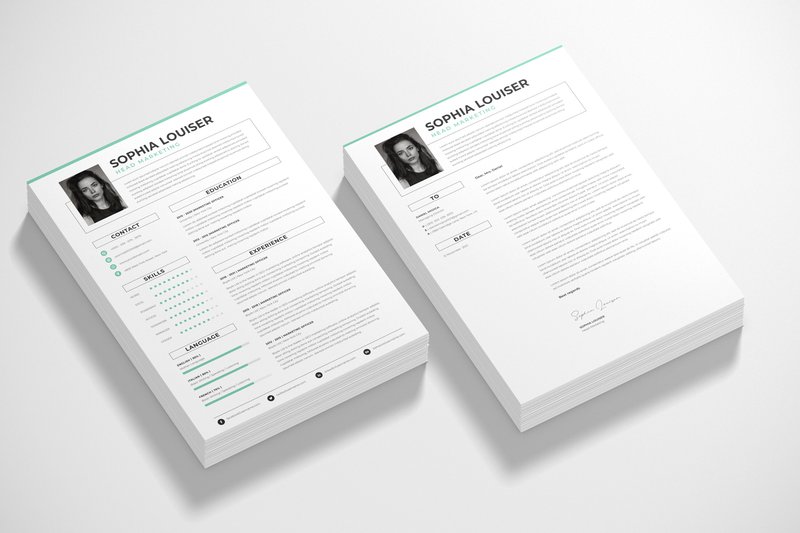
About Resume Word Template Graphic (by NanoAgency) is built on the belief that a creative career is a love affair with ideas, and your resume is the opening line in that conversation. This template doesn’t just list facts; it tells a story, using clean lines, thoughtful typography, and a data-driven infographic structure to spark an immediate connection. It masterfully balances professional polish with creative personality, creating a visual introduction that feels both intentional and effortlessly cool, ensuring your first impression is one of undeniable competence and style.
Features:
- Infographic-style layout that visually organizes skills, experience, and timelines.
- Includes a matching cover letter and portfolio page for a cohesive and professional application package.
- Fully editable in Microsoft Word, Adobe Photoshop (PSD), and Illustrator (EPS) for maximum flexibility.
- Designed in A4 and US Letter sizes, ensuring it’s print-ready and formatted for global standards.
Best for:
- Graphic designers, illustrators, and visual artists who want their resume to reflect their aesthetic.
- Web and UX/UI designers looking to present their skills and project experience in a clean, data-centric format.
- Creative professionals who need a polished, modern, and minimalistic template that stands out from standard text-based CVs.
4. CV Resume PowerPoint Template (by Amber Graphics)
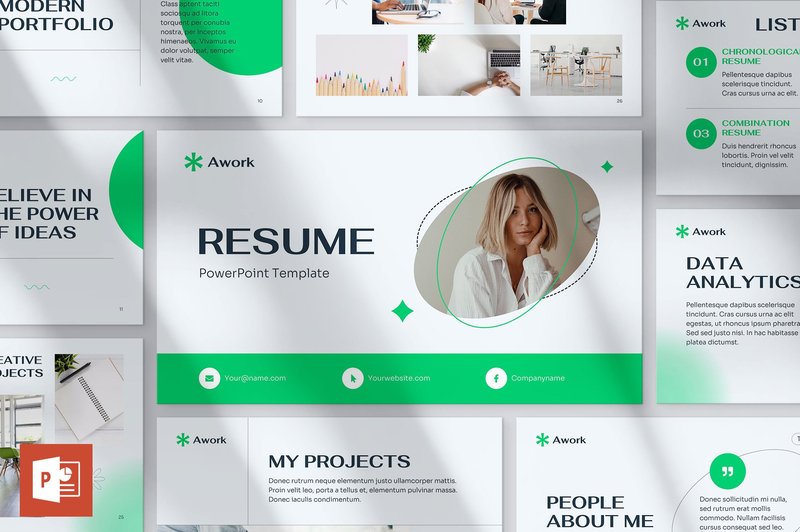
CV Resume PowerPoint Template (by Amber Graphics) delivers a sharp, data-driven aesthetic that transforms the traditional CV into a compelling visual story. Designed for modern professionals, this template masterfully blends clean typography with dynamic infographic elements, allowing your skills and experience to shine with clarity and impact. Its intuitive, fully editable structure means you can bypass complex design software and craft a stunning, high-impact presentation directly in PowerPoint, ensuring your first impression is both memorable and impeccably professional.
Features:
- Over 50 unique and creative slide layouts designed for visual storytelling
- Effortless one-click color theme customization to match your personal brand
- Simple drag-and-drop placeholders for images and text
- Crisp, high-definition 16:9 widescreen format
Best for:
- Creative professionals seeking to present their resume with a strong visual impact
- Crafting sleek, modern personal portfolios and case study presentations
- Developing compelling pitch decks for freelance projects or business plans
5. Infographic Style CV Resume A4 Template (by 3djagan)
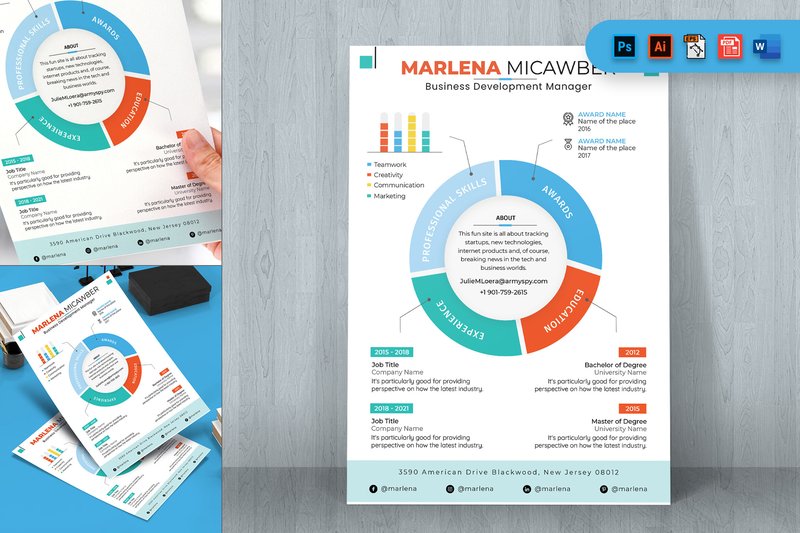
Infographic Style CV Resume A4 Template (by 3djagan) immediately conveys a sense of sharp, data-driven clarity. It feels less like a document and more like a personal brand dashboard, transforming your career history into a compelling visual narrative. The clean lines, bold color accents, and icon-based skill charts project an air of modern efficiency, making it clear you’re a candidate who values both substance and sophisticated presentation. This template doesn’t just list your experience; it visualizes your impact.
Features:
- Comprehensive file support for Adobe Creative Suite (PSD, AI, EPS, XD), Microsoft Word, and PDF, offering maximum editing flexibility.
- Well-organized vector layers make customization intuitive, allowing for quick color, text, and layout adjustments.
- Designed to professional print standards with A4 sizing, 300 DPI resolution, and a CMYK color profile.
Best for:
- Designers, developers, and tech professionals aiming to visualize their skills and project competencies with charts and icons.
- Data analysts, digital marketers, and project managers who need to present quantifiable achievements in a clear, digestible format.
- Any creative professional looking to make a bold first impression with a resume that is as thoughtfully designed as their portfolio work.
6. Resume & Portfolio Keynote Template (by fluff.designstudio)
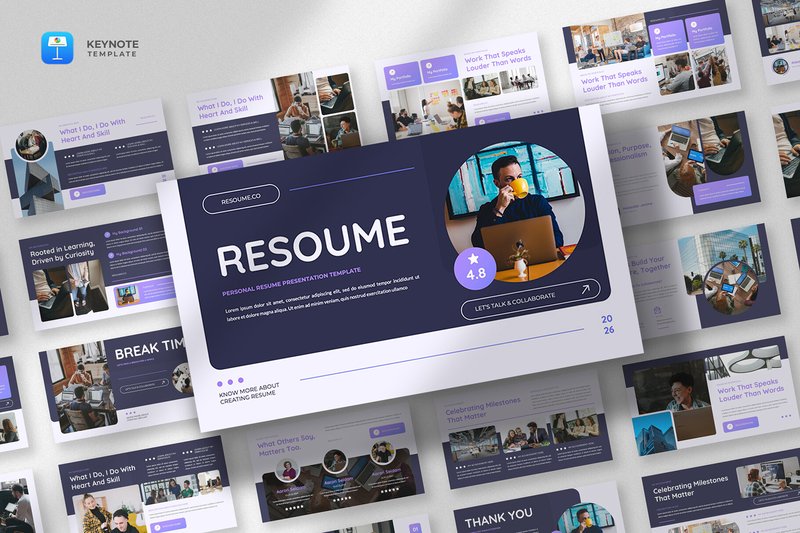
Resume & Portfolio Keynote Template (by fluff.designstudio) with its fine-lined geometry and crisp, articulate typography, transforms the traditional CV into a dynamic visual narrative. This template moves beyond static documents, offering a poised and structured framework for presenting your professional journey. Its clean aesthetic and thoughtfully organized layouts provide a sophisticated canvas to showcase your skills, projects, and personality, ensuring your story is not just told, but presented with confidence and clarity.
Features:
- Polished, modular slide layouts for showcasing projects and experience.
- Data-driven infographic elements for skills, timelines, and achievements.
- Elegant and highly readable typography designed for professional impact.
- Fully editable in Apple Keynote for easy customization.
Best for:
- Creative professionals building a visual portfolio presentation.
- Job seekers looking to make a memorable impression in interviews.
- Freelancers and consultants pitching their expertise and services.
- Academics and researchers presenting their qualifications and work.
7. Resume CV Keynote Template (by Giant Design)
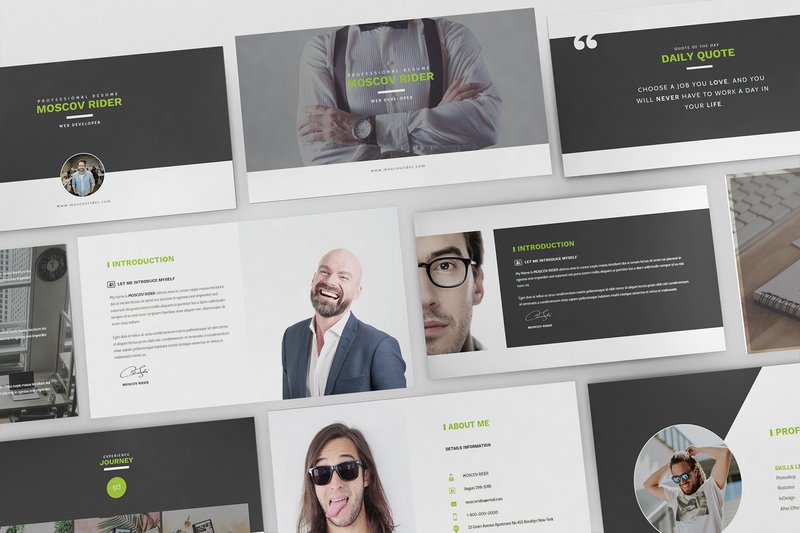
Resume CV Keynote Template (by Giant Design) if you are looking for a way to transform your career narrative from a static document into a compelling visual story. This template offers a fresh, slide-based approach to the traditional CV, embracing a clean, minimalist aesthetic that feels perfectly aligned with current design trends. Its flat design and thoughtful use of space make your information digestible and impactful, allowing you to present your skills and experience not just as text, but as a polished, professional presentation ready to impress any creative director or hiring manager.
Features:
- 30 unique, fully animated slides that bring your professional journey to life.
- Built on Master Slides for effortless, consistent updates and customization.
- Includes a suite of resizable vector elements and infographics for clear data visualization.
- Comes in both Widescreen 16:9 and Retina formats for crisp, high-definition viewing on any device.
Best for:
- Creative professionals in fashion, photography, and digital agencies who need a visually-driven portfolio.
- Designers wanting to present their resume as an interactive slideshow during virtual interviews.
- Anyone seeking to create a high-impact, print-ready PDF resume with a modern, graphic-centric layout.
- Freelancers and consultants who need a polished, pain-free way to showcase their expertise and past projects.
8. Resume CV Powerpoint Template (by Giant Design)
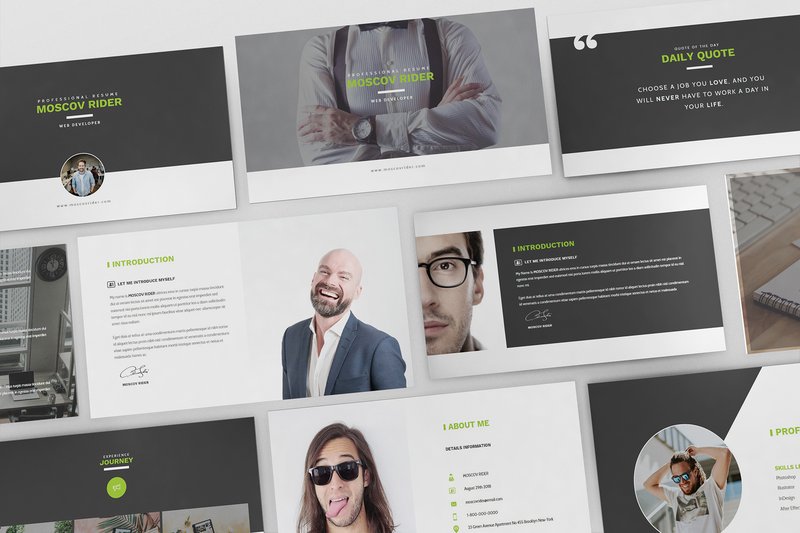
Resume CV Powerpoint Template (by Giant Design) reinvents the job application by transforming your professional story into a dynamic, engaging presentation. Giant Design has crafted a sleek and minimalist toolkit that moves beyond the static page, allowing creatives to showcase their career with the narrative flow of a slide deck. This template leverages clean lines, flat design principles, and thoughtfully integrated infographics to present your skills and experience with cinematic flair, ensuring your first impression is both professional and profoundly memorable.
Features:
- 30 unique, fully animated slides designed for visual storytelling.
- Built on Master Slides for quick and easy drag-and-drop customization.
- Includes a versatile collection of resizable vector elements, infographics, and device mockups.
- Delivered in both PPT and PPTX formats, widescreen (16:9), and print-ready.
Best for:
- Designers, photographers, and models in creative industries seeking to stand out.
- Creating a compelling digital portfolio to share via a link or as a PDF.
- Presenting your professional journey in a clean, modern, and infographic-rich format.
- Job applicants who want an animated, presentation-style alternative to a traditional CV.
9. Resume & Portfolio Powerpoint Template (by fluff.designstudio)
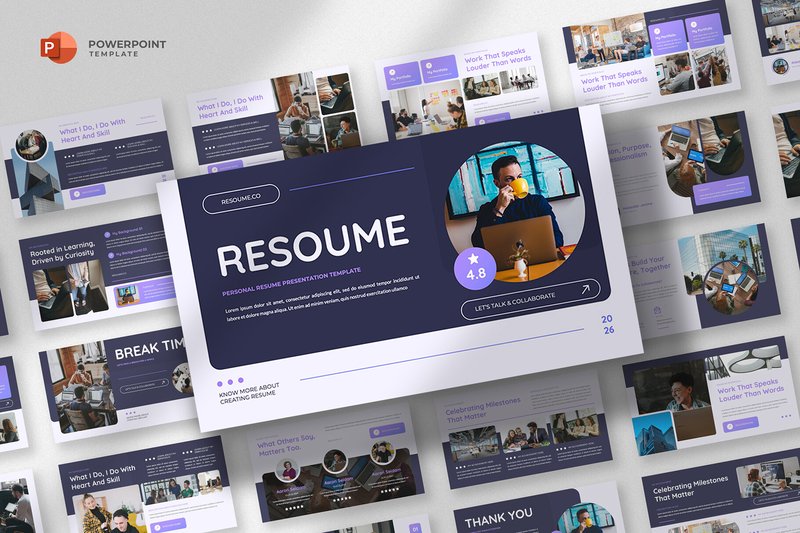
Resume & Portfolio Powerpoint Template (by fluff.designstudio) is an absolute must-have for tech professionals and creative consultants looking to make a memorable first impression. This template moves beyond the static PDF, transforming your career story into a sleek, narrative-driven presentation that feels both professional and deeply personal. Its design DNA is rooted in modern minimalism, using sharp typography, generous white space, and subtle data visualizations to communicate skills and experience with effortless confidence. It’s the perfect tool for presenting your professional journey not just as a list of accomplishments, but as a compelling visual story that demands attention.
Features:
- A clean, modern aesthetic with polished, magazine-style layouts.
- Flexible infographic slides for visualizing skills, timelines, and achievements.
- Stylish and highly legible typography pairings for a professional finish.
- Fully editable in PowerPoint, allowing for quick and easy customization.
Best for:
- Creating a dynamic digital resume for high-stakes interviews and portfolio reviews.
- Crafting a compelling “About Me” deck for freelance pitches or client onboarding.
- Presenting academic achievements or research in a visually engaging format.
- Designers, developers, marketers, and consultants seeking a polished personal brand.
10. Resume CV Google Slide Template
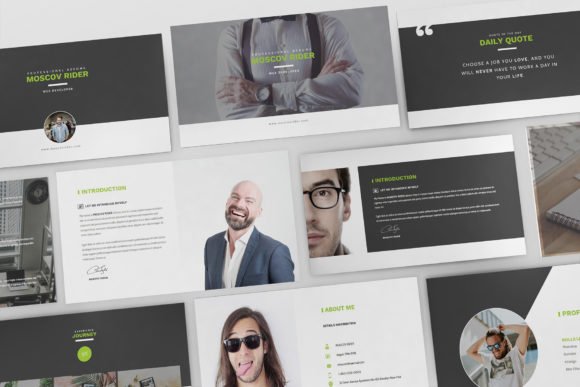
Resume CV Google Slide Template is analytical and impeccably structured, transforming your professional history into a compelling visual narrative. It moves beyond the standard text-based document, employing clean lines, subtle color accents, and infographic elements to showcase your skills and experience with data-driven precision. The result is a fresh, polished resume that feels both professional and distinctly modern, perfect for making a memorable impression in a competitive field.
Features:
- Data-driven infographic elements like skill bars, timelines, and charts
- Clean, minimalist layout with a professional and customizable color palette
- Fully editable directly in Google Slides for easy, on-the-go updates
- Includes a collection of vector icons to visually represent skills and interests
Best for:
- Data analysts, project managers, and marketers who want to visualize their accomplishments.
- Designers and developers seeking a clean, organized way to showcase technical proficiencies.
- Professionals applying to tech companies or startups that value modern presentation.
11. Resume & Portfolio Google Slides (by fluff.designstudio)
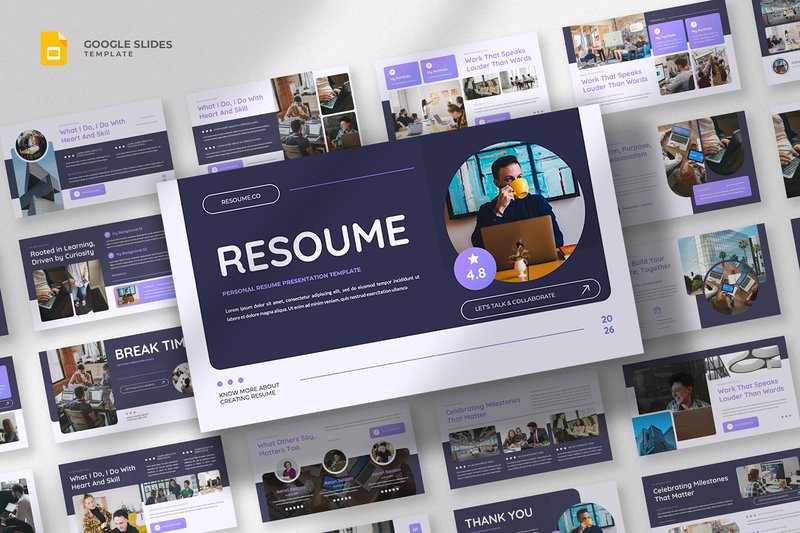
Resume & Portfolio Google Slides (by fluff.designstudio) is a masterclass in professional self-presentation, blending minimalist design with powerful infographic storytelling. This template moves beyond the standard document, transforming your personal brand into a clean, modern, and engaging presentation. Its aesthetic is built on a foundation of sophisticated typography and polished layouts, ensuring that your skills and experience are communicated with absolute clarity and confidence, making a memorable impression in any professional setting.
Features:
- Clean, modern layouts that prioritize clarity and visual hierarchy.
- A suite of flexible infographics for data-driven storytelling of skills and achievements.
- Sophisticated typography that enhances readability and adds a professional touch.
- Designed for Google Slides, ensuring easy access and real-time collaboration.
Best for:
- Creative professionals seeking a visually compelling alternative to traditional resumes.
- Tech and corporate applicants needing to present complex experience with impactful clarity.
- Freelancers and consultants crafting a polished introduction or pitch deck.
12. New UI UX Designer Resume Infographic
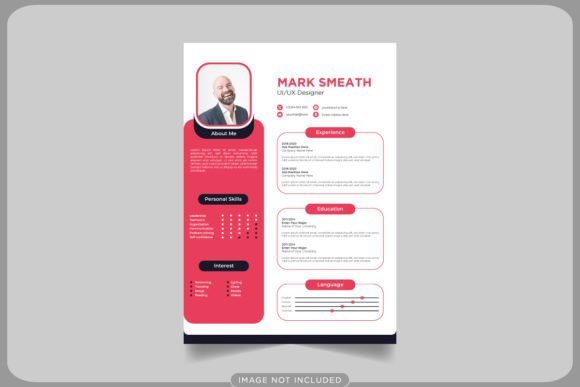
New UI UX Designer Resume Infographic banishes the monotonous, text-heavy resume to the archives. In its place is a clean, data-driven layout that communicates your skills with the same clarity and intention you’d bring to a user interface. This template doesn’t just list your experience; it visualizes your expertise through smart charts, skill meters, and a crisp, two-column grid that guides the hiring manager’s eye exactly where you want it to go, making your professional story both compelling and instantly digestible.
Features:
- Data-Driven Visuals: Skill proficiency bars and timeline graphics transform your career journey into an intuitive visual story.
- Structured Grid Layout: A balanced, two-column format creates a clear visual hierarchy, making key information scannable in seconds.
- Professional Icon Set: A suite of minimalist icons adds a layer of modern polish to contact details, interests, and skills sections.
Best for:
- UI/UX and product designers looking to present their career narrative with professional clarity and visual impact.
- Front-end developers or digital strategists who need to visually quantify their technical and creative skills.
- Designers applying to tech companies and innovative agencies where a data-informed aesthetic is highly valued.
Typography Hierarchy: Guide the Recruiter’s Eye
An infographic resume can quickly become visually chaotic. The key to success is a strong typographic hierarchy that directs the reader’s attention to the most important information. Follow these best practices:
- Limit Your Fonts: Stick to a maximum of two font families—one for headings (a display or serif font can add personality) and one for body text (a clean, legible sans-serif is usually best for screen and print).
- Establish Clear Contrast: Use size, weight (bold, regular, light), and color to create a clear distinction between your name, section headers, job titles, and descriptive text. Your name should be the most prominent element.
- Prioritize Readability: Avoid overly decorative or script fonts for crucial information like contact details or experience descriptions. Ensure your body text is no smaller than 9-10pt for comfortable reading in a printed or PDF format.
The ATS Challenge: Balancing Design with the Bots
Many companies use Applicant Tracking Systems (ATS) to scan resumes before a human ever sees them. Heavily stylized infographic resumes can be unreadable to these bots. To ensure your application gets through, consider these technical points:
- Keep Text Live: Avoid saving your text as flattened image elements (like in a JPG or some PNGs). ATS cannot read text within an image. When exporting to PDF, ensure your text is selectable, not part of a single graphic.
- Avoid Complex Layouts: ATS bots read documents in a simple, linear way (left-to-right, top-to-bottom). Complex columns, tables, and text boxes can scramble the order of your information. A design with a clear single-column flow is safest.
- The Two-Version Strategy: Create your stunning infographic resume for networking, emailing directly to recruiters, and your portfolio. Then, create a second, plainly-formatted version (a simple .docx or .pdf) specifically for uploading to online application portals that likely use ATS.
Strategic Color: More Than Just a Pretty Palette
The colors you choose communicate a message about your personal brand before a single word is read. Instead of just picking your favorites, think about the psychology behind them and the industry you’re targeting. A splash of a single accent color is often more professional and impactful than a full rainbow.
- Blue: Conveys trust, logic, and reliability. A safe and popular choice for corporate and tech roles.
- Gray/Black: Suggests sophistication, formality, and strength. Excellent for classic, high-end branding.
- Green: Associated with growth, harmony, and nature. Works well for sustainability, health, or non-profit sectors.
- Orange/Yellow: Exudes creativity, optimism, and energy. A great choice for creative, marketing, or startup roles, but use it carefully to avoid looking unprofessional.
Your Resume as a Brand Asset: Beyond the Application
Don’t think of your infographic resume as a one-time-use document. It’s a powerful piece of personal branding material that can be repurposed across multiple platforms to create a consistent professional identity.
- Personal Website: Embed the full graphic on your “About Me” or “Resume” page for a visually engaging experience.
- LinkedIn Profile: Upload your infographic resume to the “Featured” section of your LinkedIn profile to make it instantly stand out to visitors.
- Portfolio Presentations: Use key visual elements or the entire resume as an introductory or closing slide in your digital portfolio presentation.
- Email Signature: Create a mini-version or a small banner graphic from your resume’s elements to include in your email signature, linking to your portfolio or LinkedIn.
👀 Didn’t find what you were looking for?
There are hundreds more cool options in the full collection for your project.
Conclusion
An infographic resume is your first, best chance to prove your design prowess before an interview. By investing in one of these top-tier templates, you’re not just sending an application; you’re delivering a memorable brand experience. Choose the one that best tells your professional story and get ready for success in 2026.