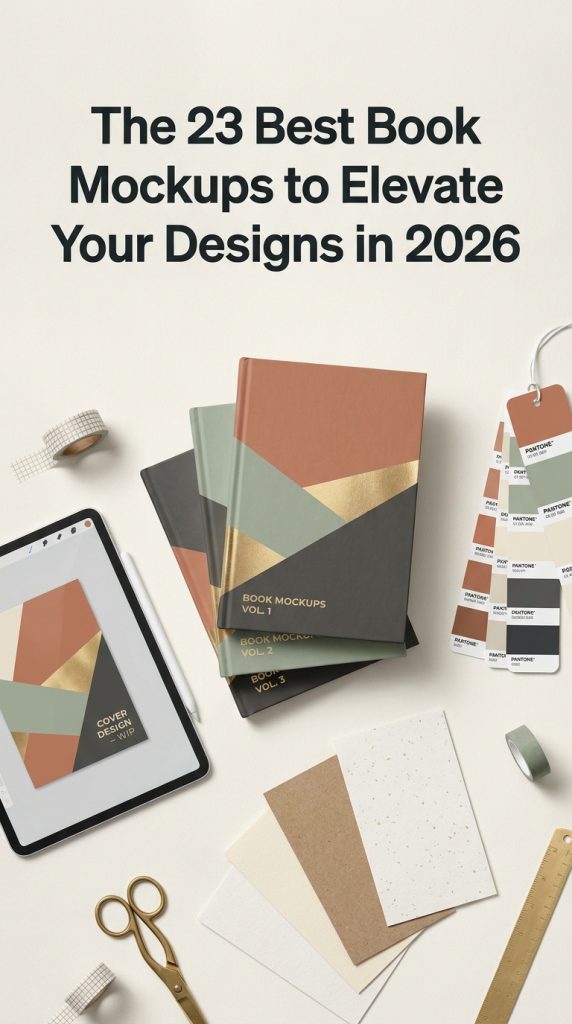
In the visually-driven landscape of 2026, presentation is everything. For authors, publishers, and designers, a high-quality book mockup is an essential tool to transform a flat cover design into a tangible, professional product. As design trends lean towards hyper-realism and authentic, tactile presentations, the demand for photorealistic mockups has skyrocketed. They are crucial for captivating audiences on social media, portfolios, and online stores. That’s why we’ve curated this collection of the 23 most popular and versatile book mockups of the moment, handpicked to help you showcase your literary creations flawlessly and professionally.
Top Collection Picks (2026 Edition)
1. Digest Book Mockups (by Seinstudio)
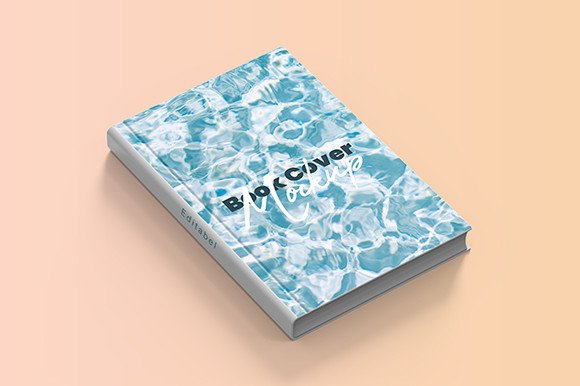
Digest Book Mockups (by Seinstudio) With its crisp paper texture and clean, understated lighting, this mockup collection provides a tangible, real-world foundation for your cover art. Seinstudio strips away unnecessary clutter, offering a minimalist canvas that ensures your design is the sole focus. The B5 sizing is a specific and thoughtful touch, ideal for projects that feel more intimate and scholarly than a standard trade paperback. Because it’s built around simple SmartObject layers, achieving a high-end, professional result is incredibly straightforward, even for designers just starting out.
Features:
- Effortless editing with well-organized Photoshop Smart Objects
- A versatile set of 7 unique PSD files and angles
- Crisp, professional quality with high-resolution 300dpi files
- Specifically tailored for the B5 book format
Best for:
- Presenting cover designs for poetry collections and chapbooks
- Showcasing academic journals, manuals, or literary digests
- Creating clean, minimalist mockups for zines and indie publications
- Displaying designs for custom notebooks and planners
2. Free Kdp Cover Book Mockups (by Rami’s design)
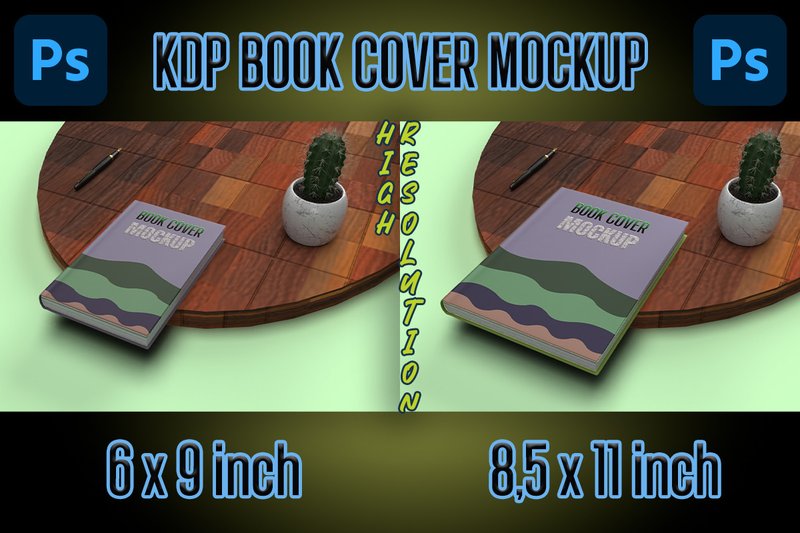
Free Kdp Cover Book Mockups (by Rami’s design) channels a clean, contemporary aesthetic that puts your cover design front and center. This set from Rami’s design is all about professional clarity, stripping away distracting elements to provide a sharp, focused presentation for KDP authors and designers. The mockups offer a polished, studio-quality look that feels both accessible and high-end, making them perfect for creating crisp visuals for online stores and social media platforms where first impressions are everything. It’s a functional and free resource that delivers a premium result with zero fuss.
Features:
- Two fully editable PSD mockups
- Pre-sized for standard KDP dimensions (6 x 9 and 8.5 x 11 inches)
- Smart object layers for quick and easy design placement
- High-resolution files ensure a crisp, professional finish
Best for:
- Self-publishers and KDP authors creating Amazon listings
- Graphic designers building a clean, modern portfolio
- Crafting polished promotional images for Instagram and Pinterest
3. Book Mockup Bundle, Figma Book Mockup (by Sprout Mockups)
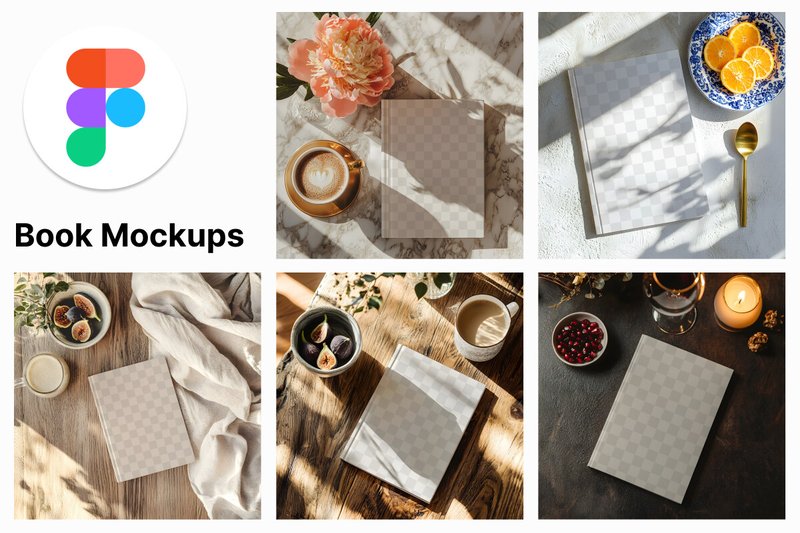
Book Mockup Bundle, Figma Book Mockup (by Sprout Mockups) For the Figma-native designer who values speed and a minimalist aesthetic, this bundle is a must-have. Sprout Mockups delivers a collection that feels incredibly fresh and professional, stripping away the complexity often associated with photorealistic mockups. The magic here is in its simplicity and high-fidelity finish; each of the five scenes is rendered with crisp, clean lighting that makes your cover designs look sharp and polished. It’s a seamless drag-and-drop experience built for the modern creative workflow, allowing you to go from concept to client-ready presentation in seconds without ever leaving your favorite design tool.
Features:
- Five unique, high-resolution mockup styles (4096x4096px)
- Native Figma file (.FIG) for a seamless drag-and-drop workflow
- Crisp, studio-quality lighting for a professional and modern look
- Fully editable layers for quick customization
Best for:
- Authors and publishers needing quick, professional visuals for marketing
- Designers presenting cover art concepts in client proposals or portfolios
- Marketers creating polished promotional assets for social media and websites
- Showcasing digital products like eBooks and lead magnets
4. Book Mockups (by zerologicstudio)
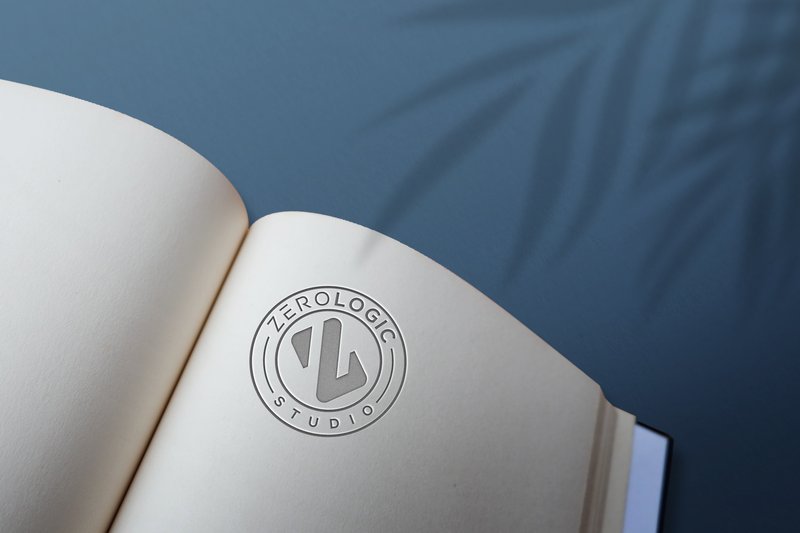
Book Mockups (by zerologicstudio) delivers a masterclass in sophisticated presentation, transforming simple designs into tangible, high-end artifacts. This collection moves beyond the standard book cover mockup, offering a luxurious canvas perfect for showcasing premium branding, elegant typography, and bespoke logo work. The emphasis on realistic, tactile textures and clean, modern compositions makes it an invaluable tool for designers aiming to convey prestige and meticulous craftsmanship in their client presentations.
Features:
- Effortless editing with Photoshop Smart Objects
- Crisp, high-resolution files for professional clarity
- Authentic, realistic textures for a premium finish
- Well-organized layers for a streamlined workflow
Best for:
- Presenting luxury brand identities and logo concepts
- Showcasing elegant cover art and typography design
- Creating polished portfolio pieces with a sophisticated aesthetic
- Developing marketing visuals for premium authors and publishers
5. Book Mockups with Editable Content (by LuuqasDesign)
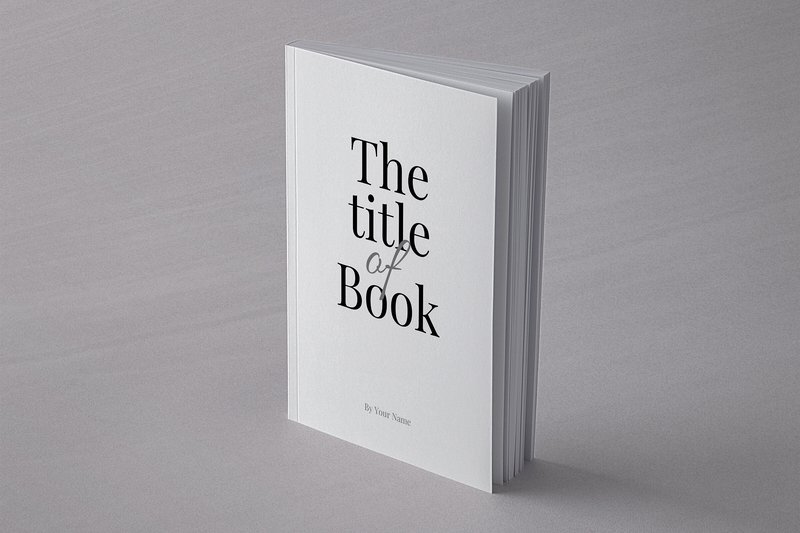
Book Mockups with Editable Content (by LuuqasDesign) is a refreshingly practical toolkit designed for designers who need to go beyond the cover. This “all-in-one” set moves past simple surface-level presentation, offering a rare and valuable opportunity to showcase the internal typography and layout of a book project. By providing fully editable content pages, it allows for a holistic design presentation, giving clients and audiences a true feel for the reading experience you’ve crafted. Its clean, straightforward aesthetic ensures the focus remains squarely on your design work, making it an indispensable asset for comprehensive project pitches and portfolio showcases.
Features:
- Three versatile Photoshop (PSD) files
- Showcases both the book cover and editable interior page content
- Smart Objects for easy drag-and-drop customization
- Logically organized layers for a streamlined editing process
Best for:
- Presenting complete book design concepts to clients
- Authors and self-publishers visualizing their manuscript layout
- Creating detailed portfolio pieces that highlight typography skills
- Marketing materials that offer a “sneak peek” inside a new book
6. Large Book Mockups (by pmvchamara)
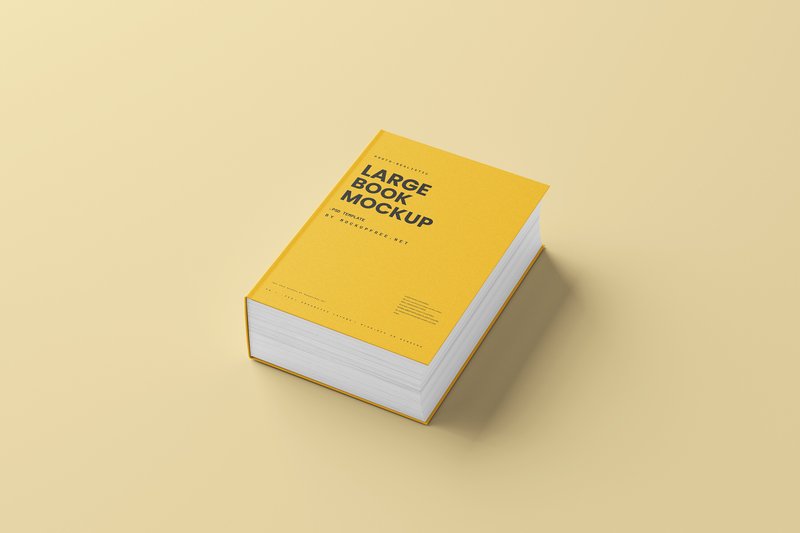
Large Book Mockups (by pmvchamara) is a testament to creator pmvchamara’s understanding that some stories demand more than a standard format. This collection moves beyond the typical paperback to give your designs the physical heft and visual gravitas they deserve. Featuring a substantial hardcover with over a thousand pages, these mockups are built for monumental projects, perfectly simulating the weight and presence of an epic saga, a comprehensive encyclopedia, or a deluxe coffee table book. The clean, modern scenes ensure the focus remains squarely on your cover art, letting the sheer scale of the book do the talking.
Features:
- High-resolution mockups of an oversized hardcover book
- Impressive page count (1000+ pages) creating a thick, weighty appearance
- Multiple scenes and angles for versatile presentation options
- Smart object layers for easy and seamless design integration
Best for:
- Showcasing epic fantasy or science fiction novels and series omnibuses
- Presenting cover designs for encyclopedias or extensive reference guides
- Creating visuals for deluxe art books, historical tomes, or collector’s editions
- Visualizing comprehensive textbooks and academic publications
7. Christmas Kids Square Book Mockups (by HootyOwl)
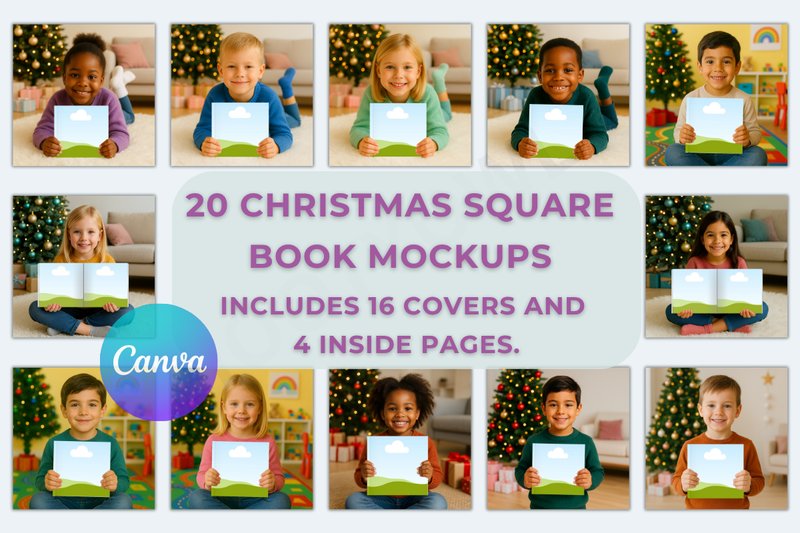
Christmas Kids Square Book Mockups (by HootyOwl) is a wonderfully cozy and festive collection designed to bring your children’s book projects to life during the holiday season. This bundle immediately sets a scene of yuletide cheer with its warm, whimsical staging, making it incredibly simple to visualize your designs in a context that feels both professional and heartwarming. The focus on Canva compatibility makes it exceptionally accessible, allowing creators to bypass complex software and achieve a polished, festive look with just a few clicks, perfectly framing their illustrations and cover art in a magical Christmas setting.
Features:
- A generous collection of 20 total mockups, featuring 16 unique cover scenes and 4 inner page layouts.
- Seamless integration with Canva, allowing for quick, user-friendly customization via drag-and-drop frames.
- High-resolution square format (2000 x 2000 px) optimized for crisp, clean displays on social media and e-commerce platforms.
- Charming, professionally staged scenes with festive props and backgrounds tailored for children’s holiday themes.
Best for:
- Authors and illustrators showcasing their new Christmas-themed children’s storybooks.
- Etsy sellers and digital product creators marketing square-format activity books or journals.
- Designers creating compelling portfolio pieces to attract clients in the children’s publishing industry.
- Crafting engaging promotional images for Instagram, Pinterest, and online book listings.
8. Thin Hardcover Book Mockups (by pmvchamara)
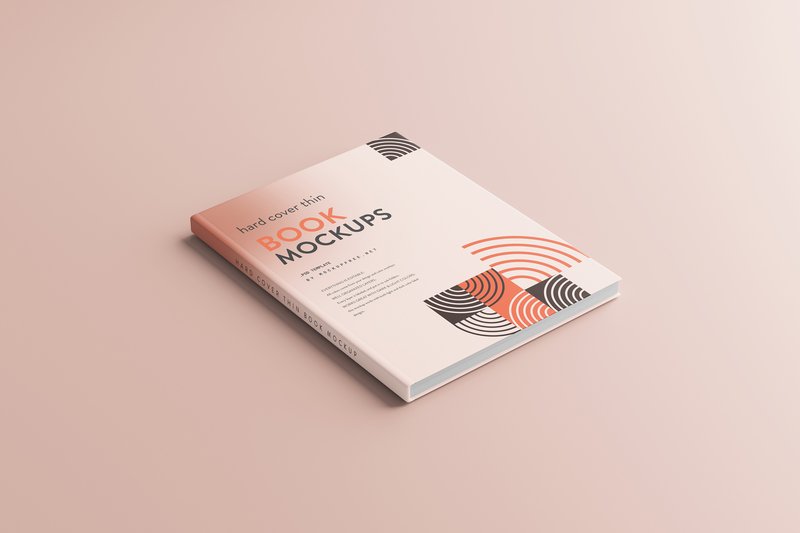
Thin Hardcover Book Mockups (by pmvchamara) Move over, bulky tomes—there’s a new level of elegance for showcasing more delicate projects. This mockup set from pmvchamara masterfully fills the gap for designers working on slender hardcovers, offering a sophisticated and realistic stage for designs that would be lost in a generic, oversized template. The clean, minimalist presentation puts your cover art front and center, while the true-to-life proportions and subtle textures provide a tangible quality that makes your work feel like a premium, shelf-ready product. It’s a fresh and essential tool for presenting concise, beautifully crafted books.
Features:
- Slim and elegant hardcover profile designed for books between 50-150 pages.
- Versatile standard sizing compatible with A5, A4, B5, and similar formats.
- High-resolution scenes with authentic, neutral lighting and soft shadows.
- Well-organized layers with smart objects for quick and effortless customization.
Best for:
- Presenting cover designs for novellas, poetry collections, or chapbooks.
- Visualizing children’s storybooks and specialty art journals.
- Creating professional previews for brand guides, corporate handbooks, and event lookbooks.
- Building a polished portfolio that highlights elegant and specialized print work.
9. Bundle Cover Book Mockups (by artnivora.std)
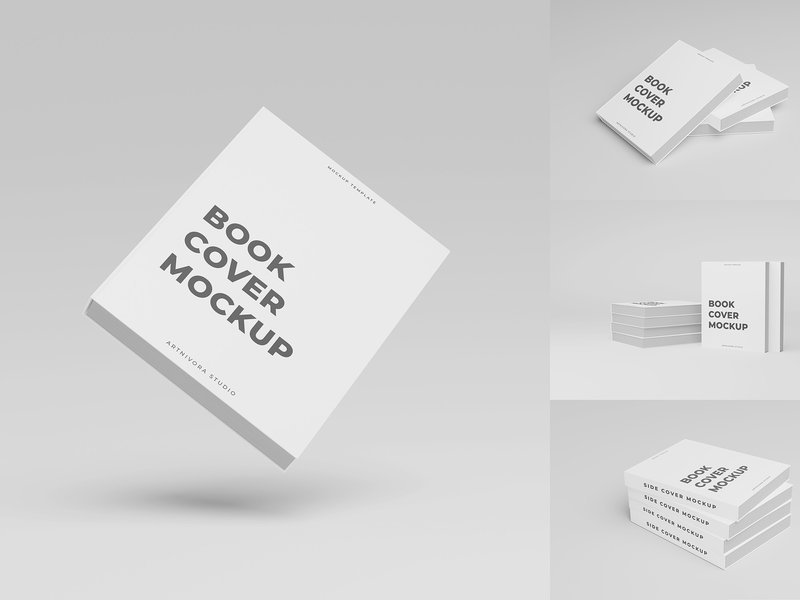
Bundle Cover Book Mockups (by artnivora.std) is like a beautifully penned love letter; it presents your creative work with a tenderness and intimacy that feels both personal and profoundly professional. This collection of four mockups stages your designs in a soft, ethereal light, using clean layouts and gentle shadows to create a mood of quiet sophistication. It’s a perfect match for authors and designers who want to convey depth and emotion, allowing the cover art to whisper its story to the viewer before the first page is even turned.
Features:
- Crisp 4K resolution (4500x3000px) ensures every detail of your cover art is flawlessly rendered.
- Fully separated layers for objects, shadows, and backgrounds give you complete artistic control over the scene.
- Effortless editing with Smart Objects allows for quick and simple design placement.
- Customizable background and texture colors let you tailor the mood to perfectly complement your design.
Best for:
- Showcasing covers for poetry collections, literary fiction, and contemporary romance novels.
- Creating clean, minimalist presentations for non-fiction books and author branding.
- Building a sophisticated design portfolio with a cohesive, light, and airy aesthetic.
10. Canva Editable Book Mockup Templates (by SnapyBiz)
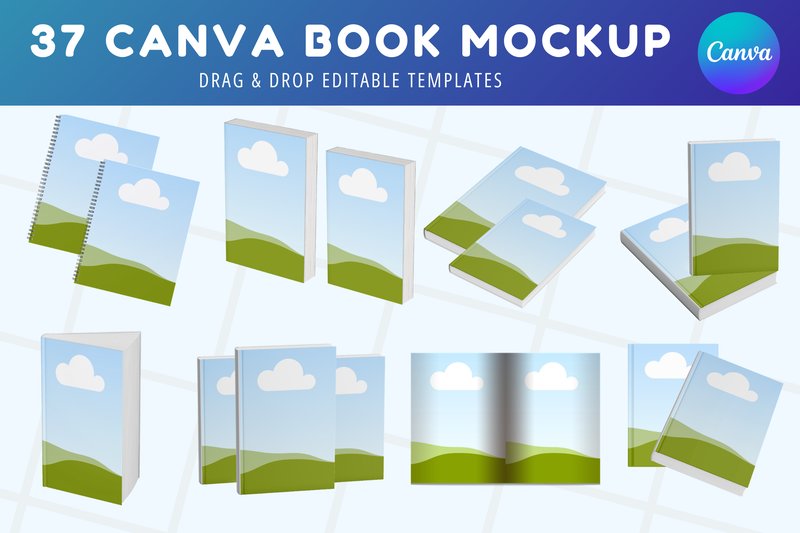
Canva Editable Book Mockup Templates (by SnapyBiz) If you are looking for a straightforward, no-fuss way to create professional book mockups directly within your favorite design tool, this bundle is your answer. SnapyBiz delivers a clean, modern, and highly accessible collection that strips away the complexity of traditional mockup software. The aesthetic is bright and marketing-focused, designed to make your cover art pop against minimalist backdrops, perfect for creating a cohesive and polished look for your book launch campaign or KDP storefront with drag-and-drop simplicity.
Features:
- A versatile library of 37 unique book and magazine mockup templates.
- Seamless drag-and-drop functionality built specifically for intuitive use within Canva.
- High-resolution outputs that ensure your cover art looks sharp and professional in any digital format.
- Fully customizable scenes, allowing you to adjust backgrounds and elements to fit your brand identity.
Best for:
- Indie authors and KDP publishers needing polished visuals for their Amazon listings and promotional materials.
- Book marketers and social media managers creating engaging content for upcoming book launches.
- Designers looking for a quick and reliable toolkit to showcase cover designs to clients.
11. Large Book Cover and Inner Page Mockups (by pmvchamara)
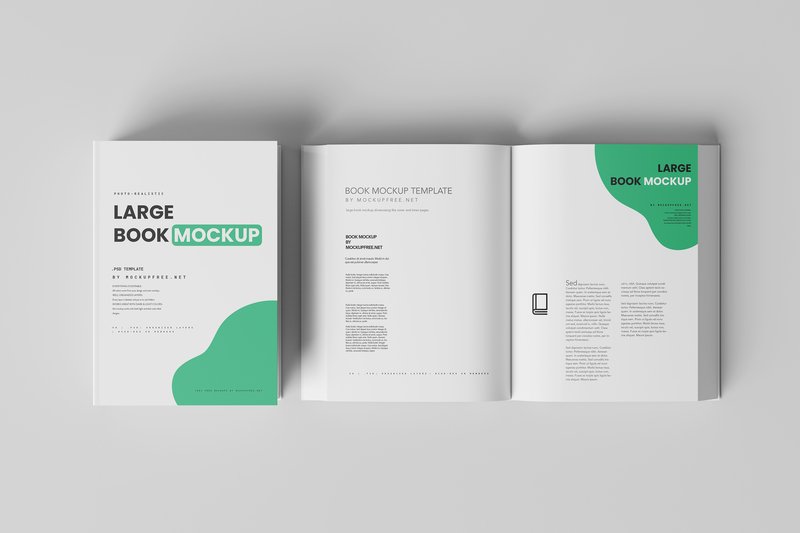
Large Book Cover and Inner Page Mockups (by pmvchamara) immediately conveys a sense of substance and premium quality, evoking the feeling of holding a substantial coffee-table book or a high-end art portfolio. This collection moves beyond simple cover presentations, offering a comprehensive toolkit for showcasing the entire reading experience, from the impactful cover to the thoughtfully designed inner spreads. With its clean lighting and realistic paper textures, this set provides a polished, tangible context that makes your designs feel both authoritative and accessible, allowing clients and customers to envision the finished product in their hands.
Features:
- 15 unique PSD files featuring diverse angles and arrangements
- Includes mockups for the front cover, back cover, spine, and inner pages
- High-resolution quality ensures sharp, professional results for portfolios and close-ups
- Fully customizable with smart objects for quick and easy design placement
Best for:
- Designers showcasing art books, photography collections, or lookbooks
- Presenting comprehensive brand manuals or annual reports in a premium format
- Creating realistic product listings for large-format cookbooks and portfolios
- Authors needing a sophisticated way to market their hardcover publications
12. Realistic Book Mockup (by thestationartsy)
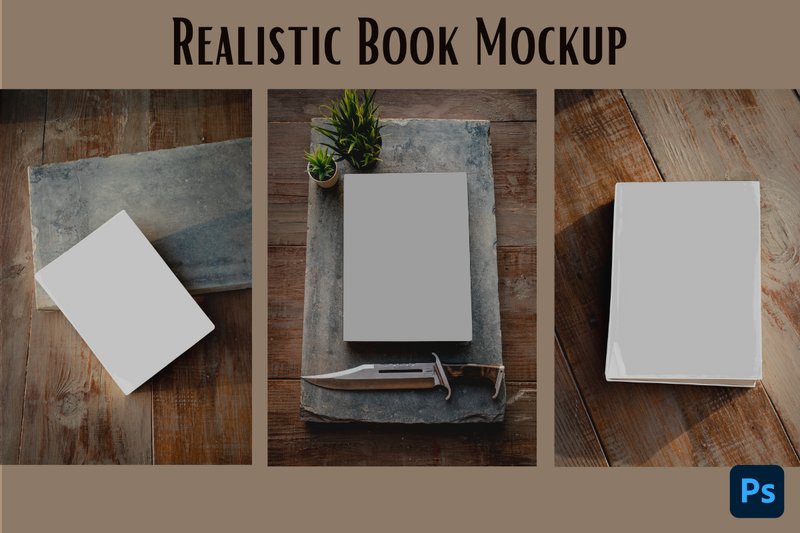
Realistic Book Mockup (by thestationartsy) is the digital equivalent of fine calligraphy; where a standard template offers uniformity, this set provides character and a tangible, handcrafted feel. Instead of a sterile, floating presentation, these mockups place your cover design into a warm, inviting scene defined by a rich wood background. The result is a presentation that feels less like a digital render and more like a carefully styled photograph, giving your work an authentic, grounded quality that is perfect for connecting with an audience on a more personal level.
Features:
- Three distinct PSD scenes for versatile presentation options
- High-resolution, integrated wood background for a cozy aesthetic
- Effortless design replacement using smart object layers
- Adjustable highlights and shadows for realistic depth and lighting control
Best for:
- Authors and designers seeking an organic, rustic vibe for their cover reveals
- Creating compelling, high-quality content for Bookstagram and social media
- Presenting designs for literary fiction, fantasy, or lifestyle genres
- Adding a warm, tactile feel to a digital portfolio or online shop
13. 7 Square Children’s Book Mockups (by HootyOwl)
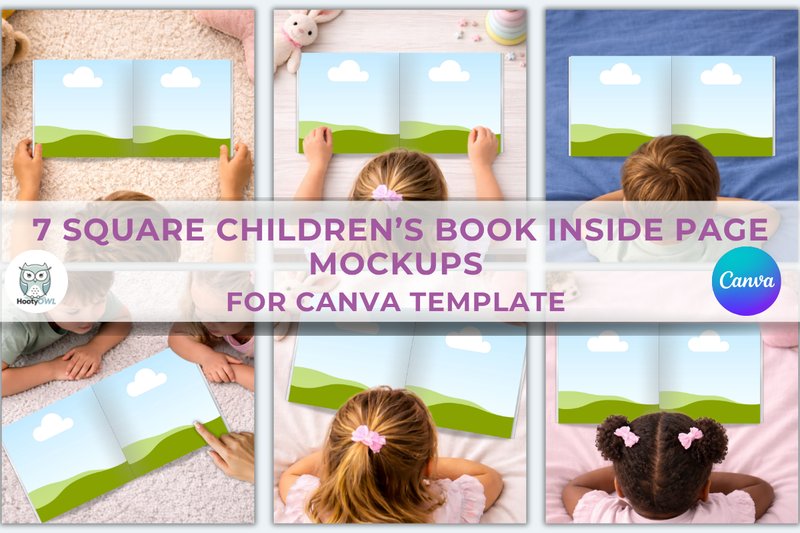
7 Square Children’s Book Mockups (by HootyOwl) With a soft, tactile quality that feels like turning the page of a well-loved storybook, this collection offers a genuinely heartwarming stage for your designs. The scenes are crafted with gentle lighting and cozy, natural props, creating a whimsical and inviting atmosphere that speaks directly to the world of children’s literature. HootyOwl provides seven distinct square mockups that make your cover art feel tangible and real, perfect for illustrators and authors looking to present their work with an authentic, gentle touch.
Features:
- Instant access to a user-friendly Canva template
- High-resolution 4000 x 4000 px format
- Simple drag-and-drop customization for easy editing
- A curated set of 7 unique square book scenes
Best for:
- Illustrators building a professional, cohesive portfolio
- Authors promoting a new book release on social media
- Designers showcasing cover concepts to publishing clients
- Creating charming product listings for Etsy or creative marketplaces
14. KDP Book Mockup Template (by AestheticByNathalie)
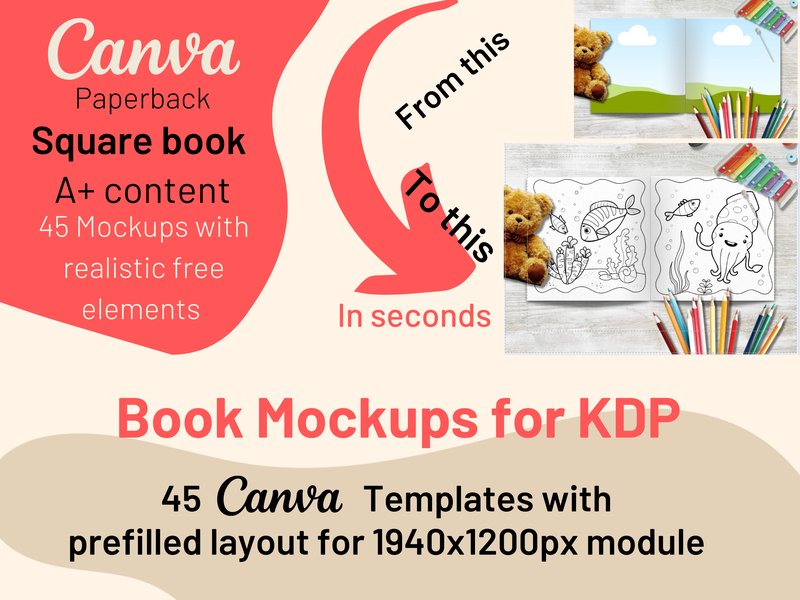
KDP Book Mockup Template (by AestheticByNathalie) embodies a clean and contemporary aesthetic perfectly suited for the modern self-publisher. Designed specifically for Canva, this template collection removes the friction from book promotion, allowing authors to effortlessly drag and drop their covers and interior pages into polished, professional scenes. With realistic shadows and custom frames, it gives everything from low-content journals to high-content novels a premium finish, making them instantly ready for Amazon A+ content or a trending social media post.
Features:
- Seamless Canva integration with drag-and-drop frames for covers and interiors
- Custom frames with realistic shadows create a high-fidelity, professional look
- Includes pre-written promotional text prompts to streamline marketing copy
Best for:
- Creating polished Amazon A+ content to boost conversions
- Designing eye-catching marketing graphics for Instagram, Pinterest, and TikTok
- Showcasing low-content books like notebooks, planners, and coloring books
15. Softcover Large Book Mockups (by pmvchamara)
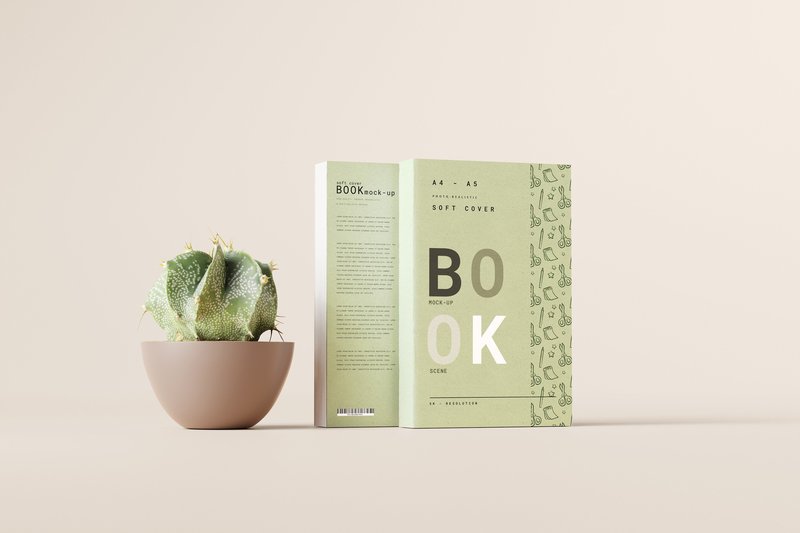
Softcover Large Book Mockups (by pmvchamara) Designers crafting immersive brand guides or artists compiling their portfolios will find an indispensable tool in this mockup collection. It sidesteps overly complex scenes, instead offering a clean, minimalist stage that puts your cover and interior spread designs directly in the spotlight. The aesthetic is modern and professional, with a focus on photorealistic lighting and subtle shadows that add a tangible sense of depth without distraction, making it a versatile foundation for any project that needs to communicate clarity and quality.
Features:
- Crystal-clear 5K resolution provides exceptional detail for hero images and zoomed-in views.
- Fully editable backgrounds that can be set to a solid color or enhanced with a texture overlay to match any brand aesthetic.
- Impeccably organized layers and smart objects for a seamless, drag-and-drop workflow in Photoshop.
Best for:
- Displaying covers and spreads for workbooks, journals, and educational guides.
- Creating elegant presentations for artist portfolios, photo books, and design lookbooks.
- Showcasing corporate materials like annual reports, brand guidelines, and manuals.
16. 8 Rounded Corner Toddler Book Mockups (by HootyOwl)
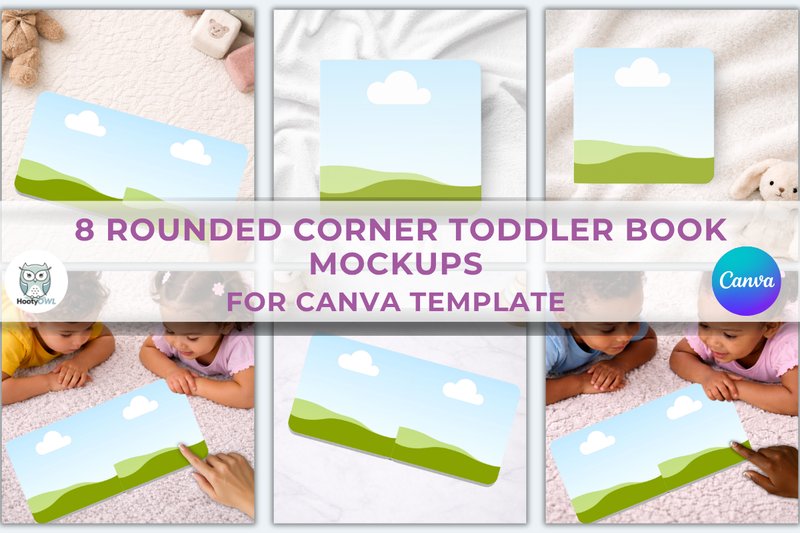
8 Rounded Corner Toddler Book Mockups (by HootyOwl) exudes a soft, playful charm perfect for the world of children’s literature. This collection masterfully presents square board books with their signature rounded corners, giving your cover and interior page designs a gentle, approachable, and thoroughly modern look. Designed for effortless customization in Canva, these mockups provide a clean and professional backdrop that lets your whimsical illustrations and charming stories shine, making them instantly appealing to parents and little readers alike.
Features:
- Eight unique mockups for square board books.
- Features the distinctive soft, two-rounded-corner design.
- Seamless drag-and-drop customization via a user-friendly Canva template.
- High-resolution 4000 x 4000 px files for crisp, clear presentations.
Best for:
- Children’s book authors and illustrators presenting their work for portfolios or pitches.
- Publishers creating promotional materials for new board book releases.
- E-commerce sellers showcasing custom or personalized baby books on their storefronts.
- Designers looking to create clean, modern social media and website visuals for kid-focused products.
17. 7 Landscape Book Mockups (by Seinstudio)
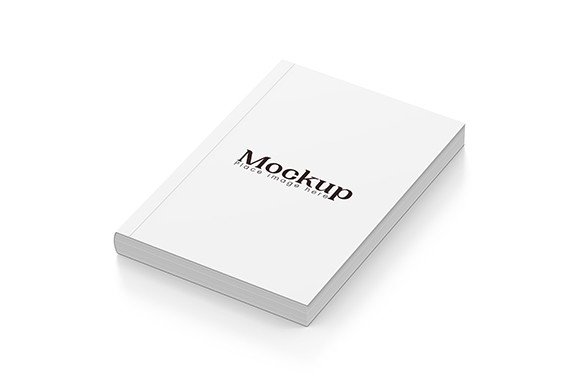
7 Landscape Book Mockups (by Seinstudio) Artistic and expansive, this collection breaks from the traditional portrait format to offer a fresh perspective on book presentation. Seinstudio delivers seven beautifully rendered landscape mockups, perfect for designs that need room to breathe, from sweeping photography to immersive storybook illustrations. The scenes are clean and minimal, placing all the focus on your creative work. With user-friendly Smart Objects and high-resolution files, even Photoshop newcomers can create a professional, polished showcase in minutes, making it an essential tool for visual-heavy projects.
Features:
- Includes 7 unique, high-resolution PSD mockups
- Specifically designed for the B5 landscape format
- Crisp 300 DPI resolution for sharp, professional results
- Effortless editing via Photoshop Smart Objects
Best for:
- Showcasing photography portfolios and art books
- Presenting children’s books and illustrated stories
- Creating lookbooks, brand guides, and portfolios
- Displaying wide-format cookbook and editorial designs
18. Kids Book Cover Mockup – Canva (by HootyOwl)
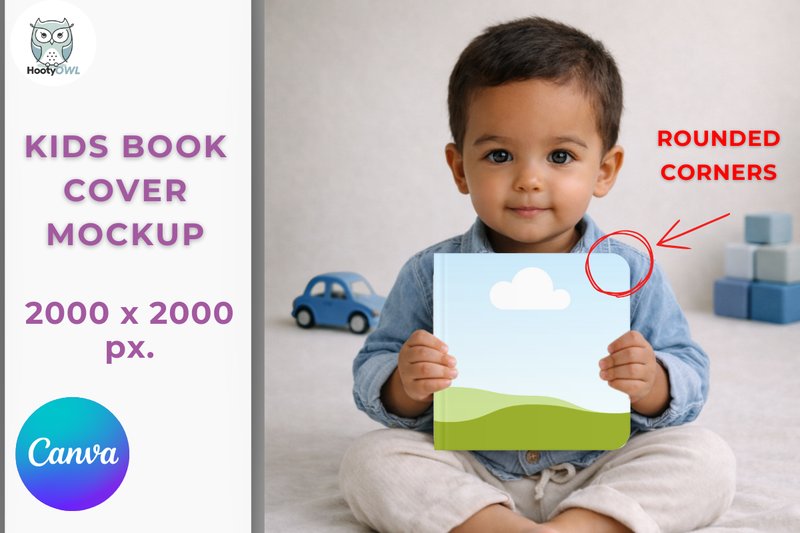
Kids Book Cover Mockup – Canva (by HootyOwl) HootyOwl demonstrates a deep understanding of the children’s market with this impeccably designed mockup. It perfectly presents the gentle, safe aesthetic of a modern baby board book, using a clean, square format and two distinct rounded corners to mimic the tactile feel of a real-world product. The result is a presentation that feels both professional and approachable, ideal for showcasing designs meant for the littlest of readers. Its simplicity is its strength, allowing your cover art to shine in a soft, welcoming context.
Features:
- Designed for effortless drag-and-drop use directly in Canva.
- Features a unique baby board book style with two rounded corners.
- High-resolution 2000 x 2000 px square template.
- PDF download includes a direct link to the template.
Best for:
- Authors and illustrators building a professional portfolio.
- Indie publishers marketing new board book releases online.
- Showcasing cover designs on social media and e-commerce platforms.
- Presenting client concepts in a realistic, child-friendly format.
19. Rounded Corner Book Mockup – Canva (by HootyOwl)
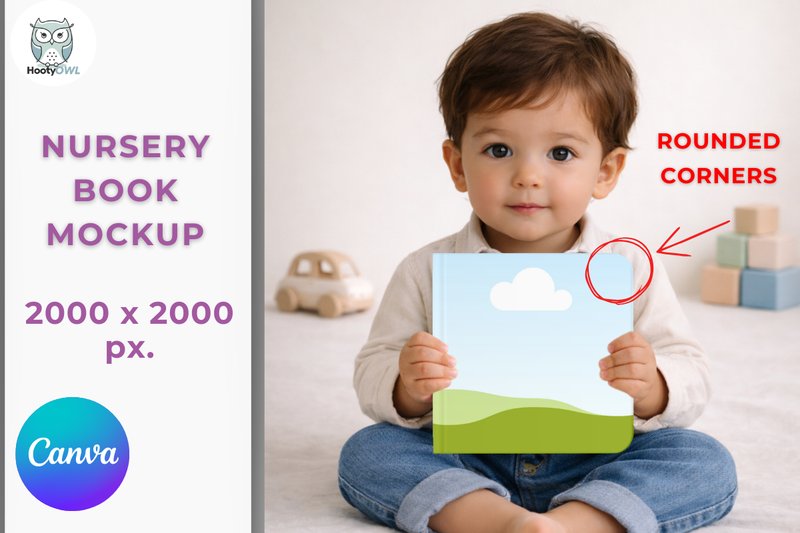
Rounded Corner Book Mockup – Canva (by HootyOwl) is a beautifully simple and effective template that brings a soft, tactile quality to your digital presentations. Designed specifically for Canva, it offers a fresh take on the standard book mockup by featuring a unique two-rounded-corner design, perfectly echoing the gentle feel of a modern children’s board book. This choice creates an approachable and friendly aesthetic, making it an ideal canvas for designs that need to feel safe, welcoming, and contemporary without sacrificing professional polish.
Features:
- Directly editable in Canva for simple drag-and-drop customization.
- Unique square format with two distinctive rounded corners for a modern look.
- High-resolution 2000 x 2000 px template suitable for web and social media.
- Instant access via a PDF download link for immediate use.
Best for:
- Authors and illustrators showcasing children’s books or baby board books.
- Etsy shop owners and digital product creators with a focus on family-friendly content.
- Graphic designers needing a quick, stylish mockup for client cover presentations.
- Creating clean, cohesive branding visuals for websites and Instagram feeds.
20. Square Hard Cover Book Mockup (by pmvchamara)
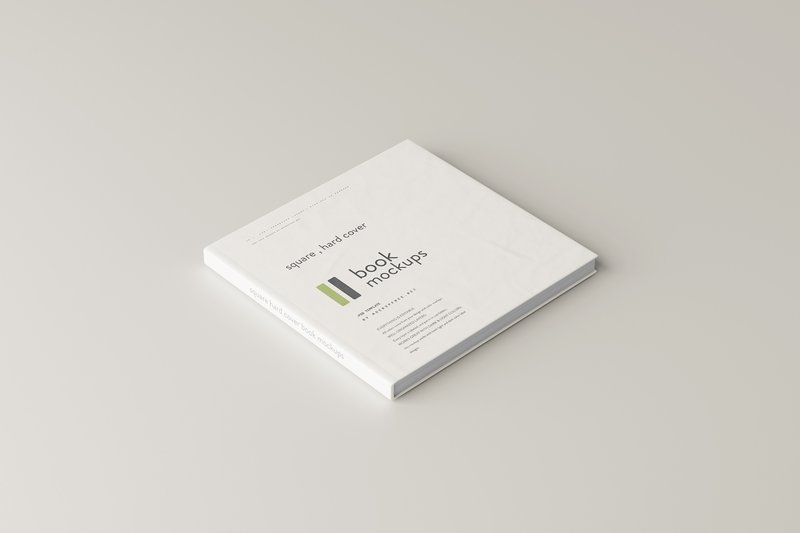
Square Hard Cover Book Mockup (by pmvchamara) Gone are the days of trying to force your unique square designs into generic, oversized mockups. This minimalist set from pmvchamara provides a perfectly proportioned stage for projects that defy the standard rectangular format. With a clean, contemporary aesthetic, these five mockups put the spotlight squarely on your cover art. The slim profile and subtle semi-gloss finish create a sophisticated, boutique feel, ensuring your design is presented with a quiet confidence that is both modern and timeless.
Features:
- Set of five unique, high-resolution mockup scenes
- Realistic semi-gloss texture on a slim, hard-cover build
- Clean, focused views of the front and back cover designs
- Perfectly scaled for thin books (approx. 100-200 pages)
Best for:
- Showcasing photography portfolios and art books
- Presenting premium children’s storybooks
- Creating elegant brand lookbooks or catalogs
- Displaying special edition poetry collections or zines
21. 8 Kids’ Coloring & Activity Book Mockups (by HootyOwl)
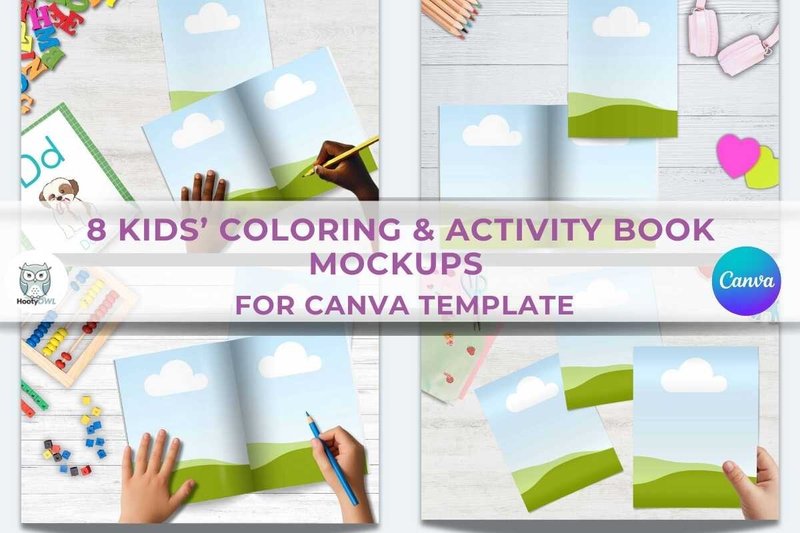
8 Kids’ Coloring & Activity Book Mockups (by HootyOwl) Designing for children is a creative love affair with imagination itself, and the right presentation is like the perfect first date—it has to be charming, inviting, and promise a world of fun. This mockup collection from HootyOwl understands that dynamic perfectly. With a clean, bright, and playful aesthetic, these templates don’t just display your designs; they frame them in a context of joyful discovery. The thoughtful inclusion of both cover and interior views allows potential buyers to fall in love with your entire creation, offering a compelling preview that feels both professional and wonderfully accessible, all within an easy-to-use Canva format.
Features:
- Effortless drag-and-drop editing directly within Canva.
- A versatile set of 8 mockups showcasing both book covers and interior pages.
- A clean, bright aesthetic that enhances whimsical designs without distraction.
Best for:
- KDP authors building polished and enticing Amazon product listings.
- Illustrators showcasing children’s book concepts in a professional portfolio.
- Etsy sellers and digital creators marketing printable coloring and activity books.
22. 5x Multi-material Cover Book Mockups (by Rami’s design)
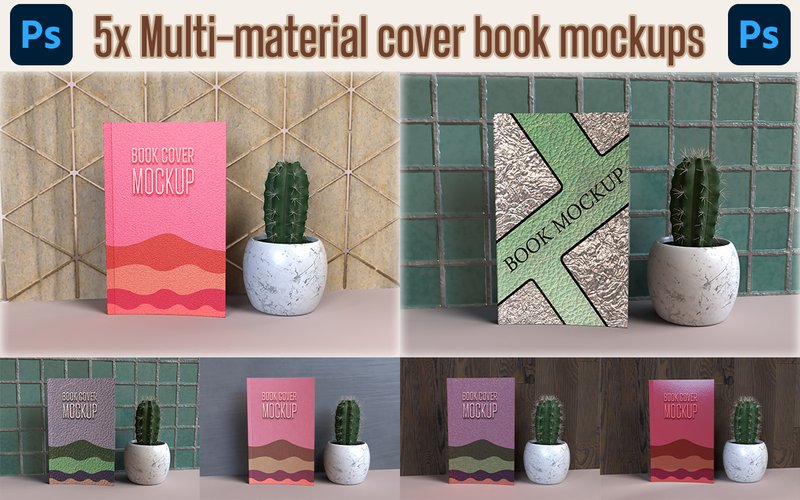
5x Multi-material Cover Book Mockups (by Rami’s design) If you are looking for a mockup set that grounds your digital designs in a tangible, physical reality, this collection from Rami’s design is a superb choice. Moving beyond flat, generic presentations, these mockups emphasize the tactile quality of a book cover, offering a variety of material finishes that add depth and sophistication. The clean, professional aesthetic allows your artwork to shine while providing clients and customers with a realistic preview of the final printed product, making your design feel both premium and approachable.
Features:
- Five unique mockups featuring a variety of high-quality material textures.
- Effortless editing with well-organized PSD files and smart object integration.
- High-resolution files pre-formatted for the standard KDP 6×9 inch book size.
- Includes both PSD and JPEG formats for maximum flexibility.
Best for:
- Self-publishing authors needing professional visuals for Amazon KDP and marketing.
- Designers presenting cover concepts that emphasize texture and physical finish.
- Creating high-impact promotional graphics for social media and online bookstores.
- Building a design portfolio that showcases work in a realistic, polished context.
23. 9 Playful Coloring Book Mockups – Canva (by HootyOwl)
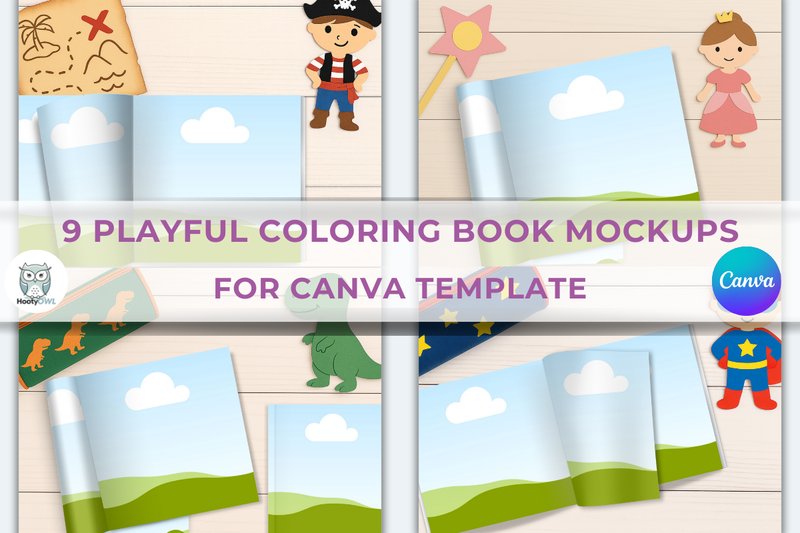
9 Playful Coloring Book Mockups – Canva (by HootyOwl) instantly brings a sense of joyful creativity and hands-on fun to your digital storefront. Designed by HootyOwl, this collection feels like a peek into a vibrant art corner, complete with charming props and cheerful lighting that make your coloring page designs pop. It moves beyond sterile, flat layouts, instead offering a genuinely delightful context that helps potential customers envision the fun of bringing your art to life. The best part? This entire whimsical world is accessible right within Canva, making professional, engaging product shots achievable in just a few clicks.
Features:
- Fully editable in Canva (free or pro account)
- Simple drag-and-drop functionality for easy image placement
- High-resolution template size of 2700 x 2025 px
- Instant PDF download with a direct link to the template
Best for:
- Digital artists showcasing new coloring book pages or bundles
- Etsy and Gumroad sellers creating eye-catching product listings
- Crafting engaging promotional graphics for Instagram, Pinterest, and Facebook
- Enhancing website portfolios with realistic, context-rich visuals
🛠️ Technical Deep Dive: Mastering Smart Objects in Photoshop
Most high-quality book mockups in this collection are PSD files that use a powerful feature called Smart Objects. Understanding this will save you a lot of time and frustration. A Smart Object is essentially a container that holds your book cover design. When you place your flat design into it, Photoshop automatically applies all the perspective, warping, lighting, and texture effects from the mockup to your art.
Here’s the basic workflow:
- Open the PSD file in Photoshop.
- In the Layers panel, find the layer clearly labeled something like “Your Design Here” or “Double-Click to Edit.” It will have a small icon on the thumbnail, indicating it’s a Smart Object.
- Double-click the layer’s thumbnail. A new window (.psb file) will open, showing a flat placeholder design.
- Place your own cover design into this new window, covering the placeholder. Save and close this window.
- When you return to the main mockup file, your design will be perfectly integrated into the scene.
💡 Matching the Mockup to the Message: A Genre Guide
A great mockup doesn’t just show your cover; it tells a story and sets the mood. The background and props should complement your book’s genre, not clash with it. Think of the mockup as the book’s first chapter. Here are some ideas:
- Thrillers & Horror: Look for mockups with deep shadows, stark or isolated environments, and a moody, cinematic color grade. A single book on a dark, empty table is more effective than one in a sunny café.
- Romance & Contemporary Fiction: Choose bright, airy, and relatable scenes. Cozy settings with coffee cups, soft blankets, or flat lays with floral elements work beautifully. Human elements (like a hand holding the book) can add a touch of warmth.
- Business & Non-Fiction: Opt for clean, minimalist, and professional environments. A book on a modern desk next to a laptop, in a clean office setting, or against a simple architectural background conveys authority and clarity.
- Fantasy & Sci-Fi: Your cover art is the hero. Choose mockups that either have an epic, atmospheric background (e.g., misty mountains, starry skies) or are extremely minimalist to let the intricate artwork shine without distraction.
- Cookbooks & Crafts: Context is everything. Place your book in a kitchen scene with fresh ingredients, on a rustic wooden table, or surrounded by the tools of the relevant craft (e.g., knitting needles, paintbrushes).
🚀 Pro Tips for Hyper-Realistic Results
Simply dropping your design into a Smart Object is just the first step. To truly trick the eye and make your mockup indistinguishable from a real photograph, consider these subtle adjustments:
- Match the Lighting: Pay attention to the light source in the mockup photo. If the light is coming from the left, your cover design shouldn’t have strong shadows on the right. If needed, add a subtle inner shadow or a gentle brightness/contrast adjustment layer (clipped to your Smart Object) to match the scene’s lighting.
- Unify with Grain: Professional photos always have a tiny bit of natural grain. Your digital cover design, however, is perfectly clean. To blend them, add a very subtle layer of photographic grain or noise over the entire final image. This unifies the inserted design with the background photo.
- Adjust the Color Cast: Almost every photo has a slight color temperature (e.g., warm, cool, a bit green). Your cover might look out of place if its colors are too pure. Use a Photo Filter or Color Balance adjustment layer on top of everything to add a subtle, consistent color cast to the entire image, tying it all together.
📈 Beyond the Online Store: Maximizing Your Mockup’s Reach
Your beautiful new mockups are powerful assets that can be used far beyond a simple product page. Integrate them into your entire marketing strategy to build a cohesive and professional brand for your book or project.
- Animated Social Media Posts: Use Photoshop’s timeline feature or a simple video editor to create a short, animated GIF or video from your mockup. You can add subtle motion, like a shimmering light effect on the title or a slow zoom-in. This is far more engaging on platforms like Instagram and TikTok than a static image.
- Author Press Kits: Create a dedicated section on your website or in your digital press kit with high-resolution mockups available for download. This ensures that bloggers, reviewers, and media outlets use high-quality, on-brand imagery when they feature your book.
- Email Newsletter Banners: A striking book mockup is the perfect hero image for your email announcements. It’s more tangible and emotionally resonant than a flat cover, leading to higher engagement and click-through rates for pre-orders or sales.
- Amazon A+ Content: If you’re selling on Amazon, use your mockups to create visually rich A+ Content. Combine different mockup angles with pull quotes and character introductions to build a compelling, magazine-style page that converts browsers into buyers.
👀 Didn’t find what you were looking for?
There are hundreds more cool options in the full collection for your project.
Conclusion
And there you have it—23 exceptional book mockups ready to bring your cover designs to life. Whether you need a simple paperback, a stunning hardcover, or an entire series layout, this collection has a professional solution. Choose your favorite and start creating a presentation that truly does your story justice.